


Unable to load certain types of forums

While browsing some, some forums wont load properly in Mozilla Firefox(same with IE), while when using Google Chrome, it loads perfectly, this has been a trouble to me for about 2-3 months no. I'm not sure if its the explorer problem, or is some encryption glitch(since the site had DDoS protection by CloudFlare). As far as I've seen, the page hasn't been updated(the update that happened at first loaded fine).
Here is the URL of the page(At least the one that i use/can remember): http://creative-scape.net/
And this is the screenshot of what it looks like to me:
edit de-linkified ~J99
http://i60.tinypic.com/2rxwos9.jpg http://i62.tinypic.com/nb5g68.jpg
And how it looks like in Chrome: http://i58.tinypic.com/mb1eux.png http://i61.tinypic.com/2l9l4jo.jpg
I apologize for my bad English, and Thank You in advance.
由John99于修改
选择的解决方案
hello, you can use the firefox web console to see the source of the errors: https://developer.mozilla.org/en-US/docs/Tools/Web_Console in line 72 of index.php you are missing a " in front of your background image url...
所有回复 (4)
Please try to attach the screenshots. I have no scriptblocker on the machine I am using at the moment and your links ar generating adverts and popups.
I am able to open http://creative-scape.net/ but it is not a forum it is a gaming site.
Please confirm the links to sites you have issues with.
I'm sorry, I accidentally copy-ed the main page, the link to the forums is the "community" option; http://creative-scape.net/forums/ And the pictures, i was trying to upload, but i had some troubles at first, I waited for 5 minutes and nothing happened, I've added em as an attachment now.
Thank you for the fast response.
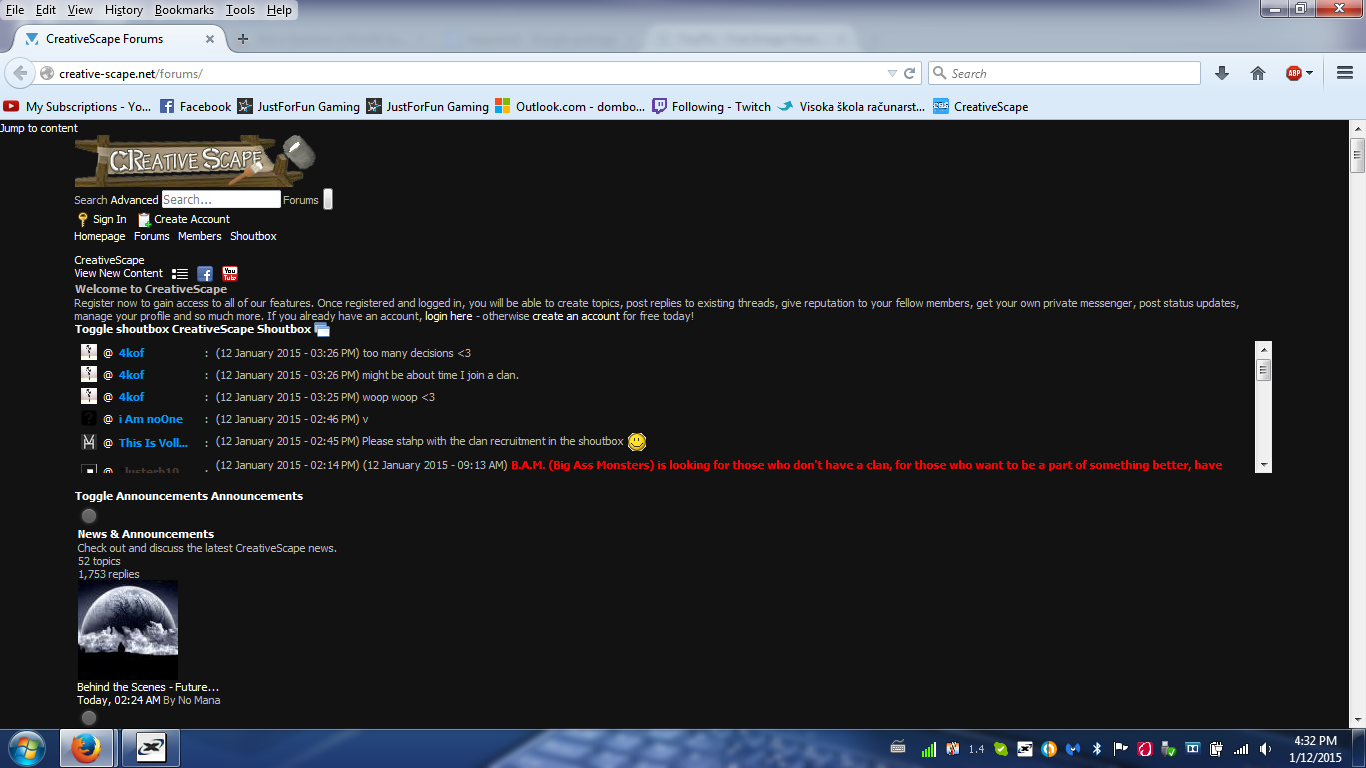
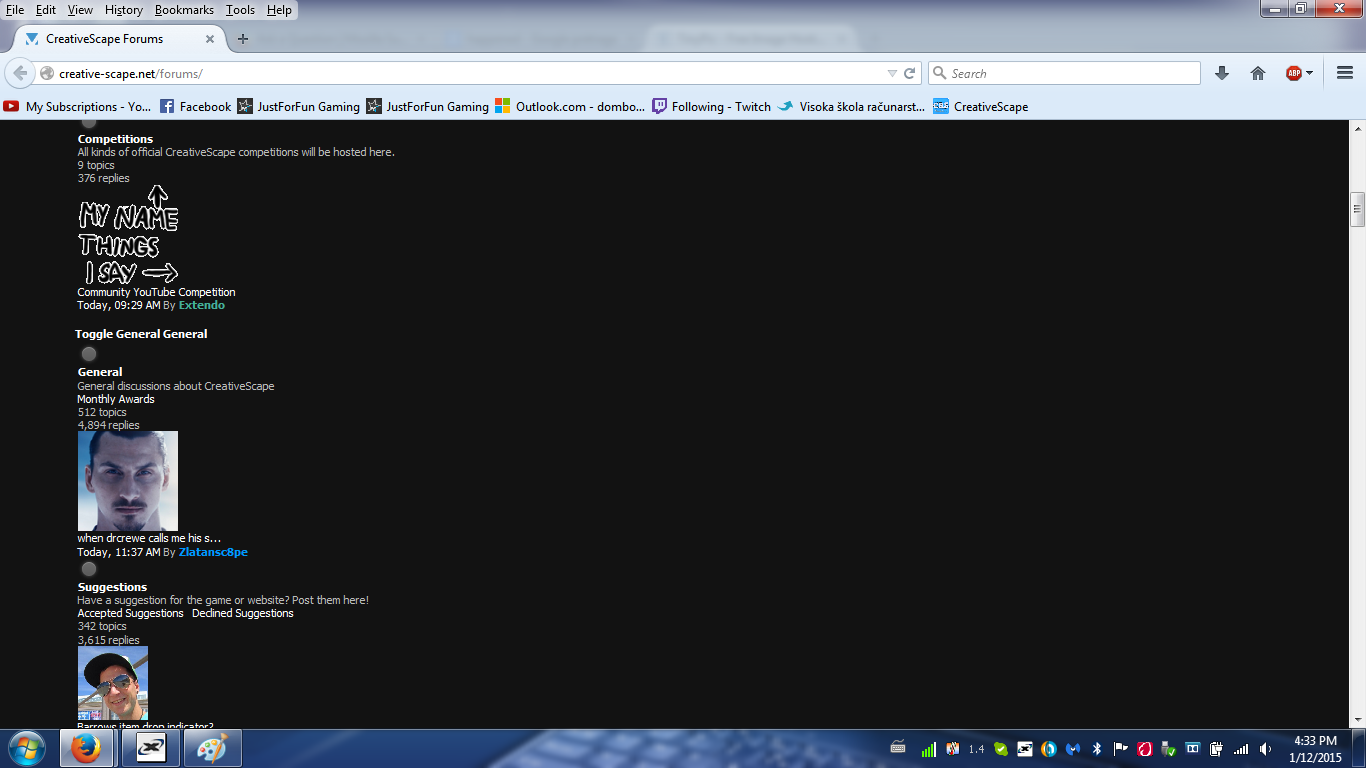
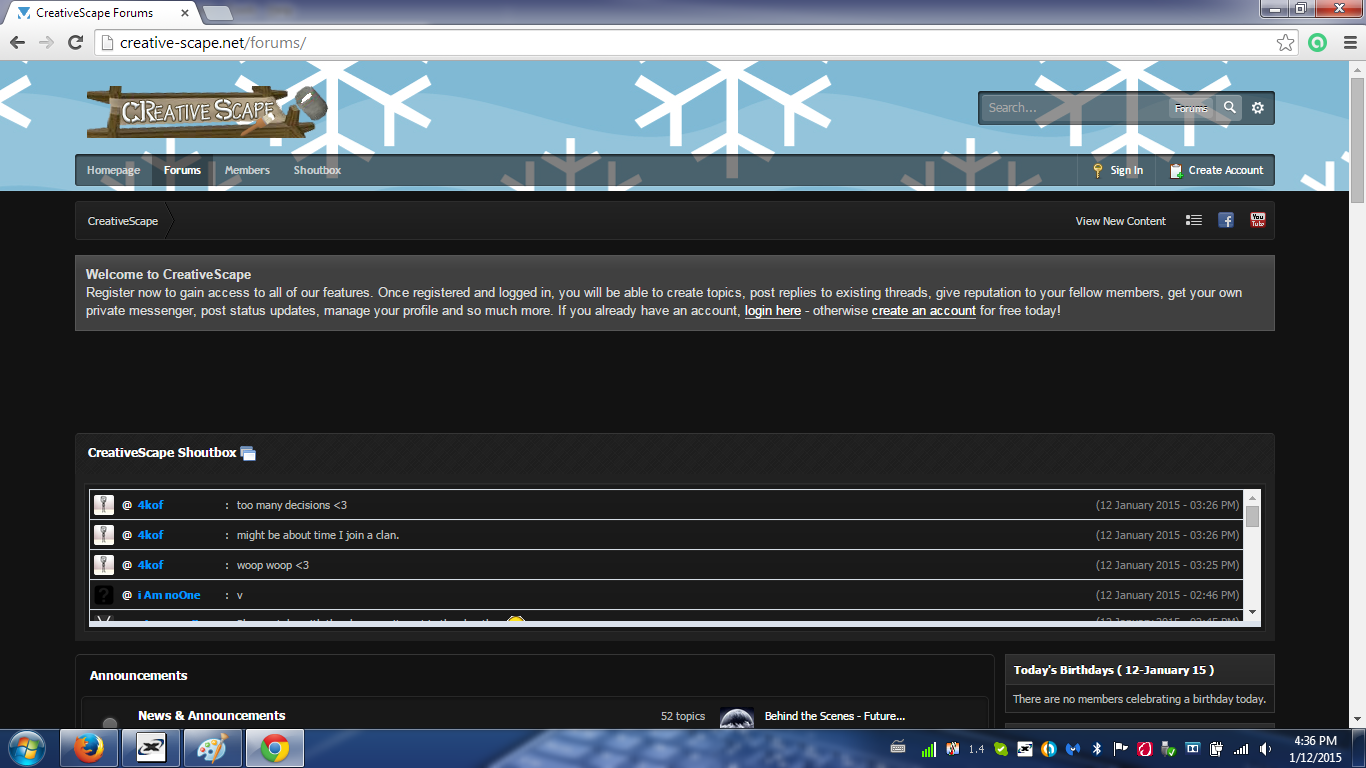
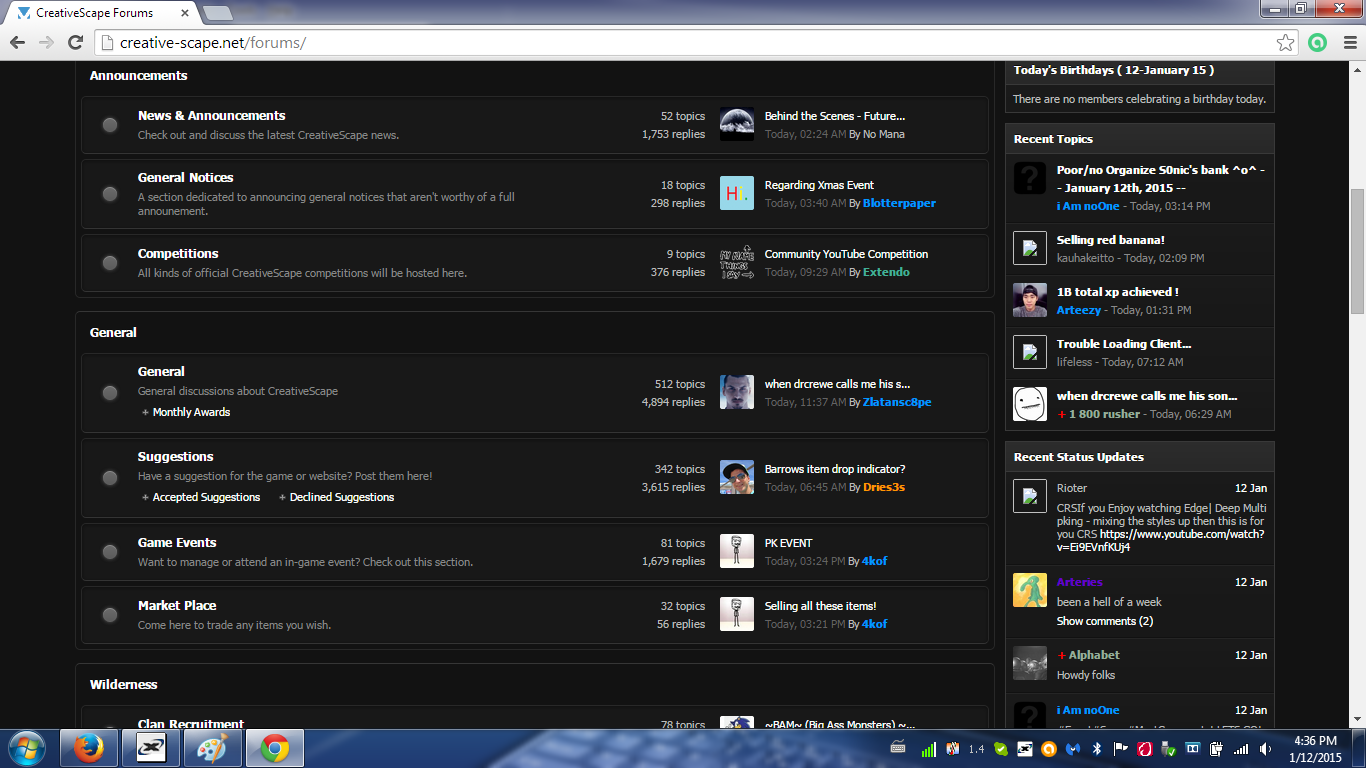
选择的解决方案
hello, you can use the firefox web console to see the source of the errors: https://developer.mozilla.org/en-US/docs/Tools/Web_Console in line 72 of index.php you are missing a " in front of your background image url...
Thank you very much philipp, that solved my problem!