


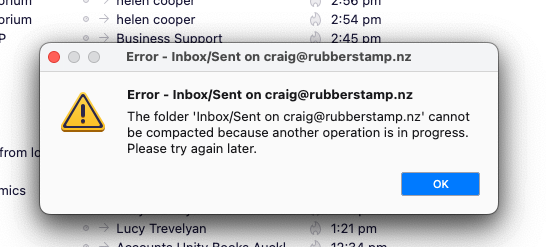
Get a warning but I haven't done anything on purpose - "Cannot be compacted because another operation is occurring"

for no reason get this message , just go OK says " Cannot be compacted because another operation is occurring" see attached It also does it for other folders & the like Am I accidentally hitting a keyboard combo or button that does that? or just random?
thanks
Craig ( NZ )
All Replies (2)

Try closing all open messages, then close TB via the menu - not the X. Restart and try compacting again.
Advise you compact when you know you are not downloading, also advise when compacting, you do not select anything, just wait and do not exit Thunderbird whilst it's occurring. It should only take a few moments. Info should be seen in the bottom Status bar.
If you still have a problem, Suggest you access the Anti-Virus and set up an exclusion to not scan anything in your Thunderbird folder that contains all the Profile name folders etc.
- eg: C://Users/username/Appdata/Roaming/Thunderbird