


Gmail All Mail folder does not follow the Retention Settings

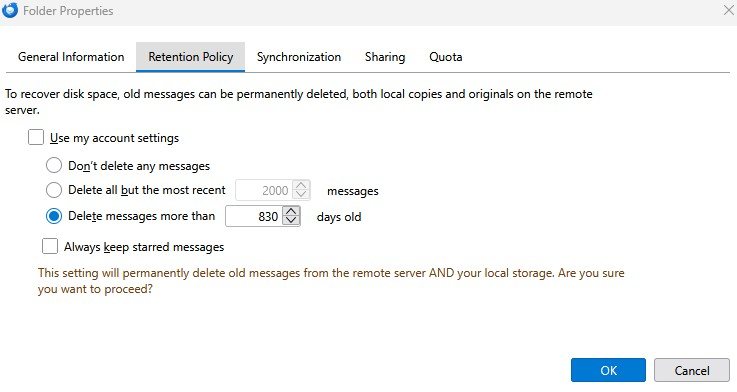
I have attached a screenshot of the retention settings for the Gmail All Mail folder. This folder contains emails that have a date nine years ago. Can you tell me if I did something wrong in the retention settings?
I thought earlier today it was using the retention settings but I just checked and it is not.
All Replies (4)
Gmail manages its own folders. Unless you need AllMail folder for some purpose, I stronly recommend unsubscribing from it. AllMail keeps all that is in your inbox, sent folder, even the trash. That duplicating increases your resource use, your download time, and may double your PC disk space.
What is the proper way to unsubscribe the AllMail folder?
You can mark in gmail that the All Mail folder is not presented to imap clients. Or, you can open subscribe in Thunderbird and uncheck "All Mail".
I had found the subscribe settings just prior to your answer. Thanks for responding.
Now I do not have an All Mail folder.
In the past I have had to look for an email that was not in my InBox. I have used the search function and searched All Mail and found what I was looking for. I just learned how to search in Gmail and in my test it found messages from two years back. I don't have to do this often, but if I do is that the correct way to search for a missing email?