


Windows 10 reached EOS (end of support) on October 14, 2025. If you are on Windows 10, see this article.

Search Support

Avoid support scams. We will never ask you to call or text a phone number or share personal information. Please report suspicious activity using the “Report Abuse” option.

Learn More
Èròjà atẹ̀lélànà yii ni a ti fi pamọ́ fọ́jọ́ pípẹ́. Jọ̀wọ́ béèrè ìbéèrè titun bí o bá nílò ìrànwọ́.
A ti fi pamọ́ fọ́jọ́ pípẹ́

Thunderbird Email stuck in "Loading..."

Wayne Mery replied
Ulrich

Dear All,

I have the reoccuring problem, that certain Emails won't laod. They are in the Inbox, but when I click on them to see the content, Thunderbird only shows a black screen and is stuck in "Loading...". If I switch to troubleshoot mode, Emails load correctly - independent of whether addons are switched on or off in the troubleshoot mode.

I believe it mostly affects emails with attachments, but it is not limited to them.

I'm running Thunderbird Beta Version 146.0b3 (64-bit).

Does anyone know how to troubleshoot this, or has an idea where the problem might lie?

Best, Uli
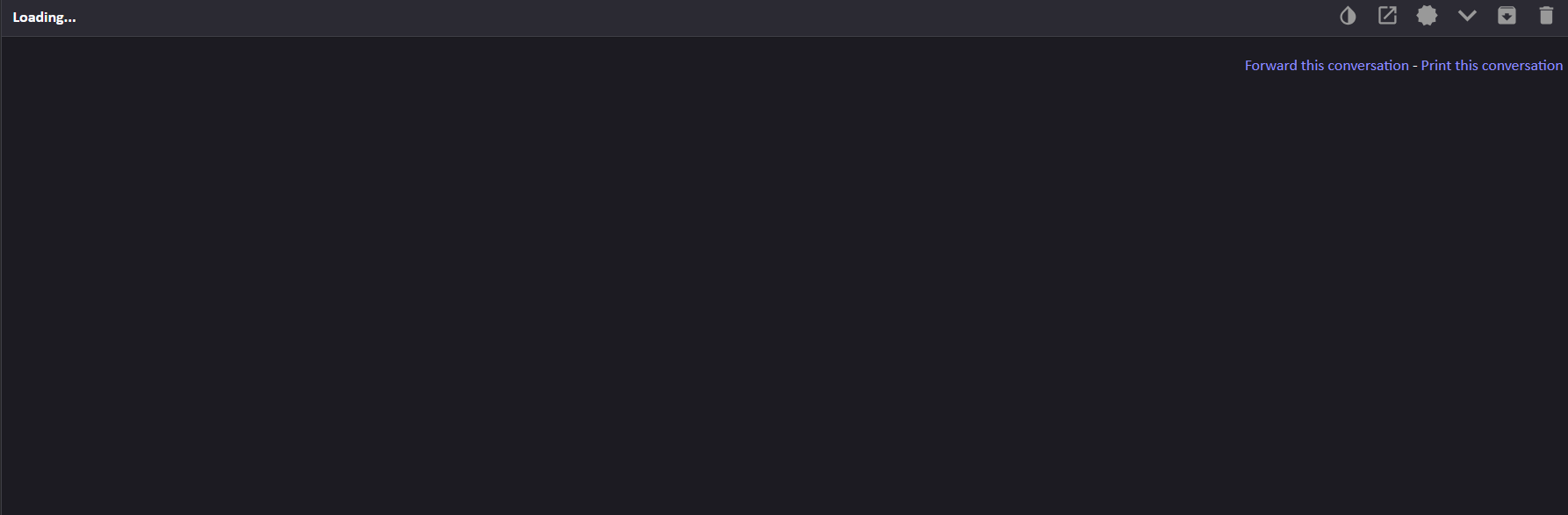
Dear All, I have the reoccuring problem, that certain Emails won't laod. They are in the Inbox, but when I click on them to see the content, Thunderbird only shows a black screen and is stuck in "Loading...". If I switch to troubleshoot mode, Emails load correctly - independent of whether addons are switched on or off in the troubleshoot mode. I believe it mostly affects emails with attachments, but it is not limited to them. I'm running Thunderbird Beta Version 146.0b3 (64-bit). Does anyone know how to troubleshoot this, or has an idea where the problem might lie? Best, Uli
Ìsopọ̀ yíyà aṣàfihàn

All Replies (2)

In normal mode, disable all your add-ons > re-enable one at a time and test.

If that doesn't help, try turning off hardware acceleration:

- go to TB Menu > Settings and enter 'hardware' (no quotes) in the search box

  - uncheck 'Use hardware acceleration when available'

- close the tab and restart TB

Ulrich, are you still seeing this problem?