


Windows 10 reached EOS (end of support) on October 14, 2025. If you are on Windows 10, see this article.

Search Support

Avoid support scams. We will never ask you to call or text a phone number or share personal information. Please report suspicious activity using the “Report Abuse” option.

Learn More

Èròjà atẹ̀lélànà yii ni a ti fi pamọ́ fọ́jọ́ pípẹ́. Jọ̀wọ́ béèrè ìbéèrè titun bí o bá nílò ìrànwọ́.

Background color for the toolbar customization screen is awful

  • 1 èsì
  • 1 ní ìṣòro yìí
  • 189 views
  • Èsì tí ó kẹ́hìn lọ́wọ́ Wild Willy
  • A ti fi pamọ́ fọ́jọ́ pípẹ́

I've looked at this page:

https://support.mozilla.org/en-US/kb/customize-firefox-controls-buttons-and-toolbars

It shows the toolbar customization page like in the attached image I've named Customize Toolbar.

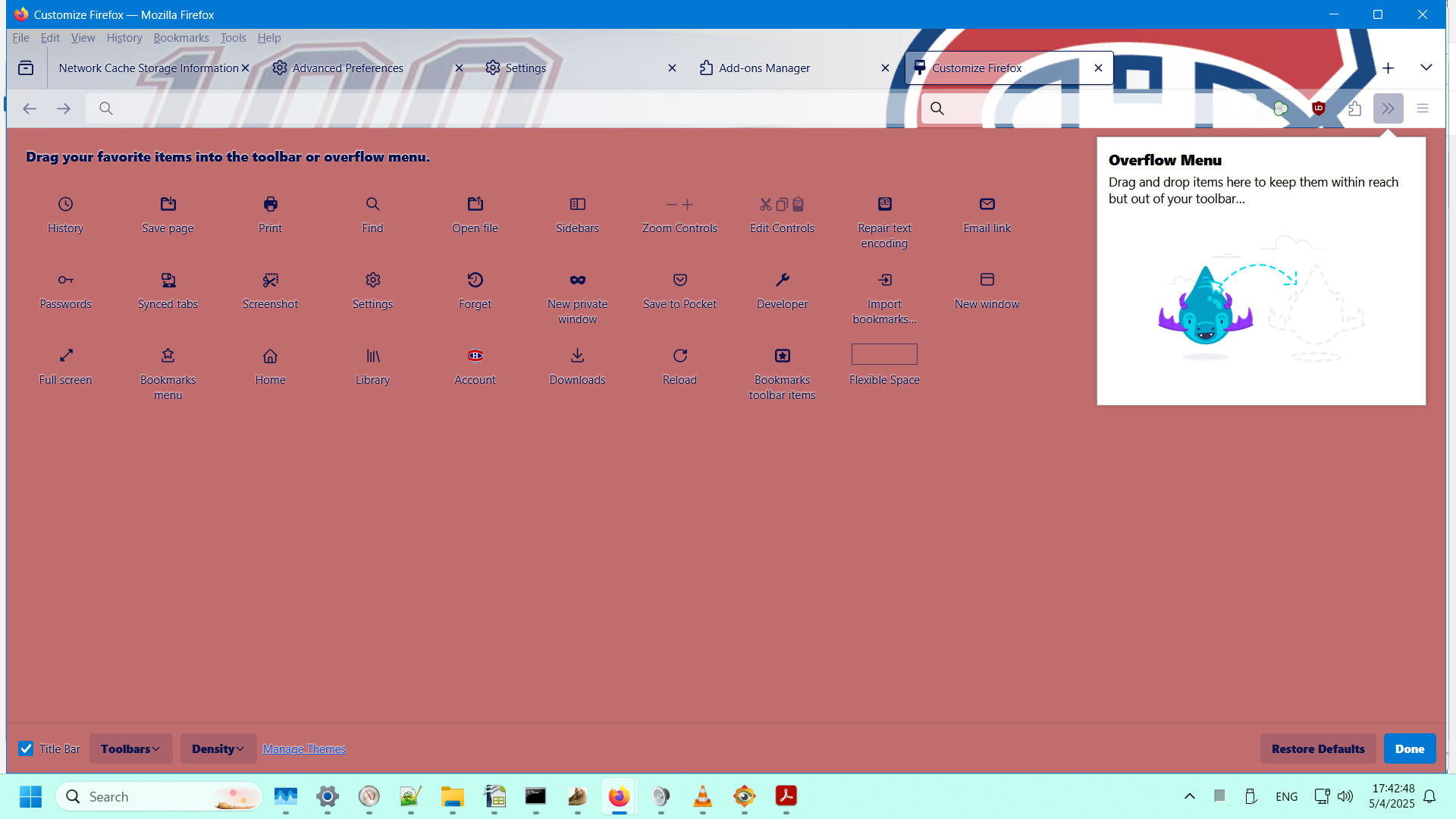
In my Firefox (138.0.1 64-bit on Windows 11), it looks like what I'm showing in the attached image I've named My Customize Toolbar.

I like the background shown in the Mozilla documentation. I hate the background I've got. I didn't choose that color. I have no idea where it's coming from. I sure would like to change that disgusting color to white.

How do I do that?
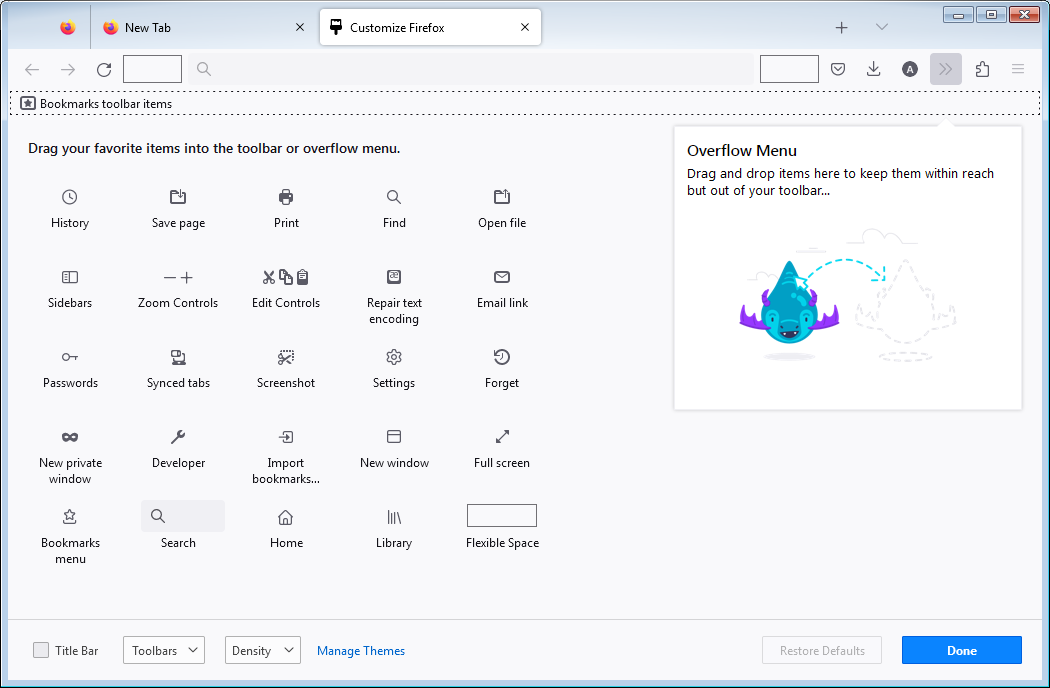
I've looked at this page: https://support.mozilla.org/en-US/kb/customize-firefox-controls-buttons-and-toolbars It shows the toolbar customization page like in the attached image I've named Customize Toolbar. In my Firefox (138.0.1 64-bit on Windows 11), it looks like what I'm showing in the attached image I've named My Customize Toolbar. I like the background shown in the Mozilla documentation. I hate the background I've got. I didn't choose that color. I have no idea where it's coming from. I sure would like to change that disgusting color to white. How do I do that?
Ìsopọ̀ yíyà aṣàfihàn

Ti ṣàtúnṣe nípa Wild Willy

All Replies (1)

Hmmmm...... My names for the images have gotten lost. But you can figure out which is which. The one I called Customize Toolbar is the one with the light background. The one I called My Customize Toolbar is, obviously, the other one.