


Windows 10 reached EOS (end of support) on October 14, 2025. For more information, see this article.

Search Support

Avoid support scams. We will never ask you to call or text a phone number or share personal information. Please report suspicious activity using the “Report Abuse” option.

Learn More

Èròjà atẹ̀lélànà yii ni a ti fi pamọ́ fọ́jọ́ pípẹ́. Jọ̀wọ́ béèrè ìbéèrè titun bí o bá nílò ìrànwọ́.

Android - pages stop loading

  • 2 àwọn èsì
  • 0 ní àwọn ìṣòro yìí
  • 84 views
  • Èsì tí ó kẹ́hìn lọ́wọ́ Ether

Hello,

If the phone is not used for a while, it takes a very long time to open a page in Firefox. The bar immediately goes to about 25% and hangs. When it finally starts, it works. Sometimes it hangs during use, but usually the problem occurs after a long period of inactivity.

What I do know:

  • The problem does not occur with any other browser or application.
  • The problem occurs on different smartphones from different manufacturers running different versions of Android.
  • Deleting and reinstalling Firefox cleanly (without any add-ons) does not help.
  • Same problem over Wi-Fi as over cellular.
  • Turning Firefox off and on again usually does not help.

I installed Waterfox and for a while there was no problem at all. Then it appeared. I noticed that at least in Waterfox, the problem does not occur in private mode.

This is an unresolved issue that has been discussed before. https://support.mozilla.org/questions/1416241
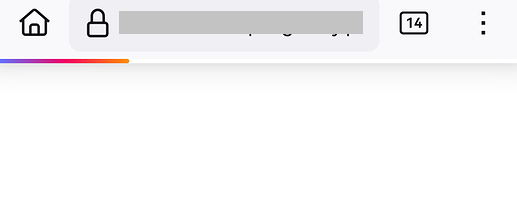
Hello, If the phone is not used for a while, it takes a very long time to open a page in Firefox. The bar immediately goes to about 25% and hangs. When it finally starts, it works. Sometimes it hangs during use, but usually the problem occurs after a long period of inactivity. What I do know: * The problem does not occur with any other browser or application. * The problem occurs on different smartphones from different manufacturers running different versions of Android. * Deleting and reinstalling Firefox cleanly (without any add-ons) does not help. * Same problem over Wi-Fi as over cellular. * Turning Firefox off and on again usually does not help. I installed Waterfox and for a while there was no problem at all. Then it appeared. I noticed that at least in Waterfox, the problem does not occur in private mode. This is an unresolved issue that has been discussed before. https://support.mozilla.org/questions/1416241
Ìsopọ̀ yíyà aṣàfihàn

Ti ṣàtúnṣe nípa NoahSUMO

All Replies (2)

What steps have you taken to troubleshoot the page loading issue on your Android device?

As I wrote above,

  • Deleting and reinstalling Firefox cleanly (without any add-ons, without logging into account) but it does not help.

Would you suggest anything else? Several people I know have the same problem.

Ti ṣàtúnṣe nípa Ether