


Bookmark disappeared
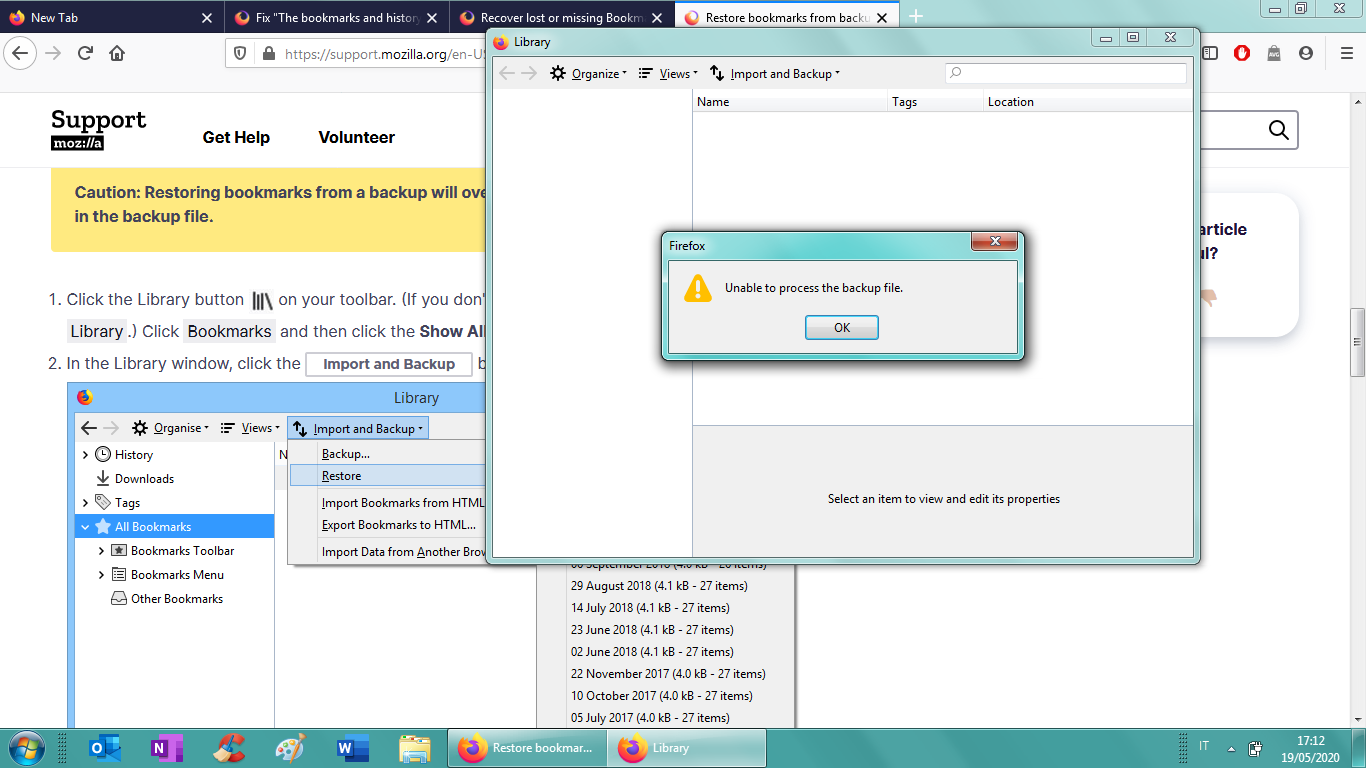
Hi everyone. When I opened Mozilla, I found out that all my bookmarks disappeared. Yesterday they were here, but now not anymore...how is it possible? I followed all the info to recover my bookmarks but I couldn't. It's like everything disappeared, I've never done a backup of my bookmarks or anything else so I don't know if I lost them for ever. Attached there's a screenshot of what appears. Please help me because I had over 300 bookmarks, and now I can't find one!
All Replies (2)

What about the rest of your profile? Settings, bookmarks, history, passwords . . . .
Look on your desktop. Do you see a folder called; Old Firefox? Look inside. Look for the folder with the latest creation date.
https://support.mozilla.org/en-US/kb/recovering-important-data-from-an-old-profile
https://support.mozilla.org/en-US/kb/back-and-restore-information-firefox-profiles
https://support.mozilla.org/en-US/kb/how-run-firefox-when-profile-missing-inaccessible
Hello lady-chocolate94, I think I do have a solution to the problem in the hyperlink below, http://mzl.la/1BAQGUu Tell me how it goes! Stay Safe!
Ti ṣàtúnṣe nípa Tommy