


The results of a search for specific emails from Inbox or All do not look like they have for months

The results of a search for specific emails from Inbox or All do not look like they have for months This started happening only recently. Not sure if this is related to an update. It just appeared.
All Replies (2)
previously the results of a search would look like the image on the right like an Inbox but with fewer items. now it looks like image on the left with content of email and does not seem to show all the emails that ought to show up in the search
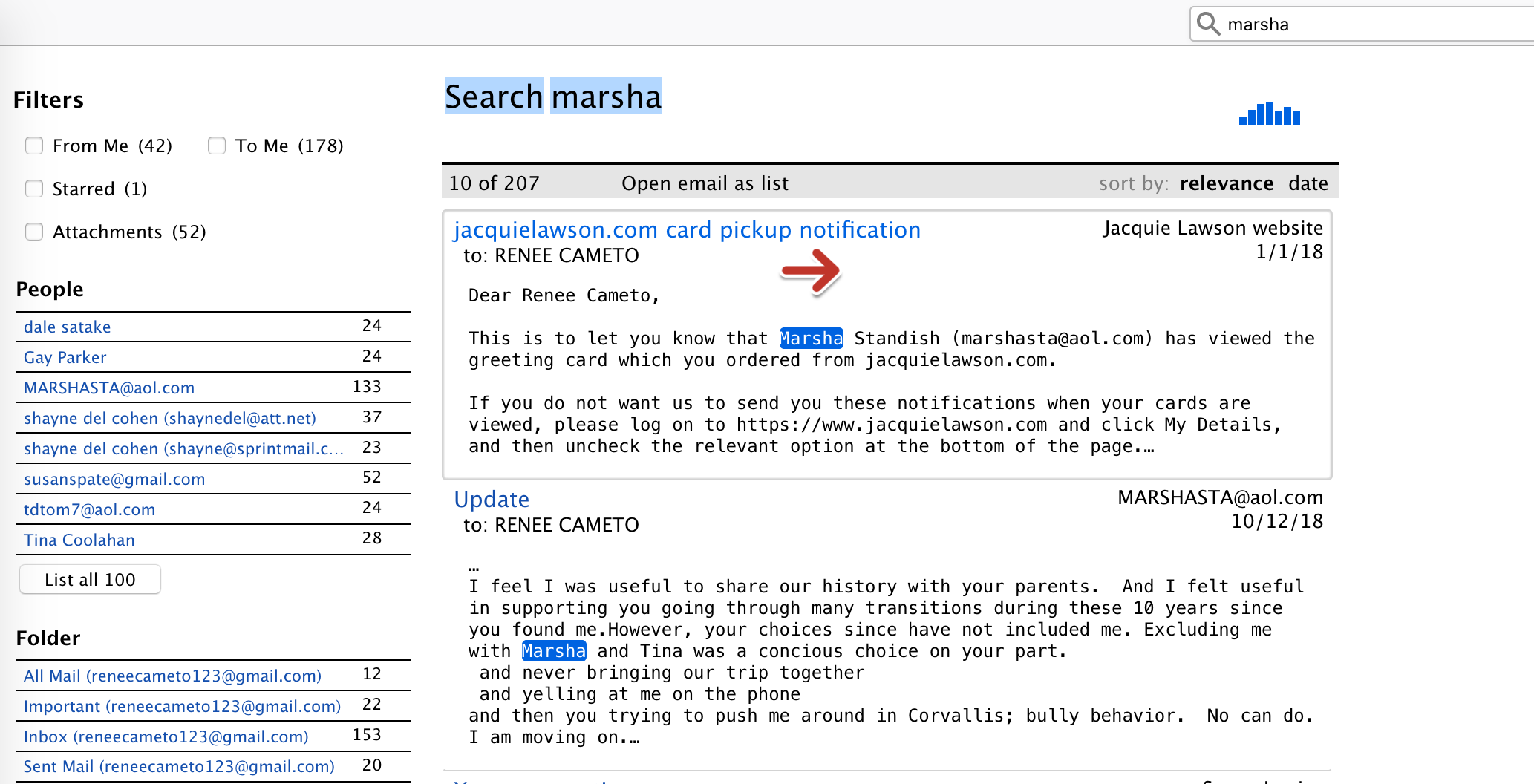
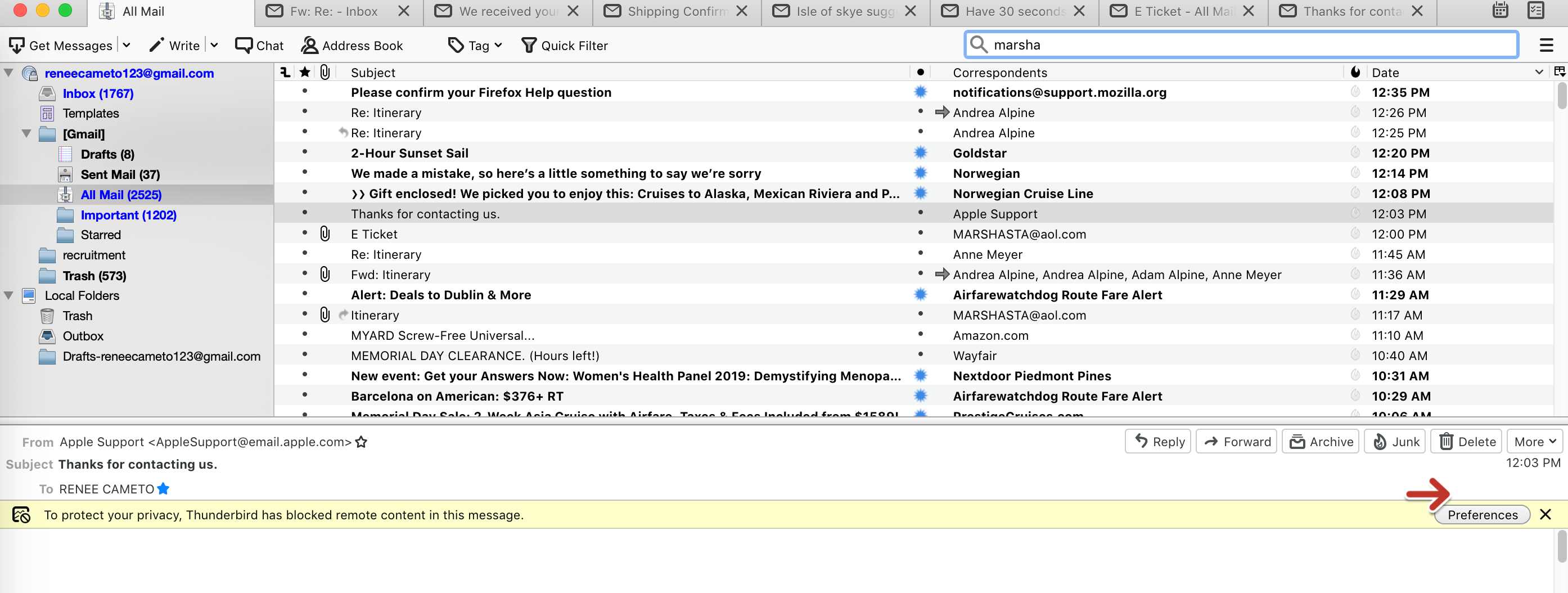
The image on the left is a Global Search (Ctrl+K), while the one on the right is a folder search using Quick Filter Bar (Ctrl+Shift+K). Both types of search are available, as well as Edit/Find/Search Messages (Ctrl+Shift+F), depending on whether you want to search all accounts or a single folder. Global Search works a bit differently from the other types, but if it's not working properly, it's advised to rebuild the database.