


Adding remote address book in Thunderbird
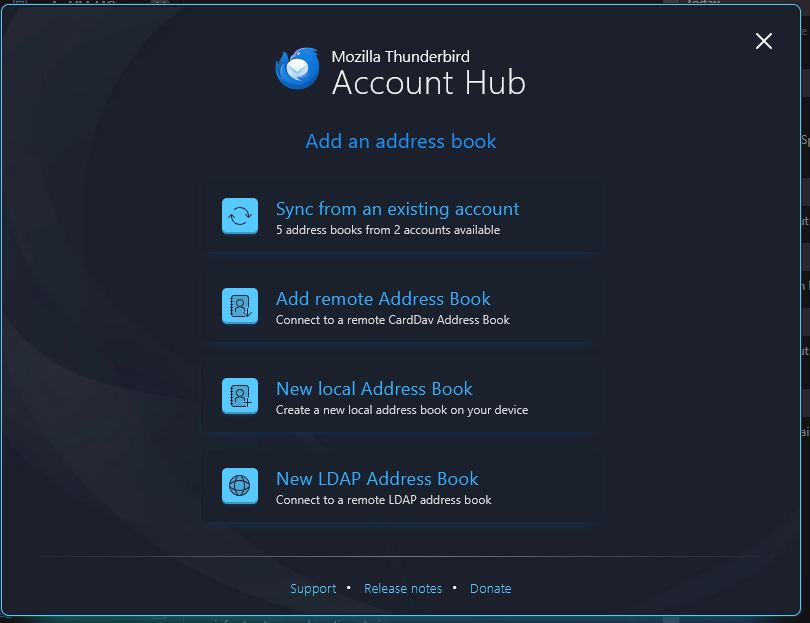
I just installed Thunderbird on a new computer. I hadn't used Thunderbird in some time. I can't seem to add ANY remote address books. There is an option to add an address book account. When I click on it, I get a dialogue box which lists several options which get highlighted whenever I mouse over then, however, when I click on ANY of the options, nothing happens.
How, then, can I add a CardDav address book to this?
Saafara biñ tànn
I can confirm the buttons are inoperative in the new address book dialog when the New Account hub is enabled for address books in Settings/General/Account Hub. Uncheck it in Settings, then click the 3-bar menu icon, New Account, New Address Book, CardDAV Address Book.
Jàng tontu lii ci fi mu bokk 👍 1All Replies (2)
I am puzzled. The screenshot you posted lists Carddav as an option. So, what is your issue? Thank you.
Saafara yiñ Tànn
I can confirm the buttons are inoperative in the new address book dialog when the New Account hub is enabled for address books in Settings/General/Account Hub. Uncheck it in Settings, then click the 3-bar menu icon, New Account, New Address Book, CardDAV Address Book.