


Use system print preview instead of Firefox

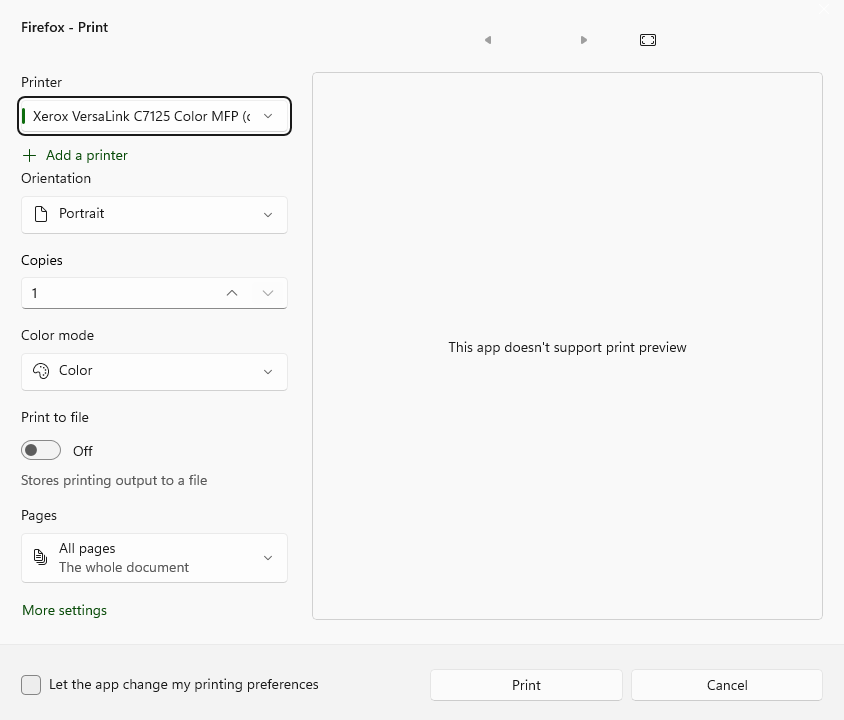
We recently had an update on our printer drivers and somehow this has swapped settings from the previous system print dialogue to "Firefox - Print". The Firefox print dialogue does not have print preview and I need to be able to see a print preview. I've noticed that this was an issue in the past and people have solved it by going into about:config and setting print.tab_modal.enabled to false, but this hasn't worked for me. I am asking this question because if I can't find a solution I will have to switch to Chrome so I can see a print preview and I would rather not. If there is another way to force the system print dialogue instead of Firefox, please let me know.
تمام جوابات (3)
https://www.thewindowsclub.com/open-printer-settings-page-in-windows-10
Pretty much the same for Win 11 I would imagine
منتخب شدہ حل
The preference is now:
print.prefer_system_dialog
@jbr Mahalos!!! Really appreciate it