Changing font size in tabs is a problem that's been going on for more than 5 years.

If you google the problem you get 5 years of answers, most of which no longer work.
Changing layout.css.devPixelsPerPx doesn't work, it changes the entire browser.
My question: Is Mozilla going to add the fix to "Settings" so I can click on it and select a number and go on with my life?
PS I tried asking this question on the Reddit forum for Firefox and you can't.
If you google the problem you get 5 years of answers, most of which no longer work.
Changing layout.css.devPixelsPerPx doesn't work, it changes the entire browser.
My question: Is Mozilla going to add the fix to "Settings" so I can click on it and select a number and go on with my life?
PS I tried asking this question on the Reddit forum for Firefox and you can't.
تمام جوابات (1)
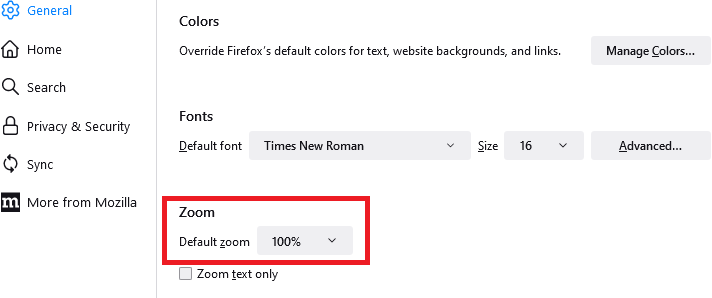
Could you experiment with the default zoom level. It's on the Settings/Preferences page:
Unfortunately, that does not work if you set Firefox to "Never remember history" or "Always use private browsing" because it is stored together with site-specific zoom level settings. (Unless they changed this recently.)
More info on zoom: Font size and zoom - increase the size of web pages