


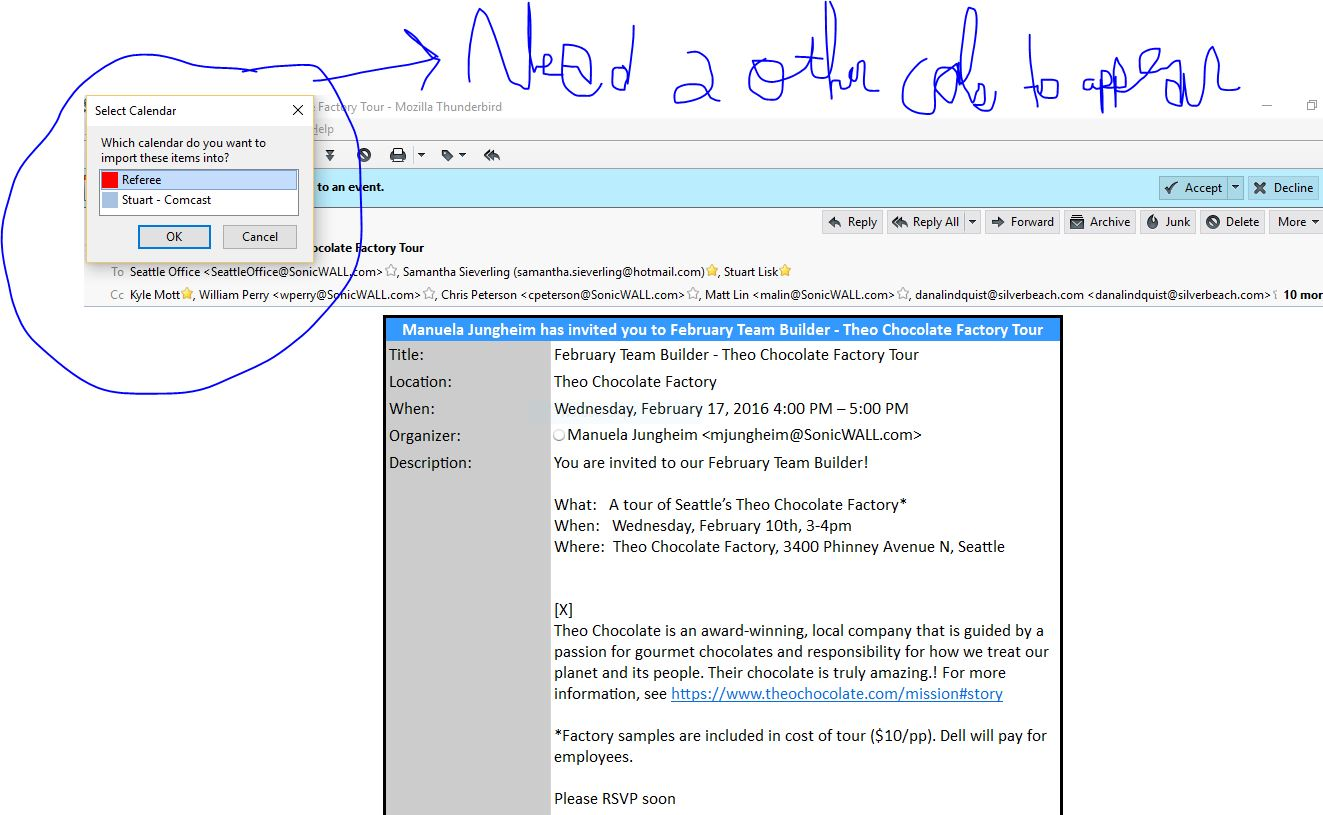
How do I get all the calendars to appear in the list to choose from when someone sends me a meeting notice? Only two of the four calendars are displaying.

I am receiving meeting notices and when i go to accept the meeting only two of my multiple calendars are showing to choose from; my comcast and only one of the gmail accounts but not the main gmail account I am using for managing the calendar.
How do get all of my calendars to appear inthe list.
تمام جوابات (5)
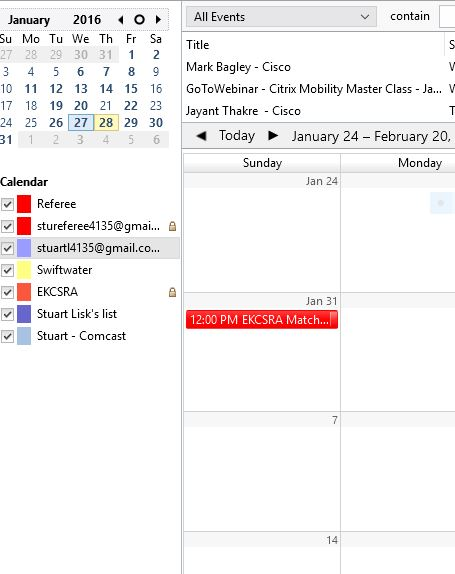
When you open a calendar tab, are they all selected in the pane on the left?
Yes, they are all selected. see pic
does anyone have any ideas on what is happening?

I am receiving meeting notices and when i go to accept the meeting only two of my multiple calendars are showing to choose from;
The invitation you receive is sent to an email address. If the email address matches the one assigned to a calendar, the event automatically goes into that calendar. I've only seen the prompt to choose a calendar when manually importing events from an .ics file.
thank u for the reply. yes, one of the calendars in the list is the one the email is part of. but, i also had one gmail account calendar appear but not the others. not sure why.