


I am still getting pop up windows every time I go to a new web page

How can I remove pop up pages that appear every time I visit a new web page?
Усі відповіді (7)
What popups?
Else look under Settings and search for Popups to see the options
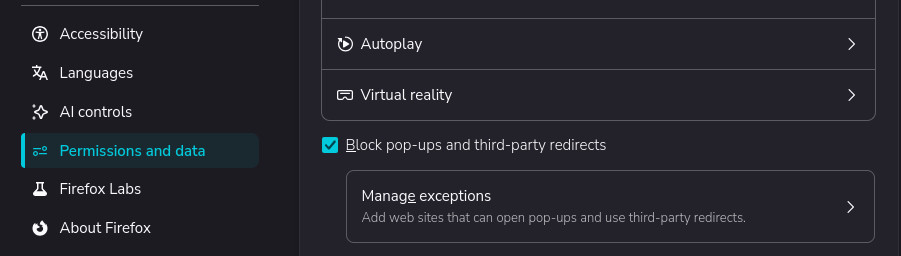
Змінено amoun
Thank you, but I already have pop up windows blocked and they are still happening.
Hi,
Could you please attach a screenshot of what you see?
Here is the URL of one of the pop up windows
https://www.go.savingssignals.com/brownstone-anthrophic1782152626482
I'd basically point you towards Troubleshoot Firefox issues caused by malware right away — if what you're saying is you go to e.g. wikipedia and click links there and you're getting random scam pages popping up that's definitely malware level at this point.
Thank you. I will do that even though I have Malwarebytes installed on my computer. I thought it was supposed to catch this kind of thing. When I run a scan it shows no problems.
After you're sure there's nothing else on the system, look into disabling suspicious addons and resetting settings.
Some previous threads on various adware hijacks of different parts of the browser: