


Lost tabs again. Exploring the backup files only gives the most recent tab.

Using firefox 144 on Kubuntu 24 LTS, on wayland, with Nvidia drivers.
I'm one of those guys with 500+ tabs. I also have a bunch of tabs open in specific containers and I recently spent a lot of time sorting most of my hundreds of tabs into a bunch of neat tab groups.
I'm not using any "sync between devices" functionnality
At some point, I open firefox like usual, and I noticed that it appears to be glitched. The rightmost tab (the last tab I had opened) seems to be working fine, but every other tab has no text, and I cannot switch to them. However, the colored line indicating that a tab is opened in a specific container still appears, it's just the tabs names that are missing. Also, firefox seems to generally not be responding, so I decide to close and reopen it.
Upon reopening, firefox restores my tabs, but I'm left with only the last tab I mentionned earlier. The "restore last session" button doesn't appear in "history". Neither "recently closed windows" nor "recently closed tabs" contain my 500+ tabs
I still have my extensions
I still have my bookmarks
I still have my base "new tab" setup, with my background image and my "pinned" websites (I don't know how it's called)
I still have my container "rules" (i.e, firefox still proposes to open specific domains with specific containers, even if I have lost old tabs that were opened in those containers)
I still have my "auto sign-ins" (i.e, I can still log into some websites without re-typing my password)
I have lost my tab groups
I'm used to losing my tabs. So I close firefox, and I go look in it's files.
The image firefox-mpris in the files still displays a youtube tab I was watching (yet this tab doesn't get restored)
I make a copy of sessionstore.jsonlz4 and sessionstore-backup, and try restoring from each backup by replacing sessionstore.jsonlz4 :
- the default sessionstore.jsonlz4 doesn't have my tabs of course
- previous.jsonlz4 has only the single last tab I mentionned earlier.
- recovery.jsonlz4 contains only 20-ish of some of the most recent tabs I had
- the "upgrade" files contains a bunch of tabs but it's from a few months ago so I'm missing the most recent stuff
Using this "scrounger" tool, I can look at what these files contain
https://www.jeffersonscher.com/ffu/scrounger.html
- sessionstore.jsonlz4 and previous.jsonlz4 both contain the single tab we talked about before (plus closed windows I don't care about)
- recovery.jsonlz4 contains exactly 25 recently opened tabs (plus closed windows I don't care about)
- upgrade.jsonlz4 contains 500+ tabs (with container ids, yay), but not the most recent ones of course (plus closed windows I don't care about)
From I saw online it looks like firefox only stores the last 25 tabs in these files, which are the last tabs I actually opened, even if more actually exist. What I really don't understand is : - Why does my upgrade.jsonlz4 file have more than 25 tabs then ? - Where are the other tabs supposed to be stored then ? the .jsonlz4 stores the last 25 tabs, yet firefox (usually) remembers all my 500+ tabs anyway, so where are they stored ?
Also, y'know, pls help me restore my stuff. Thanks.
Обране рішення
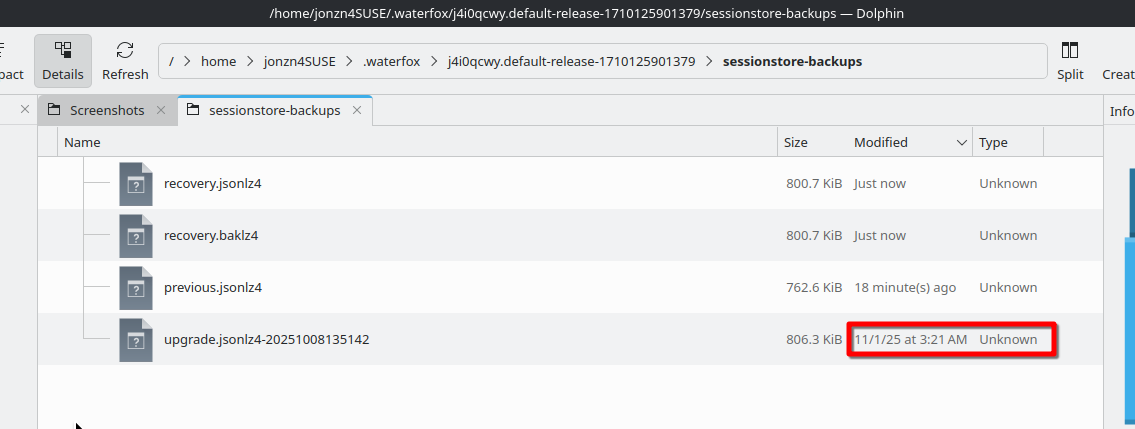
Looking at my files, I can go back to the 1st of November. see screenshot What are you seeing in your sessionstore-backups folder as far as dates. What you see in the folder is what you get. Which is why make backups of my folders.
Читати цю відповідь у контексті 👍 1Усі відповіді (2)
Вибране рішення
Looking at my files, I can go back to the 1st of November. see screenshot What are you seeing in your sessionstore-backups folder as far as dates. What you see in the folder is what you get. Which is why make backups of my folders.
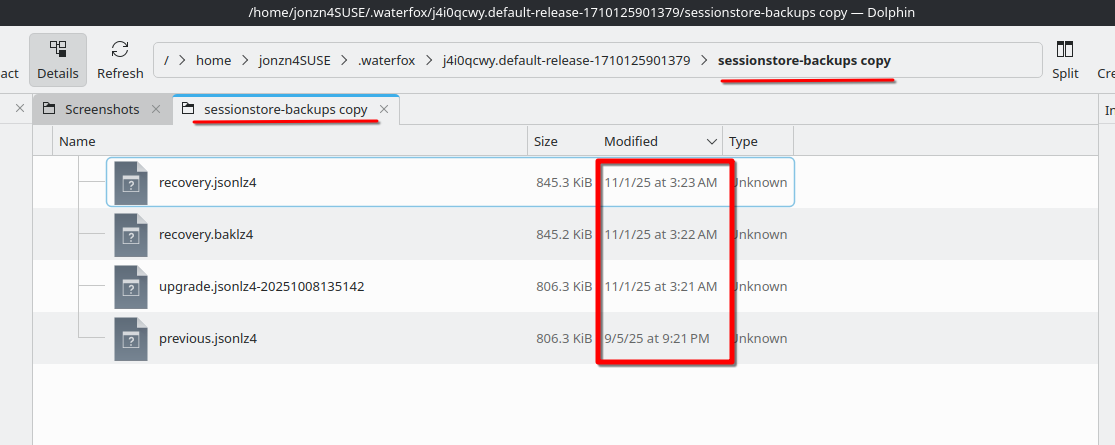
The most recent "upgrade" I have is actually not the one I suspected ! The files are not sorted in order of date by default. Thanks !
The most recent "upgrade" file is actually only a week old. So I've lost a bunch of stuff but that's good enough, I think I'm gonna keep it (i've also not lost my history so in the worst case I can go dig in there if I need something specific). Thanks !