


Windows 10 reached EOS (end of support) on October 14, 2025. If you are on Windows 10, see this article.

Avatar for Username

Шукати в статтях підтримки

Остерігайтеся нападів зловмисників. Mozilla ніколи не просить вас зателефонувати, надіслати номер телефону у повідомленні або поділитися з кимось особистими даними. Будь ласка, повідомте про підозрілі дії за допомогою меню “Повідомити про зловживання”

Докладніше
Ця тема перенесена в архів. Якщо вам потрібна допомога, запитайте.
Архівовано

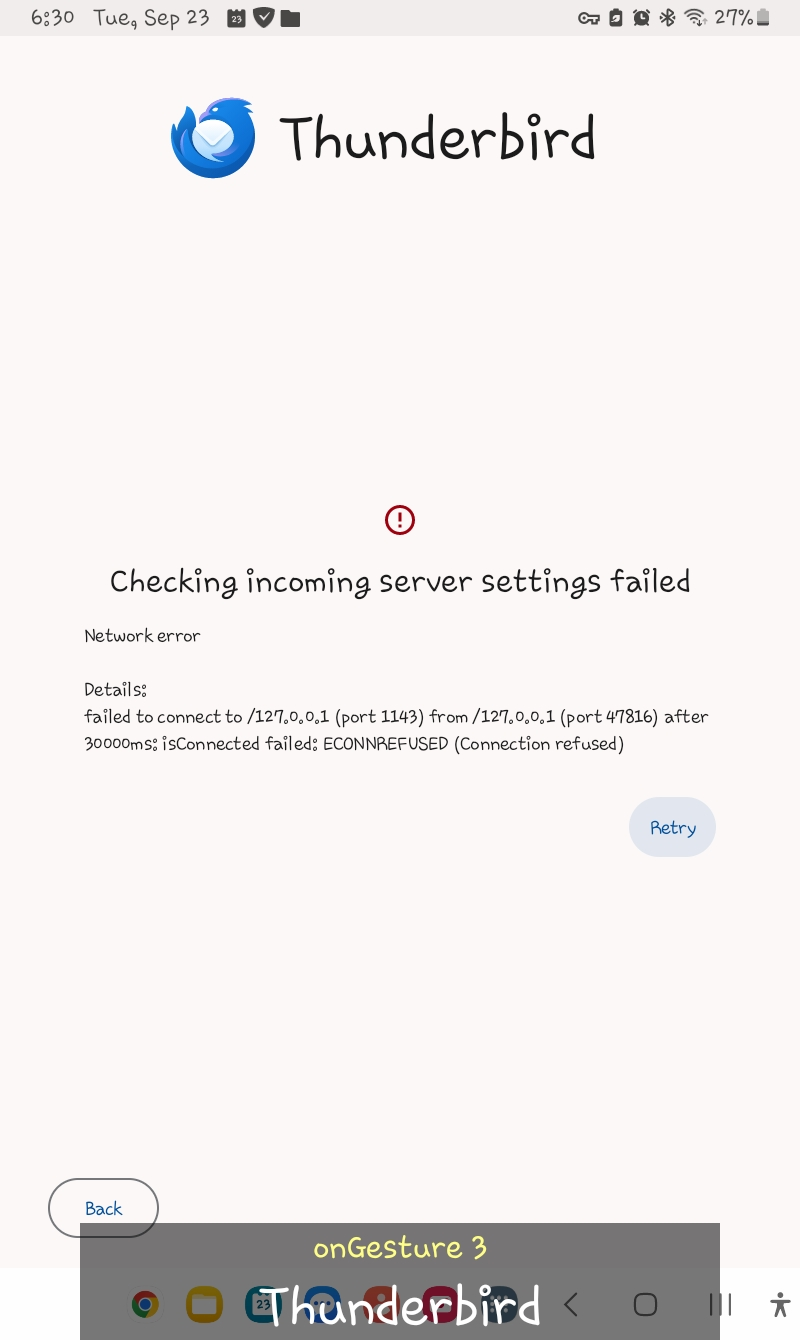
I can't sign into my Proton mail account via Thunderbird for Android - "Checking incoming server settings failed"

louie.moffett

I am trying to sign into my Proton mail account. On the Thunderbird app, I tap the Menu and select Settings. Then, I select Add account, type my Proton email address, and tap Next. The "Configuration found" screen is displayed. I proceed to type my Proton password correctly and tap Next. Then, there is an error that says "Checking incoming server settings failed". Does this mean Thunderbird does not fully support Proton mail?
I am trying to sign into my Proton mail account. On the Thunderbird app, I tap the Menu and select Settings. Then, I select Add account, type my Proton email address, and tap Next. The "Configuration found" screen is displayed. I proceed to type my Proton password correctly and tap Next. Then, there is an error that says "Checking incoming server settings failed". Does this mean Thunderbird does not fully support Proton mail?
Вкладені знімки екрана

Змінено Wayne Mery

Усі відповіді (2)

Hello, Proton mail doesn't support direct IMAP. You need to use the proton bridge: https://proton.me/support/protonmail-bridge-clients-windows-thunderbird

Змінено Bogomil Shopov - Бого

The bridge does not exist for Android afaict. You will need to convince the proton folks to provide one.