


Google maps has wrong location in Firefox

In Firefox my google map location shows that I live in Maryland when I live in San Francisco.When I use Chrome this doesn't happen. I have spent the last two day trying all the solution Ive found online. Windows has my location correctly. Ive tried other map programs and they seem to have the correct location. Ive done everything suggested by google to fix my location but it still is incorrect. What am I missing Thanks Mark
Усі відповіді (4)

Are you getting this prompt from google maps? see screenshot If not, try clearing your browser history and cache and trying again. It works for me.
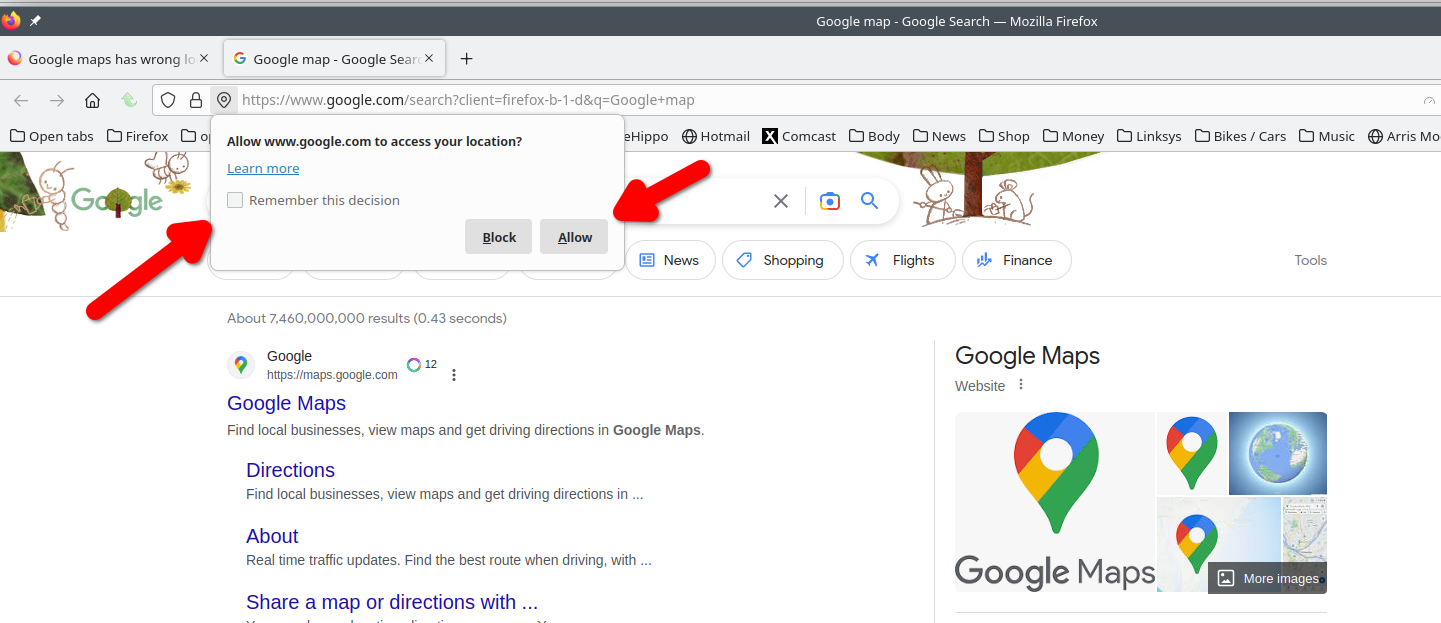
Змінено jonzn4SUSE
No, I’m not getting that prompt. When I search in google maps for something near me, it gives me locations that are across the country. I’ll try clearing the cache. Thanks
You should also try with Firefox in Safe Mode. https://support.mozilla.org/en-US/kb/diagnose-firefox-issues-using-troubleshoot-mode#w_how-to-start-firefox-in-4troubleshoot-modesf5safe-modesf
You can use websites like these to see how your location is reported via a reverse DNS look up of your IP:
Are you using a proxy or VPN?
You can check the connection settings.
- Settings -> General -> Network: Connection -> Settings
If you do not need to use a proxy to connect to internet, select "No Proxy" if "Use the system proxy settings" or one of the others do not work properly.
See "Firefox connection settings":