


How to remove the "independent voices" from the new "Firefox View"

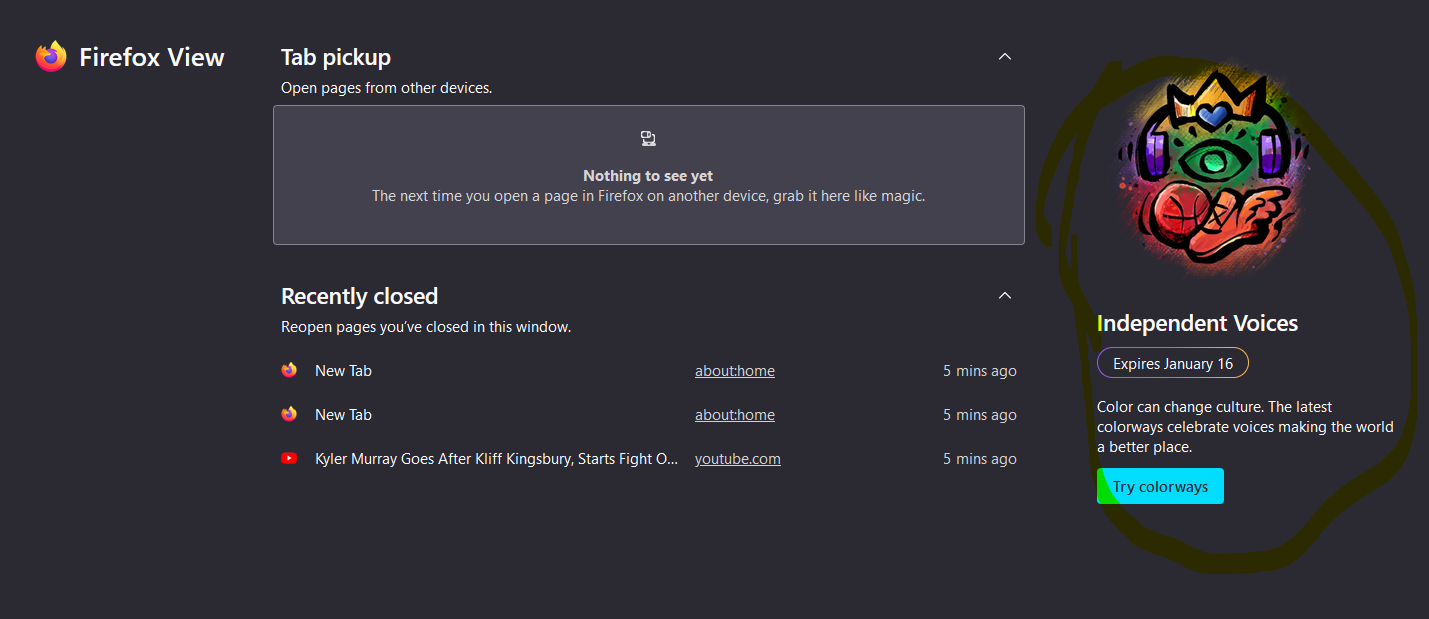
Just updated to new firefox and noticed the new Firefox View, how do I remove the annoying advertisement to use the "independent voices" theme on the right hand side? I could care less about those themes.
Just updated to new firefox and noticed the new Firefox View, how do I remove the annoying advertisement to use the "independent voices" theme on the right hand side? I could care less about those themes.
Усі відповіді (2)

Can you give step how you got there so others can see what they get if anything else shows up?
Yeah, all you need to do is open Firefox Views and you will see that screen. You can launch Firefox Views from the firefox icon located top left of the toolbar (or from menu).
Win10; Firefox 106.0.1 (64-bit).