


Windows 10 reached EOS (end of support) on October 14, 2025. If you are on Windows 10, see this article.

Шукати в статтях підтримки

Остерігайтеся нападів зловмисників. Mozilla ніколи не просить вас зателефонувати, надіслати номер телефону у повідомленні або поділитися з кимось особистими даними. Будь ласка, повідомте про підозрілі дії за допомогою меню “Повідомити про зловживання”

Докладніше

Ця тема перенесена в архів. Якщо вам потрібна допомога, запитайте.

Firefox on iOS sync is not working

  • 1 відповідь
  • 0 мають цю проблему
  • 64 перегляди
  • Остання відповідь від guilherme.rdems
  • Архівовано

Neither using the QR code option or the email option work. Both result in a white screen.

By using the iPhone's camera to scan the QR code (instead of using Firefox) I can see that the QR code is point to https://mzl.la/MYCODE. This URL in turn is redirecting to https://app.adjust.com/somecode?campaign=firefox-desktop&adgroup=firefoxview&creative=CODE-123. Opening this URL in Safari gives me a white page with a "Download App" button to download Firefox (which I already have installed).

My Firefox account has the setting "Allow Firefox Accounts to send technical and interaction data to Mozilla." set to off. So probably none of this tracking should occur.

In any case, I went to Firefox settings and turned on "Allow Cross-Website Tracking". I also went to Safari settings and turned off "Prevent Cross-Site Tracking", "Privacy Preserving Ad Measurement" and turned "Content Blockers".

Then I tried syncing again. The result was the same white page as before.
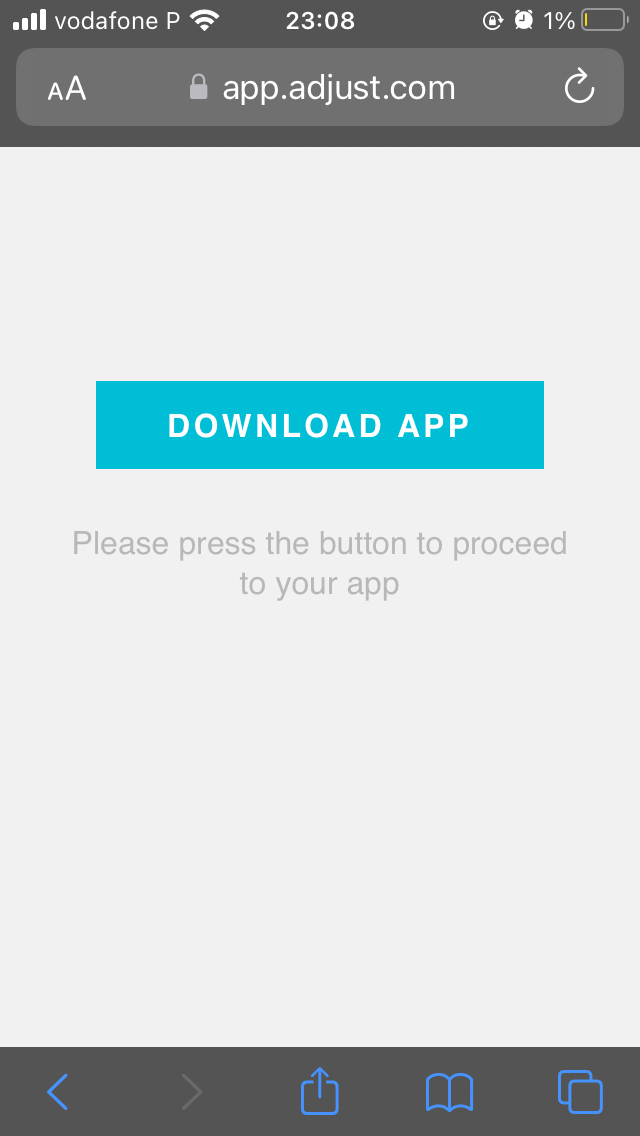
Neither using the QR code option or the email option work. Both result in a white screen. By using the iPhone's camera to scan the QR code (instead of using Firefox) I can see that the QR code is point to https://mzl.la/MYCODE. This URL in turn is redirecting to https://app.adjust.com/somecode?campaign=firefox-desktop&adgroup=firefoxview&creative=CODE-123. Opening this URL in Safari gives me a white page with a "Download App" button to download Firefox (which I already have installed). My Firefox account has the setting "Allow ⁨Firefox Accounts⁩ to send technical and interaction data to ⁨Mozilla⁩." set to off. So probably none of this tracking should occur. In any case, I went to Firefox settings and turned on "Allow Cross-Website Tracking". I also went to Safari settings and turned off "Prevent Cross-Site Tracking", "Privacy Preserving Ad Measurement" and turned "Content Blockers". Then I tried syncing again. The result was the same white page as before.

Вкладені знімки екрана

Усі відповіді (1)

Also, I'm using Firefox v103.1 iPhone SE with iOS 15.4.1