


Cannot set my own sound in Thunderbird.

I do not know when I stopped hearing sounds from Thunder upon receipt of mail. But I cannot get any sort of notification sound unless I use windows notifications.
Усі відповіді (10)

First of all download an .mp3 or .wav file. Save it on disk in a folder you want. Then go to options , general , Incoming emails. Follow step as attached image
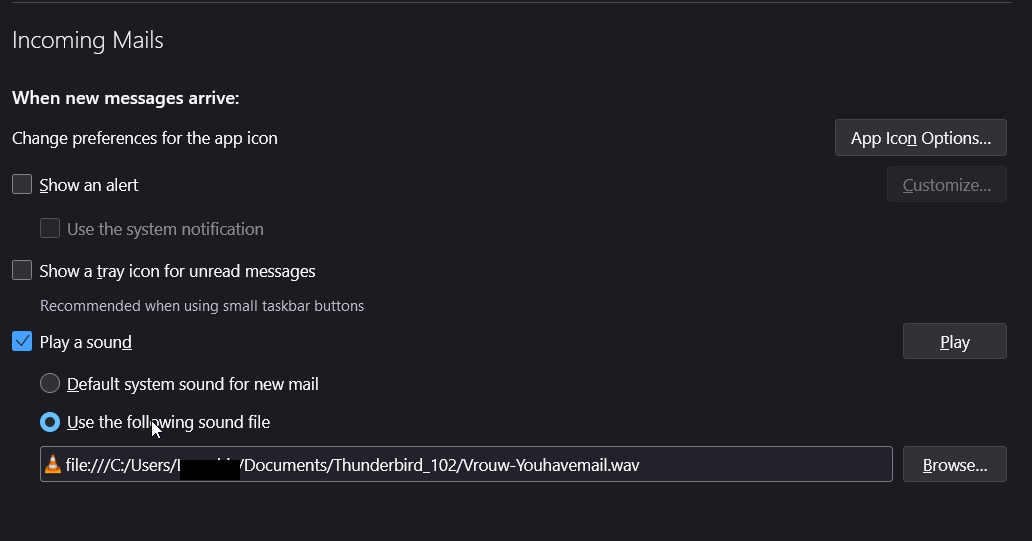
I already did that, doesn't work. The only option that does anything for playing a sound is "show an alert" and "use the system notification".
Did you try the file in a music player before? (Sometimes some files have low level sounds). Did you check the sound level ? Did you press play in TB to test it?
Note: In windows/systems sound options you can define that file as the notification sound. Try.
Yes, already tried all of those things.
Guess nobody has any other ideas to try?
Here's a screenshot of the only setup that plays a sound.
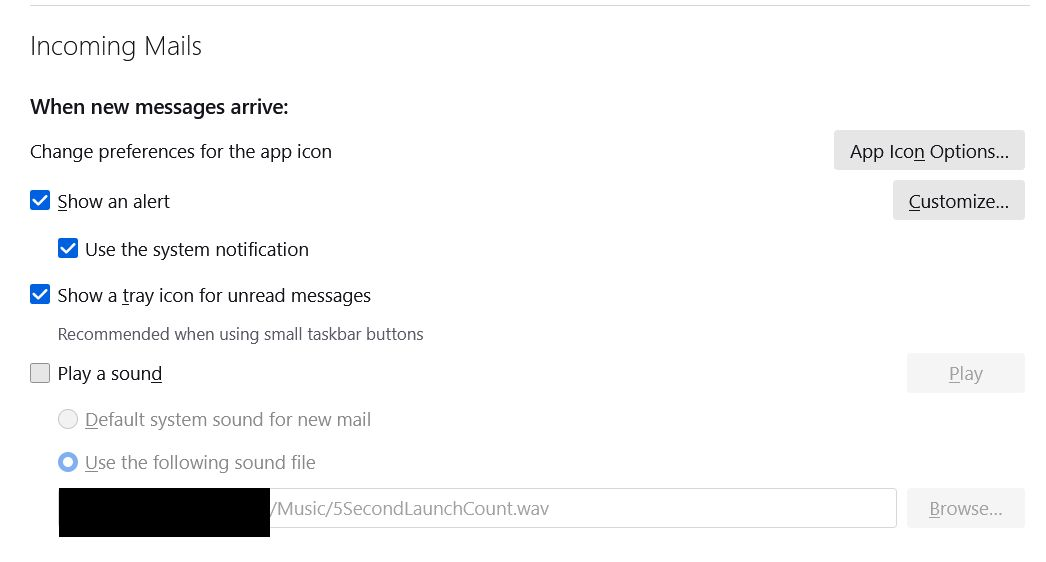
The options you posted.
 shows a "play a sound" option. This is instead of system sounds. However Thunderbird is somewhat picky about what sound files it plays. Think old.
My understanding is that the wav file must be Stereo (two channel)l 16-bit 44kHz format
Does your WAV file meet those specifications?
As a test, there is a wav file on this page https://www.nasa.gov/mission_pages/apollo/apollo11_audio.html when downloaded and put into Thunderbird it works for me on windows 10.
Matt said
The options you posted.
Nope, still not working.
perhaps instead of a huge quote of my post you could invest in saying exactly what is not working.
I asked a question about if your file met the specifications. I also asked you to try a known good file from the NASA web site.
I really have no idea what "Nope, still not working." means in the context of what I asked.
Matt said
perhaps instead of a huge quote of my post you could invest in saying exactly what is not working. I asked a question about if your file met the specifications. I also asked you to try a known good file from the NASA web site. I really have no idea what "Nope, still not working." means in the context of what I asked.
I could not find any information for my file, nor the one you told me to use about the quality settings. I tried your file and it still didn't work. At this stage I'm gonna chalk it up to Windows 11 being garbage as has been my experience since I started using it.