


Favourites/bookmarks folders open on different side

Silly...really silly but irritating
After the latest update when I select the bookmark menu dropdown and hover over a folder...they all open / expand on the right instead of the left.
Why? And how can I change this back so that the folders open on the left of the folder menu?
Обране рішення
Well jigger me ...it was the 'whats new' icon #red face
thank you for pointing in the right direction
Читати цю відповідь у контексті 👍 0Усі відповіді (5)
Hi, i think that you should try to go to settings of firefox. And try to find a bookmark application.
                                       Hope you find this helpful.
                                              Lev Oryshchenko.
Hi frantic.sevens, are you using the Bookmarks menu on the optional menu bar at the top, or the optional Bookmarks menu toolbar button?
My general understanding is that when opening a "fly-out" menu, Firefox will try using the direction your text normally flows (for example, right when you use a left-to-right language like U.S. English). If there isn't enough space on the preferred side, then Firefox will show the fly-out on the other side.
optional button in toolbar? as pictured. The fly-outs? have always opened on the left. There have been no extra bookmarks added to some folders, some only have 3-4 in them. Music for example has shed loads of Bms and is added to regularly ...never 'over-filled' and changed orientation before.
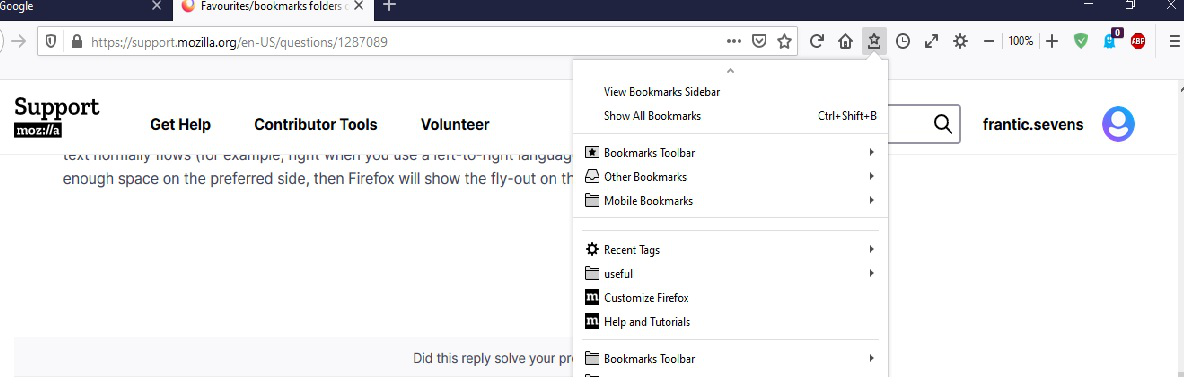
Perhaps changes to the buttons on your toolbar, such as new buttons on the right, have pushed the Bookmarks Menu button just enough further to the left to open up the room for fly-outs on the right side. Try moving the Bookmarks Menu button to the right a few positions and see whether that restores the earlier behavior.
Вибране рішення
Well jigger me ...it was the 'whats new' icon #red face
thank you for pointing in the right direction