


saved passwords do not automatically fill in on login pages

i set up a master password and when i log in to a website i chose save password, but when i go back to the website the userid and password do no automatically fill in
Усі відповіді (3)
Go to settings in check remember passwords for this site.
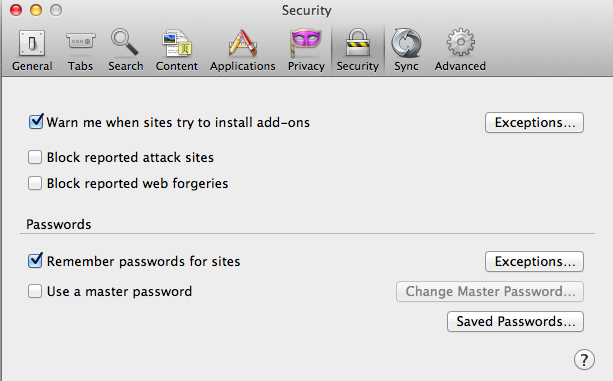
Make sure that you do not run Firefox in permanent Private Browsing mode (Never remember history).
- Tools > Options > Privacy > Firefox will: "Use custom settings for history"
- Deselect: [ ] "Always use Private Browsing mode"
Start Firefox in Safe Mode to check if one of the extensions (Firefox/Tools > Add-ons > Extensions) or if hardware acceleration is causing the problem.
- Switch to the DEFAULT theme: Firefox/Tools > Add-ons > Appearance
- Do NOT click the Reset button on the Safe Mode start window

There are some web pages that do not allow browsers to record or fill in the log-in information. But if you go to the Mozilla Add-ons Web Page {web link} (There’s a lot of good stuff here) you can find several add-ons that can override this, and give you better control of your password information. You can also try a Form Filling add-on.