


I do have an ASK Toolbar which I cannot delete in the add-ons, it is not there.....
Since installing Firefox 4 I have an Ask Tool-bar that I want to get rid of. This tool-bar is not visible in add-ons, plug-ins or extensions, and also not visible in Revo Uninstaller. How can I delete this irritating tool-bar?
Tüm Yanıtlar (4)

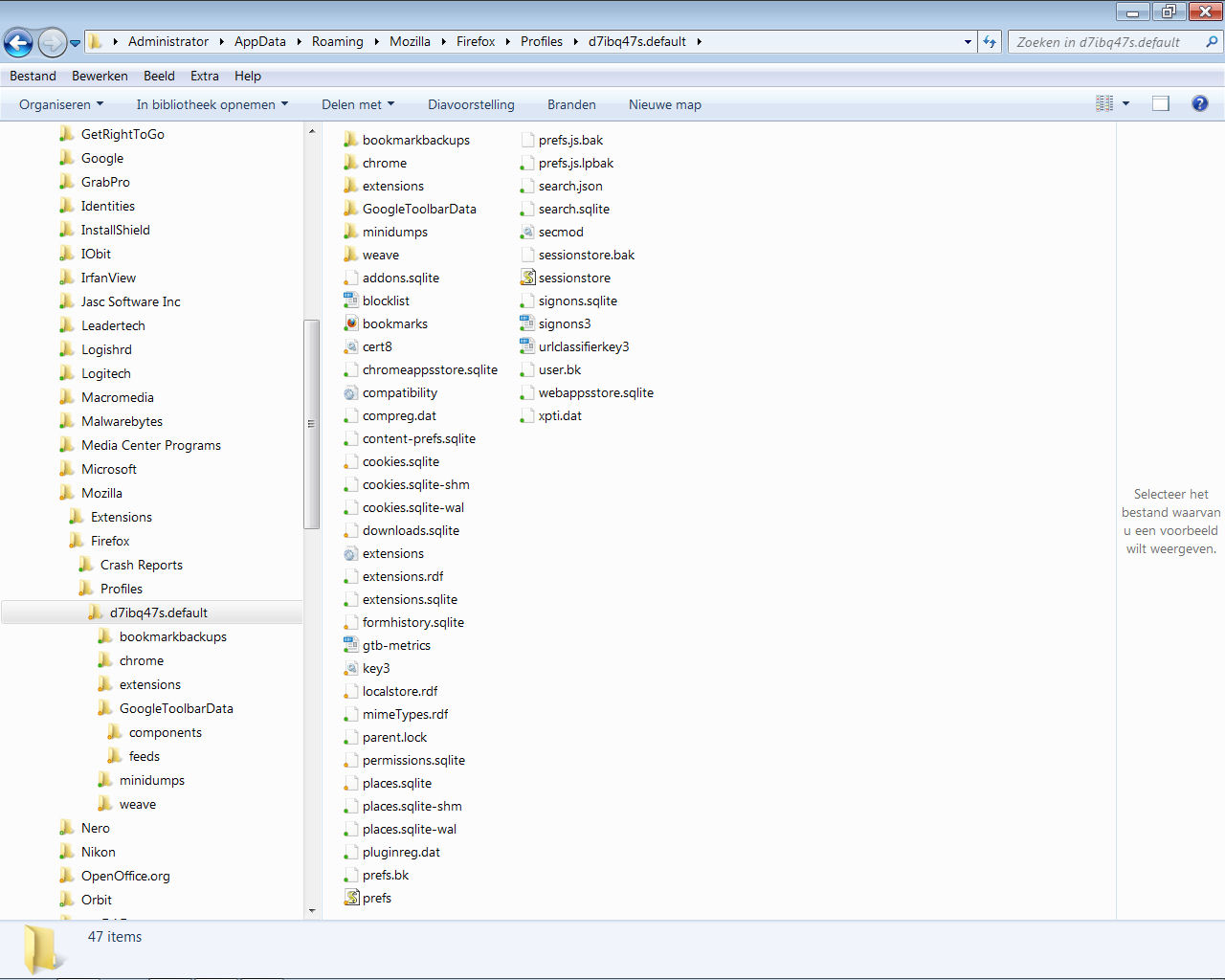
Right click on start. Click explore. Open Mozilla folder. open firefox folder.Open profiles. open the only folder there. open search plugins. Delete ask . Its an XML file. Reopen firefox. Boom! Gone.. Your welcome. Axman
The other way I just learned which is supposed to be the "correct" way. Right click start. Click Explore. Click appdata. Click roaming. click Mozilla. click firefox. click profiles. open folder. delete prefs and delete user. they are both jscript files. open firefox and ask is gone. you will have to set your homepage and persona as this is almost like a fresh install. your old preferences will be gone.
Hello Axman,
I tried both your solutions, both did not work....I did log in as Administrator, should I log in with my normal account to find the right maps?
Laura tarafından tarihinde düzenlendi
http://kb.mozillazine.org/Uninstalling_toolbars This is the link that i followed. I also changed my home page to google.com before doing any of this. the new toolbar is now google. Both ways worked for me.