


Windows 10 reached EOS (end of support) on October 14, 2025. If you are on Windows 10, see this article.

Mozilla Destek’te Ara

Destek dolandırıcılığından kaçının. Mozilla sizden asla bir telefon numarasını aramanızı, mesaj göndermenizi veya kişisel bilgilerinizi paylaşmanızı istemez. Şüpheli durumları “Kötüye kullanım bildir” seçeneğini kullanarak bildirebilirsiniz.

Daha Fazlasını Öğren

i cant see the inspected element information under the firepath tab

Under the firepath, say for example, i am trying to inspect the "Google Search" button. The x-path is displayed but the html body of the page is not displayed below. The highlight option also doesnt work.Due to this i am unable to find out if the xpath shown is matching just 1 node or not. I am attaching 2 screenshots. 1) My mozilla 2) screenshot of a friend's mozilla browser i need the way it shows in my friend's browser(xpath + html body with the highlighted value + info that it matches just 1 node)

i am just not able to figure out how to make it work. I have the Firefox 56 version. friend has much lower versions.
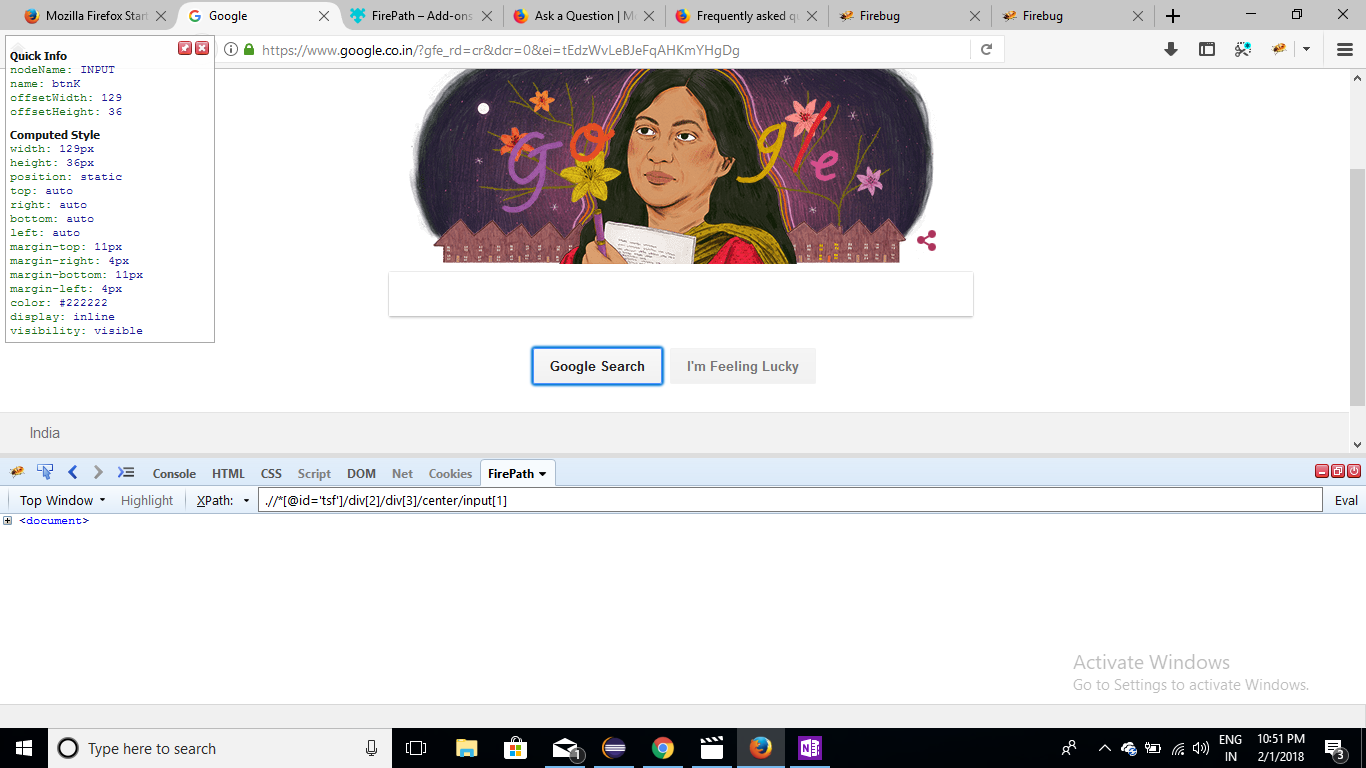
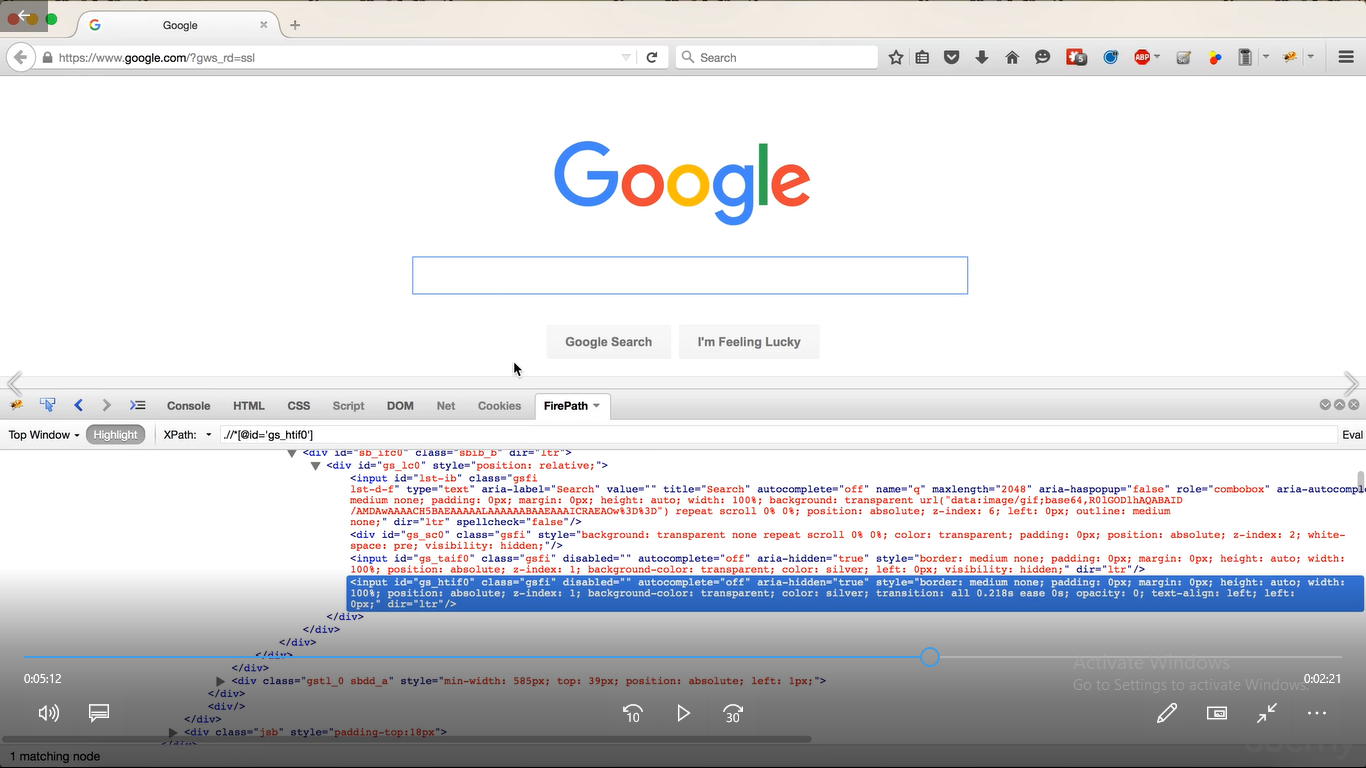
Under the firepath, say for example, i am trying to inspect the "Google Search" button. The x-path is displayed but the html body of the page is not displayed below. The highlight option also doesnt work.Due to this i am unable to find out if the xpath shown is matching just 1 node or not. I am attaching 2 screenshots. 1) My mozilla 2) screenshot of a friend's mozilla browser i need the way it shows in my friend's browser(xpath + html body with the highlighted value + info that it matches just 1 node) i am just not able to figure out how to make it work. I have the Firefox 56 version. friend has much lower versions.
Ekli ekran görüntüleri

Tüm Yanıtlar (1)

Sorry, I don't know whether Firebug and its various plugins are supported in Firefox 56. I think you would need to check with the developers.