


Unusual icon in toolbar

A Red button has appeared in the top right corner of my toolbar next to the customise button. If you right click the option to remove from toolbar is disabled. Could you explain to me what this is and how do i remove it?
If you need i can send a screen shot.
Thanks Richard
Tüm Yanıtlar (7)
Image of red button Icon
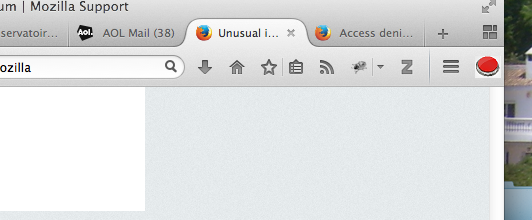

Does it show anything if you hover your mouse pointer over it?
This is what opens when you press it
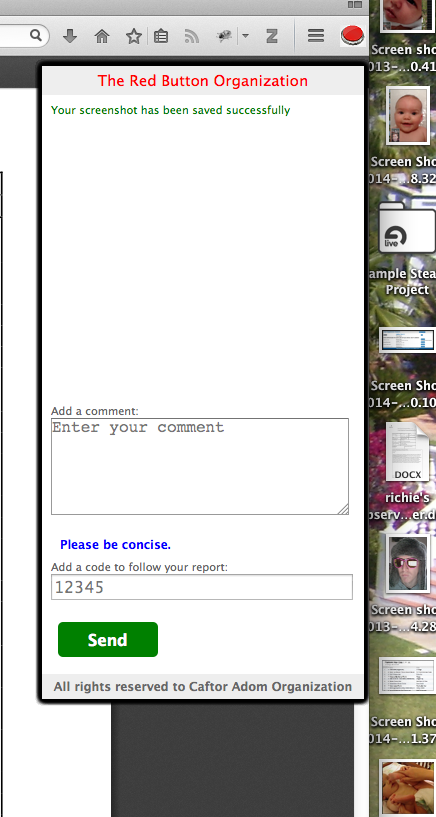
Looks like a screen clip / screen shot application but if its there without you asking for it, then it is possibly malware downloaded as extra when you recently installed some other program. This seems to be linked to an organization which suggests users take and submit screen shots of violent actions seen on the internet.
Go to Tools and click Extensions or Plug-Ins to see if it is listed there. In Extensions you can either click Disable or Remove.
Are you the only user of that Mac?
Do you have any add-ons installed that mention either of those when you click the More... button for your installed extensions?
You have two "leads" as to the source of that button. Caftor Adom Organization and The Red Button Organization
Start Firefox in Safe Mode to check if one of the extensions (Firefox/Tools > Add-ons > Extensions) or if hardware acceleration is causing the problem.
- Switch to the DEFAULT theme: Firefox/Tools > Add-ons > Appearance
- Do NOT click the Reset button on the Safe Mode start window
This seems to be associated with something called MacDeals. Malware possibly. I was being particularly lazy today when I downloaded something from datafilehost. I accidentally opened their downloader (I thought it was the file I was trying to download), and somehow installed this MacDeals thing. It shows up in the Extension tab after a restart.
Here's some more information on it: http://www.thesafemac.com/macdeals-adware-found-on-file-sharing-site/
COMSAT1 tarafından tarihinde düzenlendi