


Reset my password, but can't log in.

I've had a Thunderbird email account for years. My laptop quit, so I've set up the account on a new laptop. I discovered that I hadn't saved my Thunderbird password, so I followed the procedure for "forgot password". This included a new p/w, and I also got a Mozilla PIN (for future Microsoft Password Manager use), and got a Mozilla Account Recovery Key, again for future use. But I can't log into my Thunderbird account. I get the message "Authentication Error" (Wrong p/w, email, etc.) Changing IMAP / POP settings didn't help, though I did go with the recommended IMAP setting.
Any suggestions?
Allan
ప్రత్యుత్తరాలన్నీ (5)
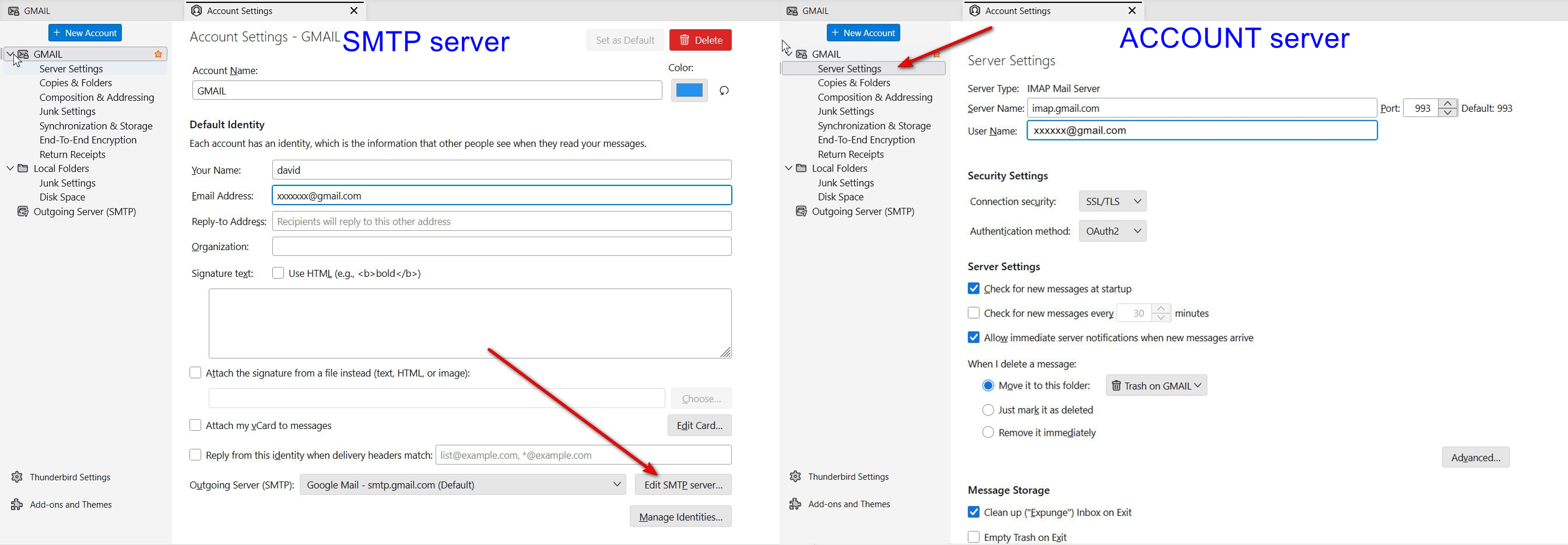
A little more info may help. That is, a password recovery process would be between you and your email provider, not Mozilla or Thunderbird. I don't know what Mozilla account recovery would apply, since your email account is with your email provider. Maybe just go with the details. Post screenshot of error message, plus of server settings pane and of SMTP server settings pane. I included a screenshot of where that info is. thank you
Good Morning, David!
I'm poking around on the Spectrum site, but I don't see where I can log into my Roadrunner email account. But I'm not understanding - if my email account is with Spectrum (and it is), why is Thunderbird asking for password, etc? If I go to Thunderbird Account Hub, it asks for my name and email, and on the next page, it asks whether to use IMAP or POP3, then on the next page it asks for a password. I guess this is where I'm confused. And this is where I've tried changing my password using the "forgot password" option. Upon following that procedure, I get the "authentication error" - "unable to log in at server, probably wrong configuration, username, or password". As I write, it occurs to me that my Spectrum email password is what they're after, so I'll keep working on that. I'll keep you posted.
Allan
Well, I don't know roadrunner, but try this: https://webmail.roadrunner.com/
Hi Dave,
It turns out that my email is associated with an account that I no longer have access to. I thought that I had resolved that issue in 2018, but it didn't "take". So, I'm in the process of sorting that out now. I'll keep you posted.
Allan
If you no longer have account access, I encourage you to save every message to local Folders that you may need. Too often, all messages are lost. Then, set up with a new account.