


Apple calendar no longer opening despite apple id & password saved in Thunderbird

Apple ID and password are saved in Thunderbird but every time I open Thunderbird it now askd for apple ID & password. Was working OK originally about 3 months ago but itn the last 2-3 weeks has started to ask for this info, If I type it in with my apple ID and the apple specific password then the calendar opens. It I say save password the next time I open Thunderbird it asks for Apple ID and password. and so on and so on.....
ప్రత్యుత్తరాలన్నీ (3)
Yeah; you will be asked everytime the server refuses access using what has been saved. So what you really have to ask is why is Apple refusing the connection attempt from Thunderbird using the saved credentials.
My understanding of apples protocols there are that icloud uses 2fa. Thunderbird does not support 2Fa so normally an application password would be used instead. You do not mention using one. See https://support.apple.com/en-au/102654
Thanks for your reply
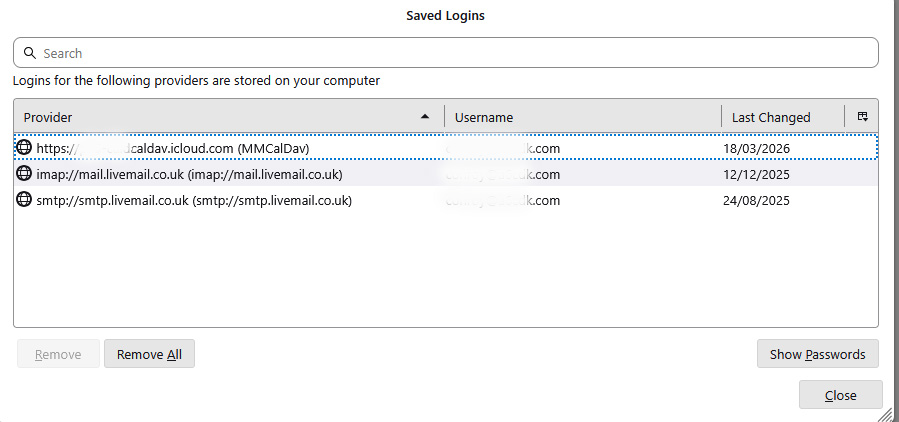
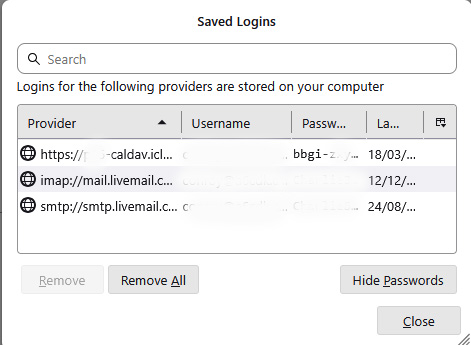
Apple app password is used, see attached image of saved passwords. The one that is saved in Thunderbird is the one I enter together with my Apple ID to open the calendar.
I have just signed into apple and deleted my app specific password.
Created a new app specific password for Thunderbird.
Went to settings in Thunderbird and deleted the password for apple calendars.
Closed Thunderbird, then opened it and the pop-up for user id and password came up.
Filled in my apple id and new app specific password and asked to save password & id, Thunderbird then opened fully, I could see the calendar and in settings the new app specific password was saved there.
Closed Thunderbird and re-opened it - the pop-up for user id and password came up, I ignored that by closing the pop-up with the 'X'
Went into settings and the saved calendar settings for apple id and password were there, but apparently not being passed through to apple.