


Where is the old Thunderbird back link?

Hi, I have moved to a new computer and transferred my Thunderbird account to it without any problems. However, I wanted to do a backup of my profiles, etc, but the old Thunderbird backup link no longer works. Has it been discontinued, and if so, what replaces it?
ఎంపిక చేసిన పరిష్కారం
I downloaded this from a website some years ago, assuming it was a recommended Mozilla backup product. I backed up my account then, but never had any reason to use it, and now that I have a new computer, it does not seem to work anymore, so I am glad I asked about it and will use the recommended OS.s file management software mentioned. Thanks for the advice.
ఈ సందర్భంలో ఈ సమాధానం చదవండి 👍 0ప్రత్యుత్తరాలన్నీ (6)
I don't know what link you're referring to, but these steps work, assuming Windows:
BACKUP
- ensure thunderbird is not running
- enter %appdata% in search window on task bar and press Enter key
- this should open windows file explorer in Appdata\roaming folder
- highlight the Thunderbird folder and copy to external media
RESTORE
- ensure thunderbird is installed and NOT running
- enter %appdata% in search window on task bar and press Enter key
- you should be in Appdata\roaming folder , copy&paste the exported Thunderbird folder there. This will prompt to overwrite an existing folder of same name. allow it
- start thunderbird and all should be there
Thanks for your reply. Below is the attached screen I am referring to, which does not seem to work?
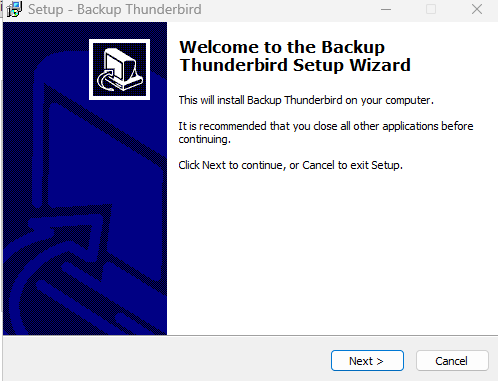
That does not look like a product officially supported by Thunderbird. Do you recall where you got it? All I can state is that using a backup tool other than from Thunderbird has no guarantees, and persons on the support forum will not be able to assist. From my experience, the only backup that works every time is one done using the OS's file management software.
ఎంపిక చేసిన పరిష్కారం
I downloaded this from a website some years ago, assuming it was a recommended Mozilla backup product. I backed up my account then, but never had any reason to use it, and now that I have a new computer, it does not seem to work anymore, so I am glad I asked about it and will use the recommended OS.s file management software mentioned. Thanks for the advice.
You're welcome. Also, should you have problems in a restore, it's easier to get help because the issue is simpler to address. :)
One more thing: Thunderbird DOES have a backup and restore feature. It's at the tools>export menu. But it has proved unreliable and problem-prone and difficult to recover from it.