


Standardizing signatures when sending emails and replies

Good morning all.
I was wondering if someone could assist me in standardizing email signatures when sending a new email, and replying to an email. Let me elaborate a little bit...
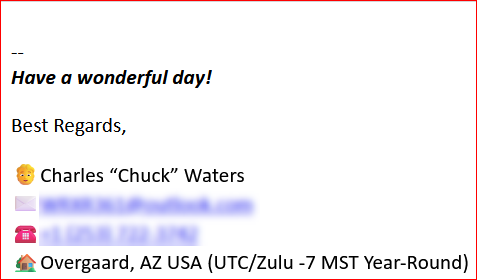
When I compose a new email, my signature comes out like what you see in the `composing.jpg` attachment.
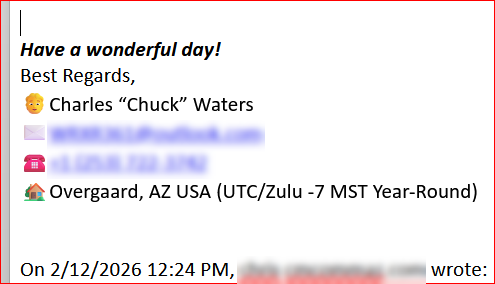
When I reply to an email, my signature comes out like what you see in the `replies.jpg` attachment.
I appreciate any assistance someone can provide, and guide me to the best way of standardizing these bad boys.
Have a great day!
ఎంపిక చేసిన పరిష్కారం
My suggestion about the sig separator was only if you didn't want it. I was not suggesting that you replace it. When you make the suggested HTML change, is the problem improved? If not, please post screenshot of the revised HTML and some of the sig in sent and reply. thank you. But do please also try the troubleshoot mode, as Matt suggests. HTML sigs are common, so most problems are in the setup.
ఈ సందర్భంలో ఈ సమాధానం చదవండి 👍 0ప్రత్యుత్తరాలన్నీ (9)
david said
Please be specific on exactly what you want changed. Thanks.
I was wondering if they could be standardized...
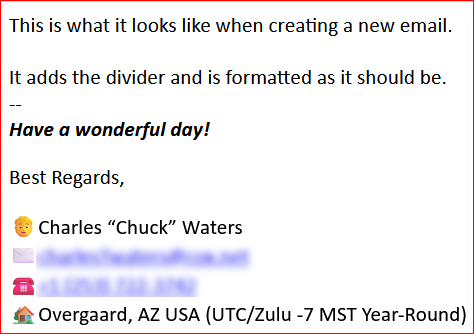
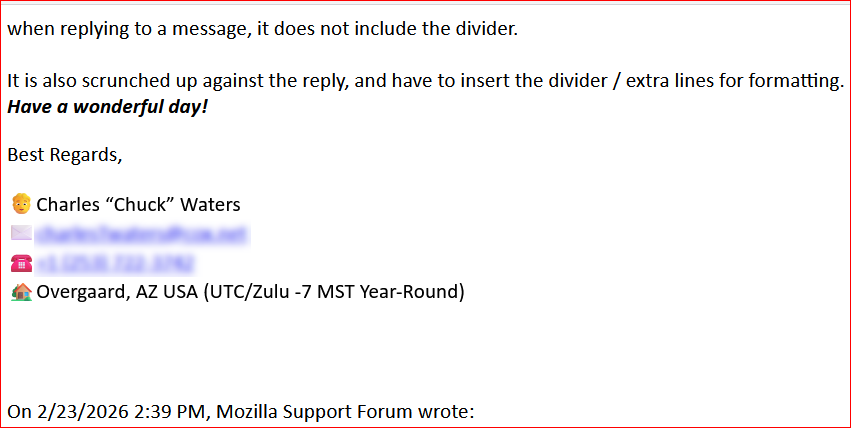
I took three more screenshots to better, hopefully explain.
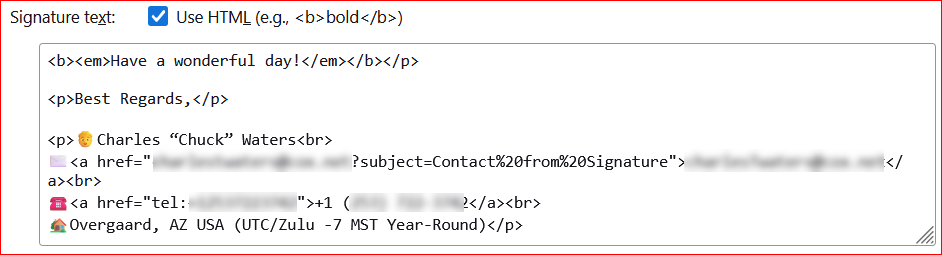
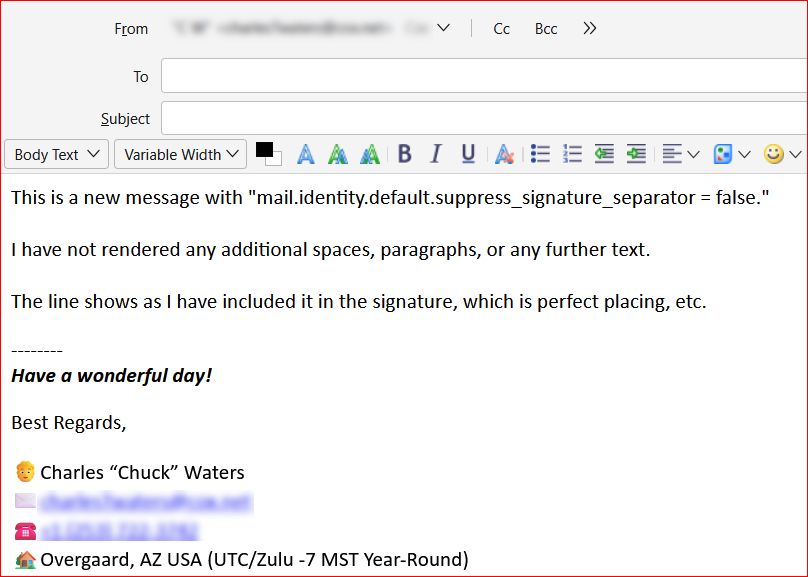
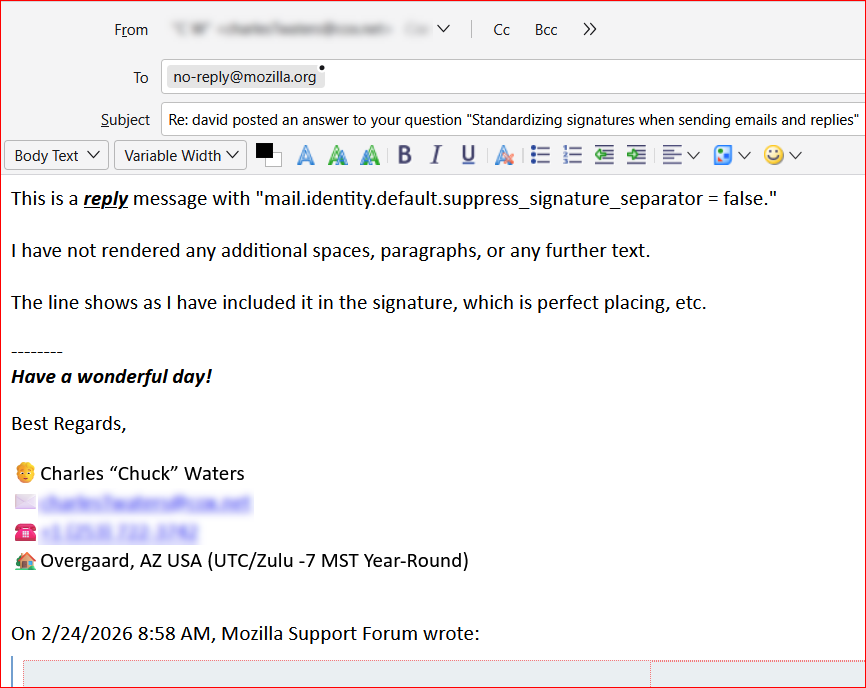
1) new email - I added some text there. 2) reply - I added some text here as well 3) signature - This is how I have it setup in the signature settings
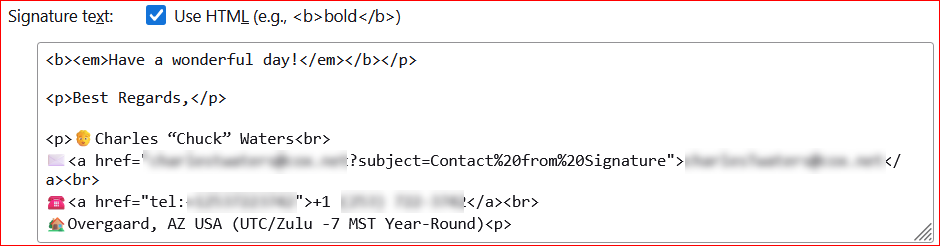
I notice the first HTML line ends with an ending paragraph tag. I suggest removing it The last line ends with a beginning paragraph tag. I suggest removing that as well. The sig separator is removed automatically from replies. You can elimiate the sig separator completely in config editor from info at this URL: https://kb.mozillazine.org/Signatures_-_Thunderbird#Removing_the_signature_separator
david said
I notice the first HTML line ends with an ending paragraph tag. I suggest removing it The last line ends with a beginning paragraph tag. I suggest removing that as well. The sig separator is removed automatically from replies. You can elimiate the sig separator completely in config editor from info at this URL: https://kb.mozillazine.org/Signatures_-_Thunderbird#Removing_the_signature_separator
Thank you, sir.
So you suggest just removing the built in adder, and including one in my signature since Thunderbird automatically does not add one with replies?
I fixed the's in all my other email accounts. It figures I would take a screenshot of the one that I didn't. ;-)
Do you see this in troubleshooting mode? (it is on the help menu.)
Id bot have V147 to text, but I trued adding a signature to my V149 daily build and it arrived correctly formatted with the a signature separator.
So either there is a bug in your version that has been fixed in the daily one (possible) or you have an addon that is causing some sort of grief and troubleshooting mode will fix it temporarily
ఎంపిక చేసిన పరిష్కారం
My suggestion about the sig separator was only if you didn't want it. I was not suggesting that you replace it. When you make the suggested HTML change, is the problem improved? If not, please post screenshot of the revised HTML and some of the sig in sent and reply. thank you. But do please also try the troubleshoot mode, as Matt suggests. HTML sigs are common, so most problems are in the setup.
david said
My suggestion about the sig separator was only if you didn't want it. I was not suggesting that you replace it.
I would much rather not replace it, and use it as it comes OOB when installed. I like the separator by default.
david said
When you make the suggested HTML change, is the problem improved?
No it did not. It isn't the HTML that I am referencing to, it is the difference with the separator with new vs replies which I believe you already answered; it doesn't happen.
david said
please post screenshot of the revised HTML and some of the sig in sent and reply. thank you.
I have attached six files to this reply. 1 - Standard New Email 2 - Standard Reply Email 3 - Standard Signature 4 - No Separator New Email 5 - No Separator Reply Email 6 - No Separator Signature
david said
But do please also try the troubleshoot mode, as Matt suggests. HTML sigs are common, so most problems are in the setup.
I did try the troubleshoot mode, disabling all addons I have which are only two:
- - DKIM Verifier
- - Phoenity Icons
I got the same results.
I hope this helps a bit better.
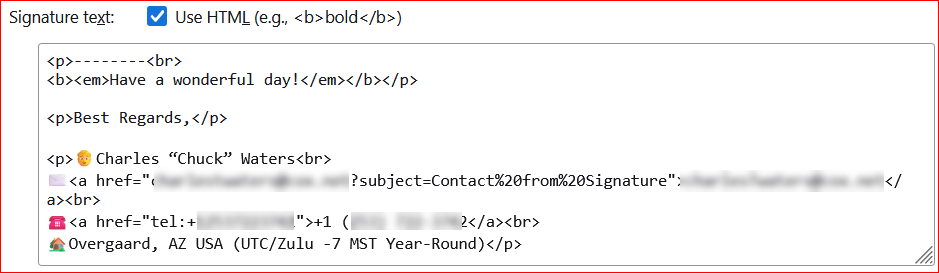
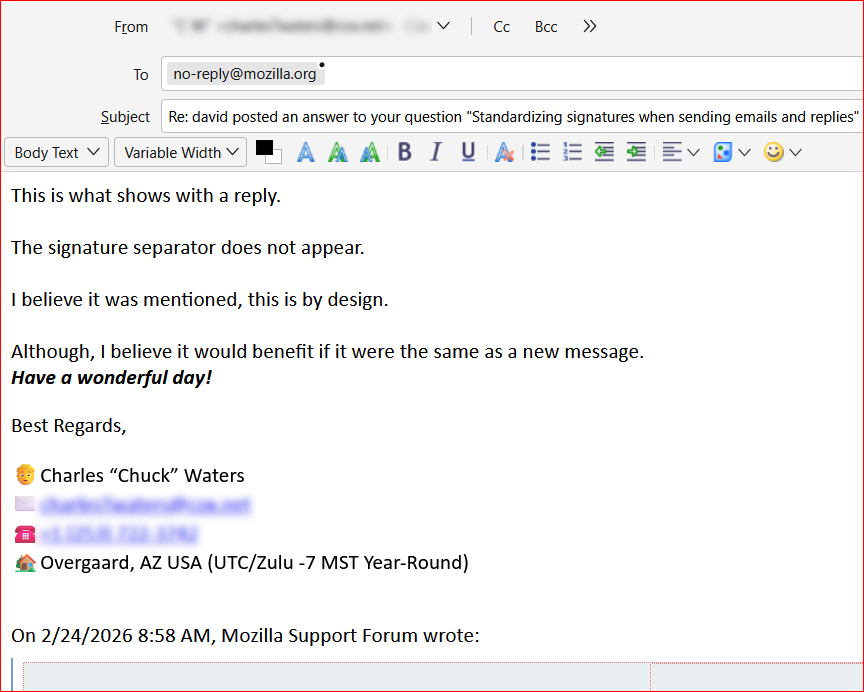
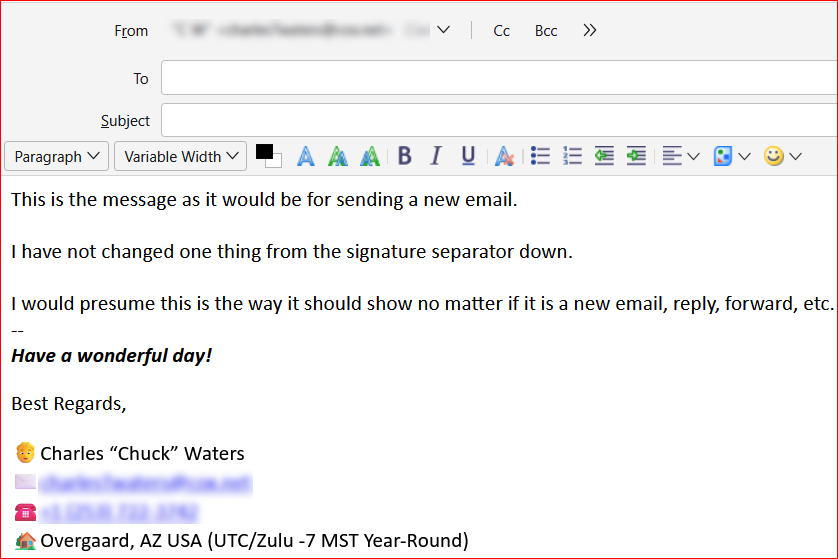
I respect your desire for the sig file, but I can not recognize any difference of note. I will offer, instead, a comment: the option in thunderbird to not show sigs on replies is because most users do not want to see the sig repeated multiple times in a conversation. If I were to give a suggestion, it would be to tick to NOT include on responses.
david said
I respect your desire for the sig file, but I can not recognize any difference of note. I will offer, instead, a comment: the option in thunderbird to not show sigs on replies is because most users do not want to see the sig repeated multiple times in a conversation. If I were to give a suggestion, it would be to tick to NOT include on responses.
Thank you, that makes sense.
I don't know how many more screenshots I can take showing the difference with the -- being in the "New Email" above the signature, and not being in the reply and running the email in to the signature itself.
I appreciate it, and I will go ahead and just disable the reply signature for now, and see how that goes with people not having to search for my info over and over. ;-)
న Chuck చే మార్చబడినది