


Thunderbird autoupdating

Hi,
I installed Thunderbird 140.2.1 on WIndows 11 v25H2 with winget but it autoupdated to release version 144. I uninstalled release version 144, re-installed esr version and disabled Updates in Settings, but it auto-updated to release version. So I uninstalled one more time release version, installed esr 144, disabled Updates in Settings and I set up the registry key DisableAppUpdate at 1 but Thunderbird auto-updated again to release version 144.0
Please, can you tell me what can I do to prevent Thunderbird esr auto-updating to release version ?
Thanks.
ప్రత్యుత్తరాలన్నీ (4)
Just an idea from here : is it possible that Thunderbird bypasses its own settings and uses Firefox settings ?
న stephan.martin82 చే మార్చబడినది
Hello
A subject. https://connect.mozilla.org/t5/discussions/upgrade-notification-spam/m-p/64080/highlight/true#M22529 About Firefox, is Firefox.
About Thunderbird, is Thunderbird.
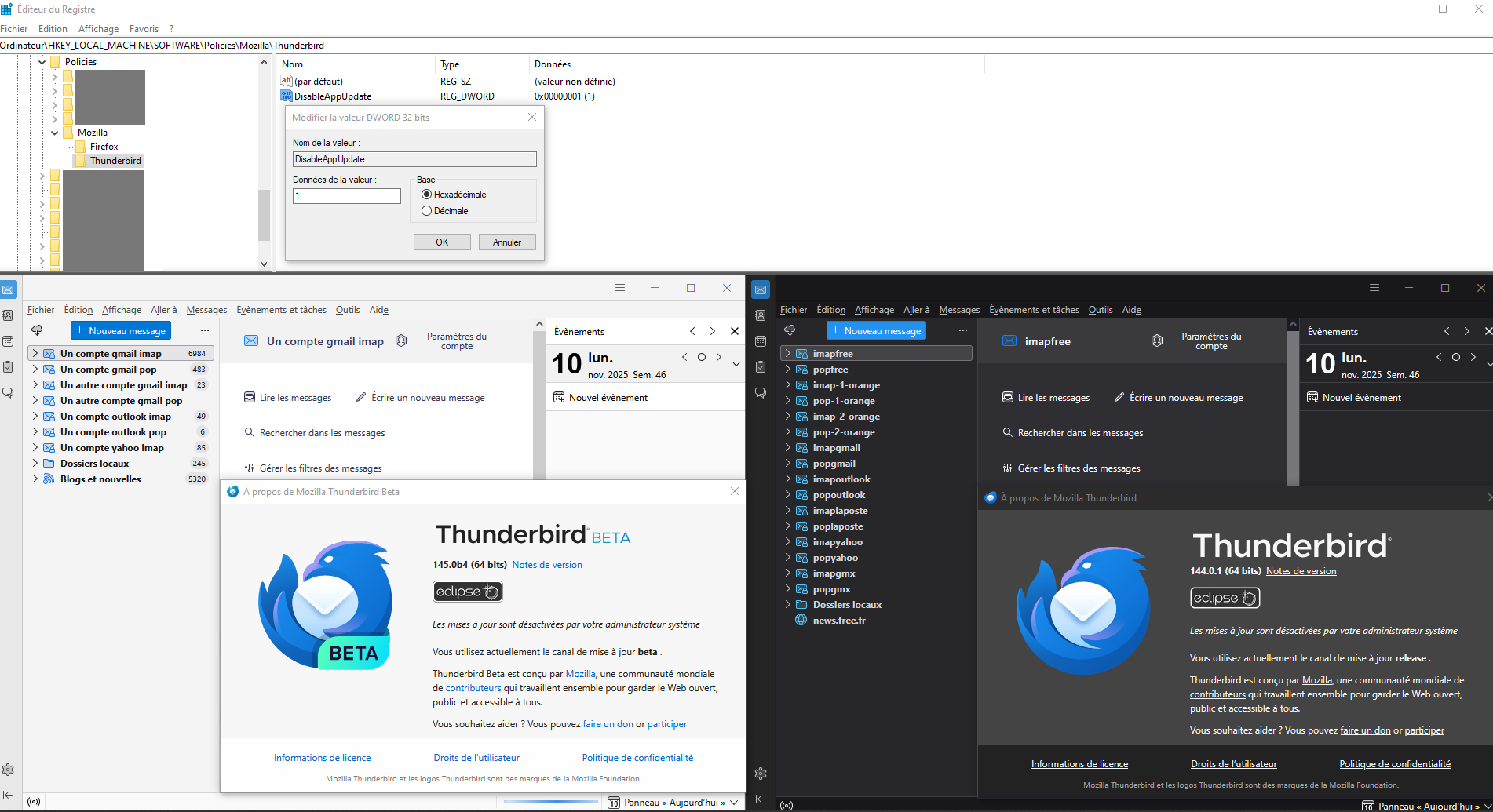
Did you read my post ? I created the register key but Thunderbird auto-updates anyway
Yes, i read.
https://enterprise.thunderbird.net/manage-updates-policies-and-customization
Your Thunderbird auto-updates anyway, sorry, i don't know why.