


websites

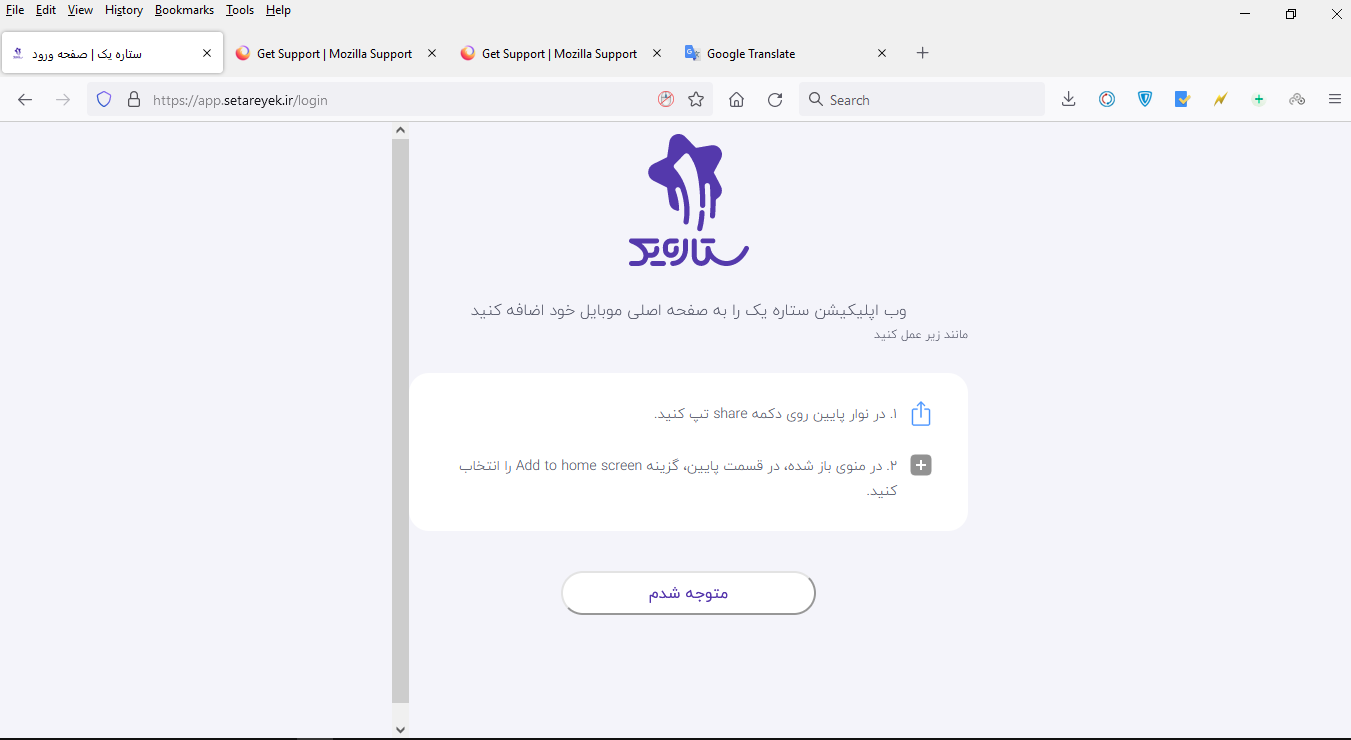
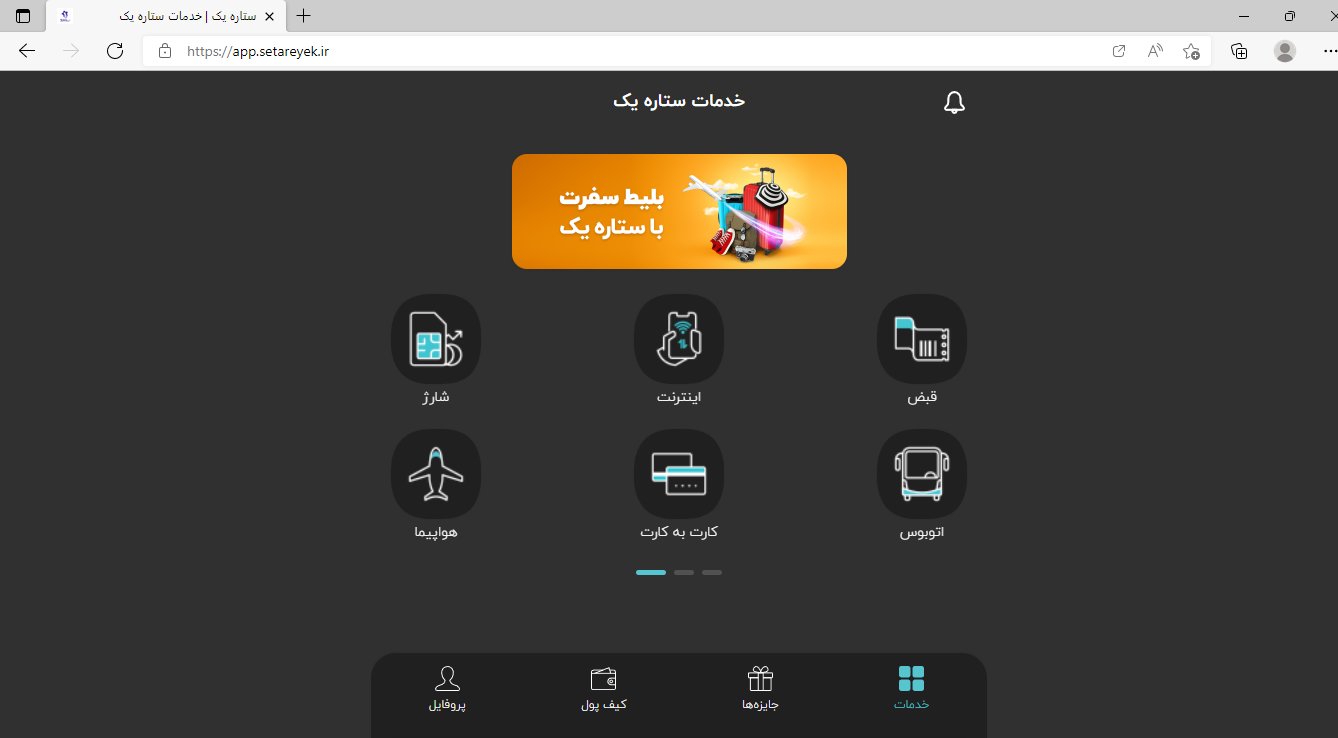
Hi and thanks for your good app The following website is not loaded in the Mozilla version, but it is easily loaded in EDGE How can I open this site with Mozilla? website : https://app.setareyek.ir/
Сви одговори (9)

Please explain the problem in detail. What happens? What are the exact error messages?
Make sure you are not blocking content.
https://support.mozilla.org/en-US/kb/enhanced-tracking-protection-firefox-desktop also see https://blog.mozilla.org/security/2021/03/23/introducing-smartblock/
https://support.mozilla.org/en-US/kb/smartblock-enhanced-tracking-protection
Diagnose Firefox issues using Troubleshoot(Safe) Mode {web link}
A small dialog should appear. Click Start In Troubleshoot(Safe) Mode (not Refresh). Is the problem still there?
Many site issues can be caused by corrupt cookies or cache.
Warning ! ! This will log you out of sites you're logged in to. You may also lose any settings for that website.
- How to clear the Firefox cache {web link}
The login page of this site is not displayed but in another browser is displayed easily. https://app.setareyek.ir/login
I have several versions of Firefox. The web page displays, but as it is not in English, I can't tell if there is a problem.
Use these links to create a new profile.
Use this new profile as is. Is the problem still there?
https://support.mozilla.org/en-US/kb/how-run-firefox-when-profile-missing-inaccessible
http://kb.mozillazine.org/Profile_folder_-_Firefox#Navigating_to_the_profile_folder
https://support.mozilla.org/en-US/kb/profile-manager-create-and-remove-firefox-profiles
https://support.mozilla.org/en-US/kb/back-and-restore-information-firefox-profiles
Type about:profiles<enter> in the address box.
yes ,problem still there; This site is a Web Application version , Is there any specific settings?
In the Edge browser, an extension is installed after entering the site address. And then the login page is loaded. I also sent pictures to you. But in Mozilla, nothing happens
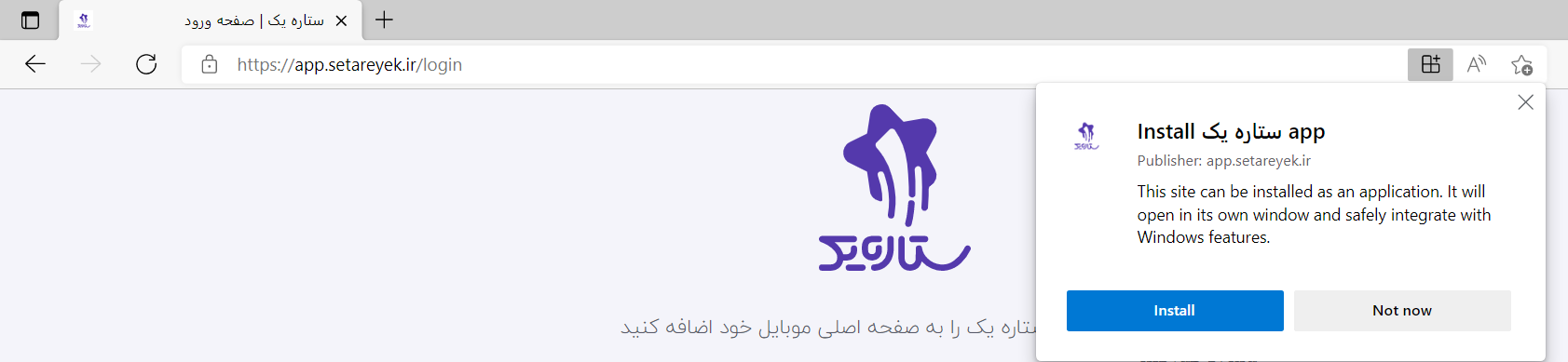
picture 2

I called for more help.
Web applications do not work in Firefox for desktop. In Firefox for mobile I get the login page as shows in your last screenshot.

Измењено од стране cor-el
There is no way?