


Vyriešené
Can we lock a window to stop accidental closure
It would be good to be able to lock a window so it can't be closed accidentally.
It would be good to be able to lock a window so it can't be closed accidentally.
Vybrané riešenie
- In the address bar, type about:config and press the Enter key.
- The about:config warning page may appear. Click Accept the Risk and Continue to continue to the about:config page.
- Find the browser.tabs.warnOnClose preference and switch its value to true.
Všetky odpovede (7)

about:config -> browser.tabs.warnOnClose -> true
Thank you. I'm sure this makes a lot of sense to some of you but not, I'm afraid, to me. Any chance of a response in layman's language. Sorry to be a pain.
Vybrané riešenie
- In the address bar, type about:config and press the Enter key.
- The about:config warning page may appear. Click Accept the Risk and Continue to continue to the about:config page.
- Find the browser.tabs.warnOnClose preference and switch its value to true.
Thank you! Will this remain as set now??
Bonsoir
To complement,
The check mark next to Ask before closing multiple tabs.
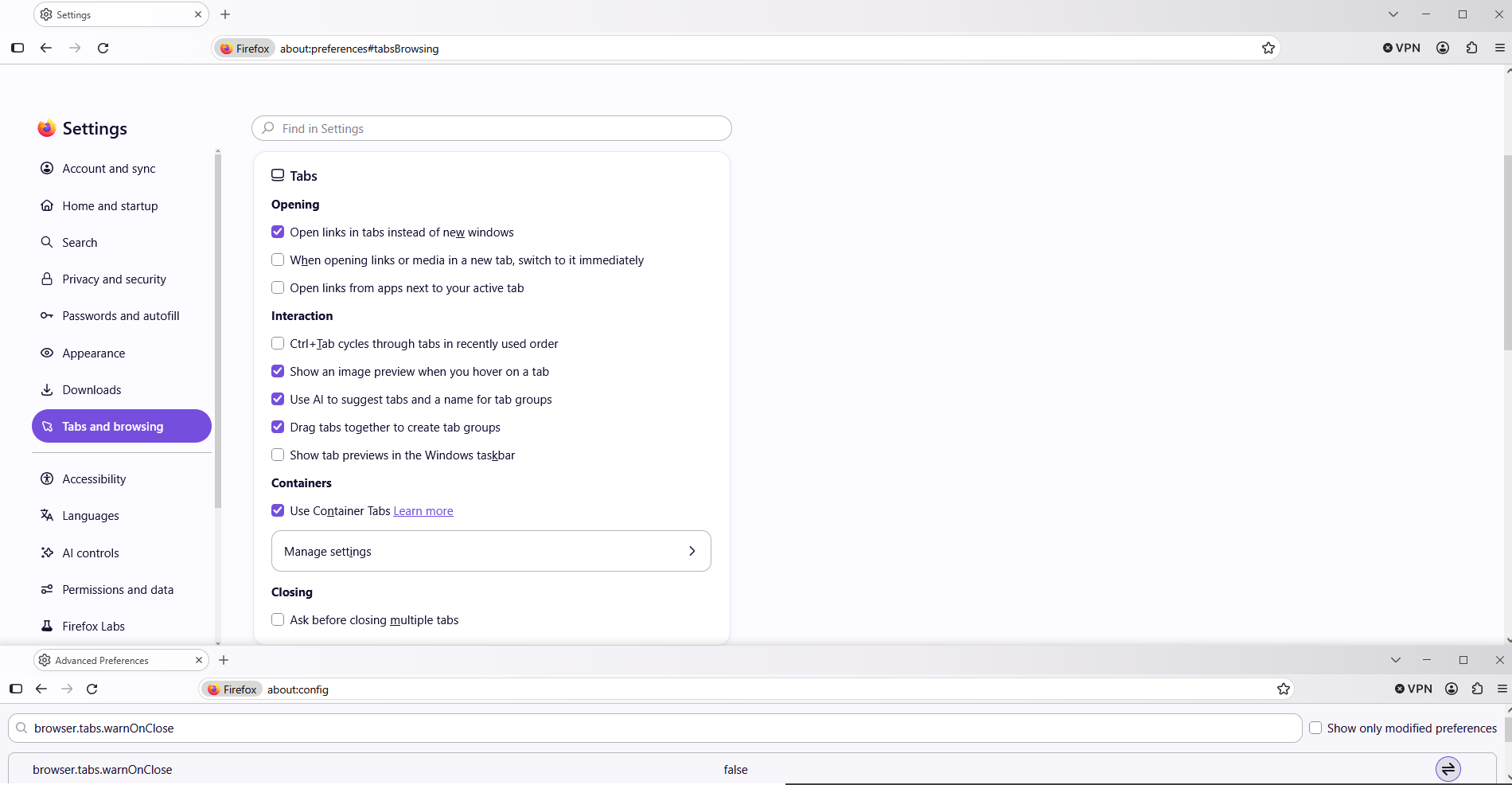
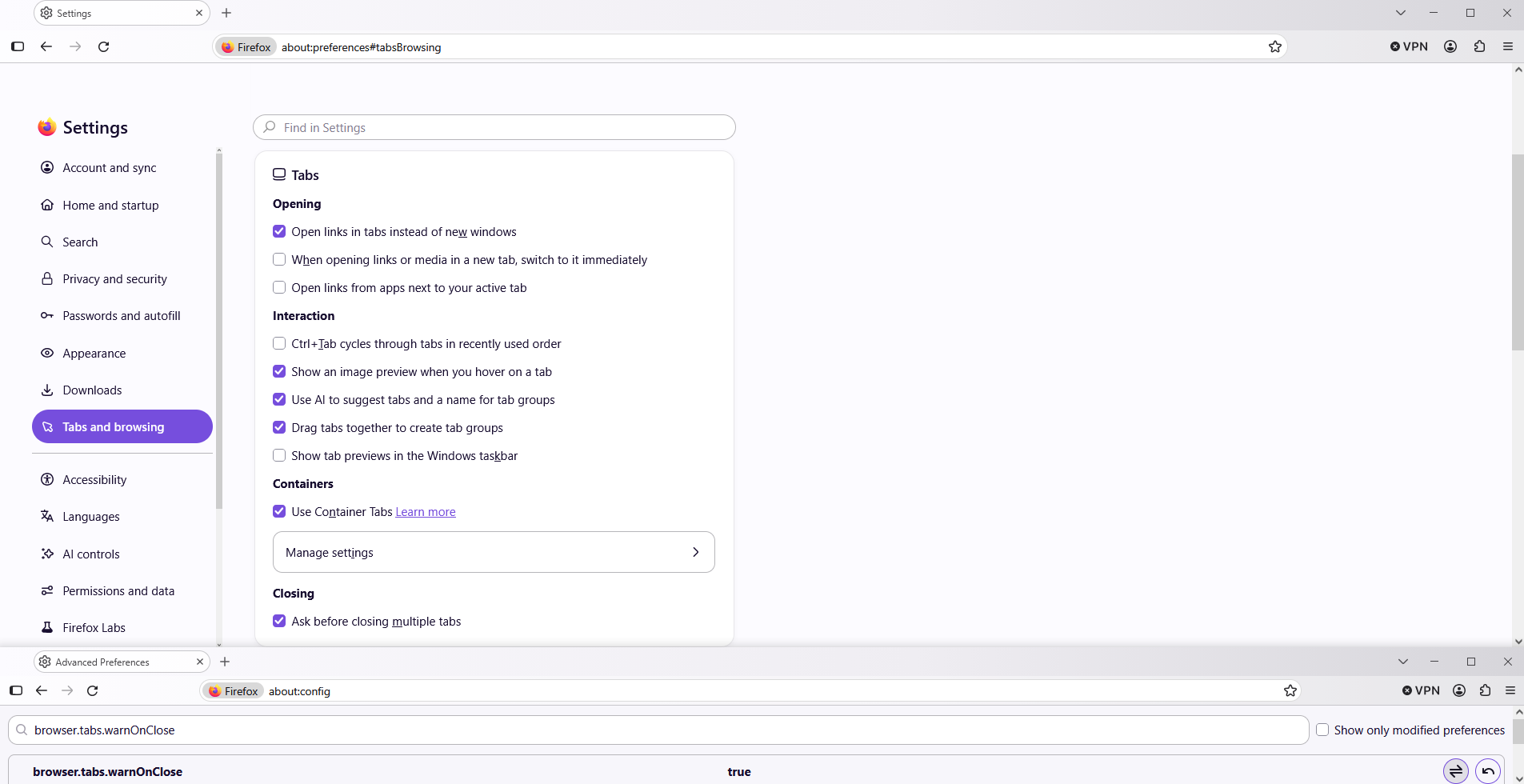
To complement,
Firefox settings, preferences and other options https://support.mozilla.org/en-US/kb/firefox-options-preferences-and-settings
How to configure Close Tab warnings in Firefox https://support.mozilla.org/en-US/kb/how-configure-close-tab-warnings-firefox