


Why does the right side scroll bar disappear? Not able to scroll down when a webpage is much longer than available screen

Example: Using LinkedIn in job hunting... Jobs listed on the left hand of the screen... the scroll bar initially appears and then goes away. So I have to make a change (disable an alert for a job) to make the scroll bar come back and then try quickly to click on it and scroll down. If it disappears then I have to do something else to get it come back. The Mac keyboard down key does not enable scroll down.
Všetky odpovede (3)
Vybrané riešenie
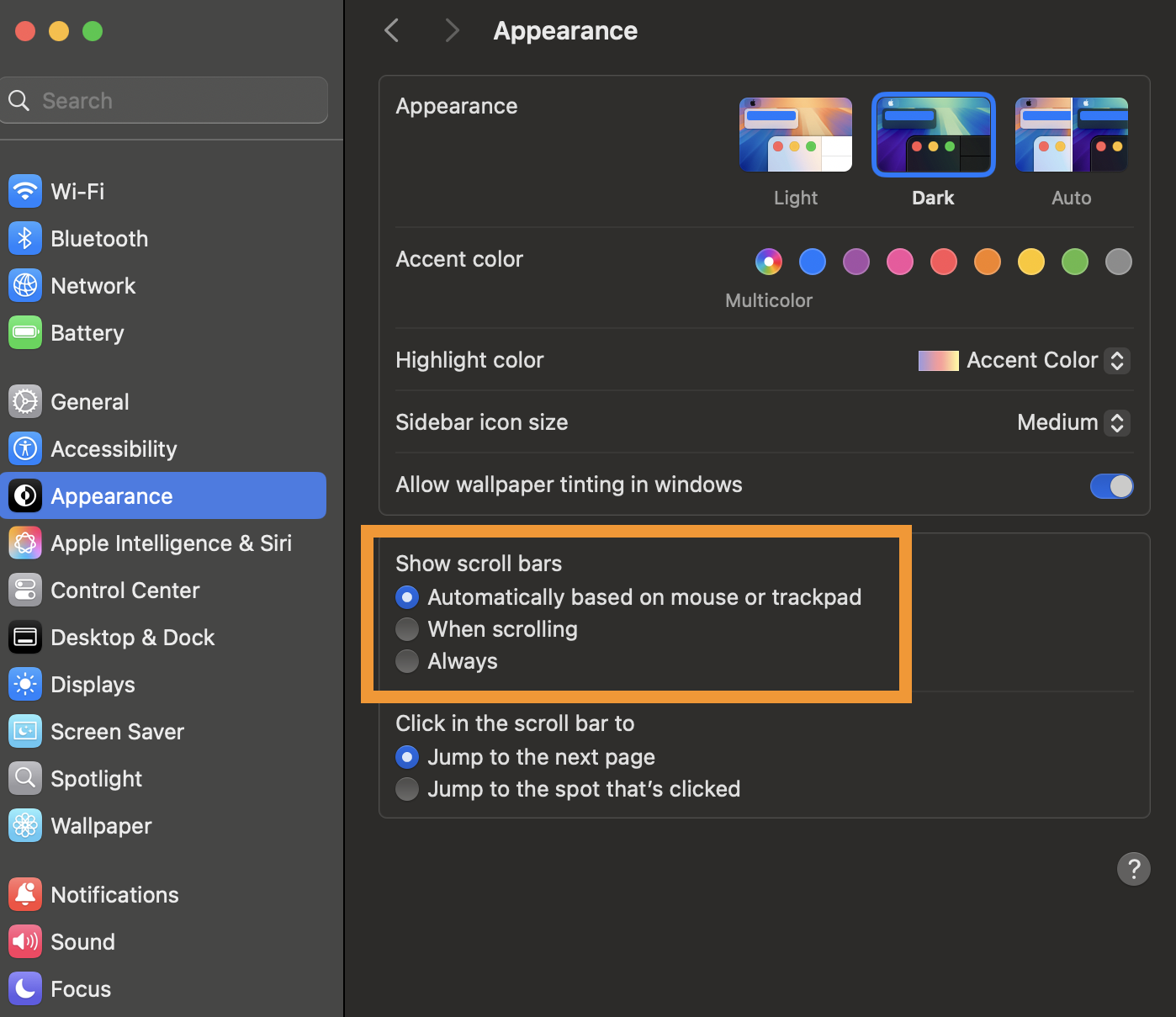
Is this issue about mobile iOS? This sounds more like a desktop macOS browser question. If that's the case, look into changing your system's "Appearance" settings to your preferred scrollbar behavior — Firefox inherits that setting from your system. You might want to change the option to e.g. "Always", see the attachment:
Mea Culpa - pick the wrong OS. Firefox on Mac OS (desktop). Looking through the settings to see if I can find similar.
Nevermind. Further digging. Found the setting.