


Remove "Personal Address Book"
As I store all my contacts in a CarDav sync I have no need for a "Personal Address Book". It might even be a problem because accidentily stored addresses there are not synced. The "Delete" on the context menu is grey and cannot be selected. How do I permantely remove "Personal Address Book" from the list of contacts?
Všetky odpovede (8)
I found a solution here https://superuser.com/questions/896982/remove-thunderbirds-empty-personal-address-book Copy/paste the following CSS code in a text editor and save it as userContent.css file (delete the .txt extension your system will add at the end of the file name)
#booksPane ul li[title="Personal Address Book"] {
display: none !important; }
Regarding your history in this forum I guess that you know how to handle userChrome ....
That'll work also. I just want to prevent moving anything in the personal address book. I gues if it's not visible I cannot move something in it.
johannes said
I gues if it's not visible I cannot move something in it.
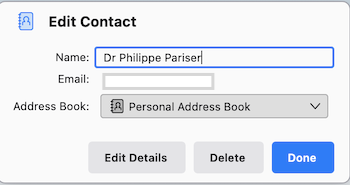
Unfortunately not! You can still do it indirectly (image) It is like sticking a plaster on a wooden leg ...
- click help>troubleshootinginformation - scroll to 'profile folder' and click 'open folder' - exit thunderbird - rightclick abook.sqlite and click 'properties' - tick the box 'read only' and click OK - repeat that for history.sqlite - restart thunderbird
Thunderbird will still show additions, but on restart the changes will not appear.
david said
Thunderbird will still show additions, but on restart the changes will not appear.
That sounds like a bug. It should refuse attempts to change an address book that can't be updated.
Wayne, this user doesn't want the addressbook to update. That is why I suggested making it 'read only.' In that state, it 'appears' to update but does not. My post was to assure user that the change works. Not a bug. But thanks for checking in. :)