


Windows 10 reached EOS (end of support) on October 14, 2025. For more information, see this article.

Vyhľadajte odpoveď

Vyhnite sa podvodom s podporou. Nikdy vás nebudeme žiadať, aby ste zavolali alebo poslali SMS na telefónne číslo alebo zdieľali osobné informácie. Nahláste prosím podozrivú aktivitu použitím voľby “Nahlásiť zneužitie”.

Ďalšie informácie

Firefox keeps deleting and ignoring policies.

  • 1 odpoveď
  • 1 má tento problém
  • Posledná odpoveď od Vas

ďalšie možnosti

You guys keep hijacking my browser and stopping all my work on a near weekly basis. Shutting down my ability to work on projects and stopping my browser from functioning in the middle of use. I can't even pay bills without you guys interrupting my browser with your bullcrap.

This is unacceptable. I've gone through great lengths trying to stop you from hijacking my browser. I installed a policy generator and followed the instructions to put a policy in. I uninstalled Firefox's background updater tool. I disabled automatic updates in the settings to the best of my ability.

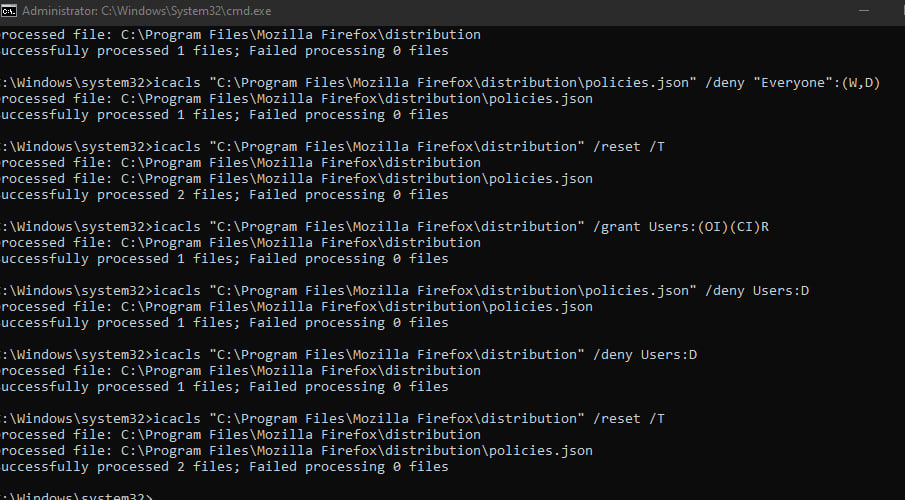
I've gone through everything I can think of trying to stop your forced updates. Its unethical what Mozilla is doing to its users. I even tried to lock policies with admin only authorizations but firefox couldn't read the file anymore when I did that. I did confirm today that the policy file was still working, when Firefox ignored it and shut down my browser till I restarted it. I confirmed that Firefox is blatently ignoring policies.

I just checked and Background Maintnence was installed again when I didn't want it. You're now installing software against my will too? What the hell is going on.
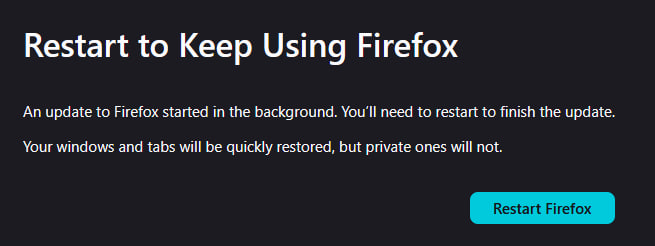
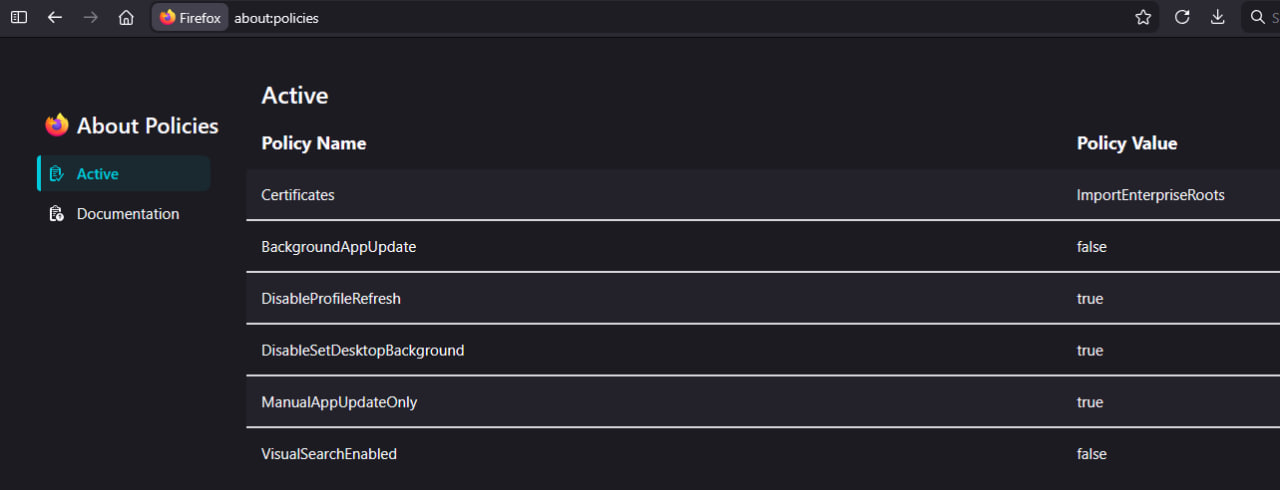
You guys keep hijacking my browser and stopping all my work on a near weekly basis. Shutting down my ability to work on projects and stopping my browser from functioning in the middle of use. I can't even pay bills without you guys interrupting my browser with your bullcrap. This is unacceptable. I've gone through great lengths trying to stop you from hijacking my browser. I installed a policy generator and followed the instructions to put a policy in. I uninstalled Firefox's background updater tool. I disabled automatic updates in the settings to the best of my ability. I've gone through everything I can think of trying to stop your forced updates. Its unethical what Mozilla is doing to its users. I even tried to lock policies with admin only authorizations but firefox couldn't read the file anymore when I did that. I did confirm today that the policy file was still working, when Firefox ignored it and shut down my browser till I restarted it. I confirmed that Firefox is blatently ignoring policies. I just checked and Background Maintnence was installed again when I didn't want it. You're now installing software against my will too? What the hell is going on.
Priložené obrázky

Všetky odpovede (1)

ďalšie možnosti

Forgot to mention, after every update, my policies folder and file are deleted. Mozilla is deleting my policies.

Položiť otázku

Ak chcete odpovedať na príspevky, musíte sa prihlásiť do svojho účtu. Ak ešte nemáte účet, položte novú otázku.