


Thunderbird Enhancements

Would like to see these enhancements made to Thunderbird:
- Add recipient email address to view. This could be added next to the sender email address, separated by something like a pipe character "|" and identified by "From: ", "F: ", "Sender: ", or "S: " in front of the sender address and "To: ", "T: ", "Recipient: ", or "R: " in front of the recipient address
- Add search filter terms to search capability. Some example filter terms would be 1) "mailed-to:" or "recipient" to search for emails sent to a specific email address or domain (using wildcard), 2) "mailed-from" or "sender" to search for emails sent from a specific email address or domain (using wildcard).
Would like to see these enhancements made to Thunderbird:
# Add recipient email address to view. This could be added next to the sender email address, separated by something like a pipe character "|" and identified by "From: ", "F: ", "Sender: ", or "S: " in front of the sender address and "To: ", "T: ", "Recipient: ", or "R: " in front of the recipient address
# Add search filter terms to search capability. Some example filter terms would be 1) "mailed-to:" or "recipient" to search for emails sent to a specific email address or domain (using wildcard), 2) "mailed-from" or "sender" to search for emails sent from a specific email address or domain (using wildcard).
Všetky odpovede (4)
1. I think your wish can be achieved in the Message List settings in Settings/General/Reading & Display.
2. Classic Search, Ctrl+Shift+F, contains search by multiple filters.
Good day @sfhowes,
I don't see any options for this in the recommended settings section. Image attached.
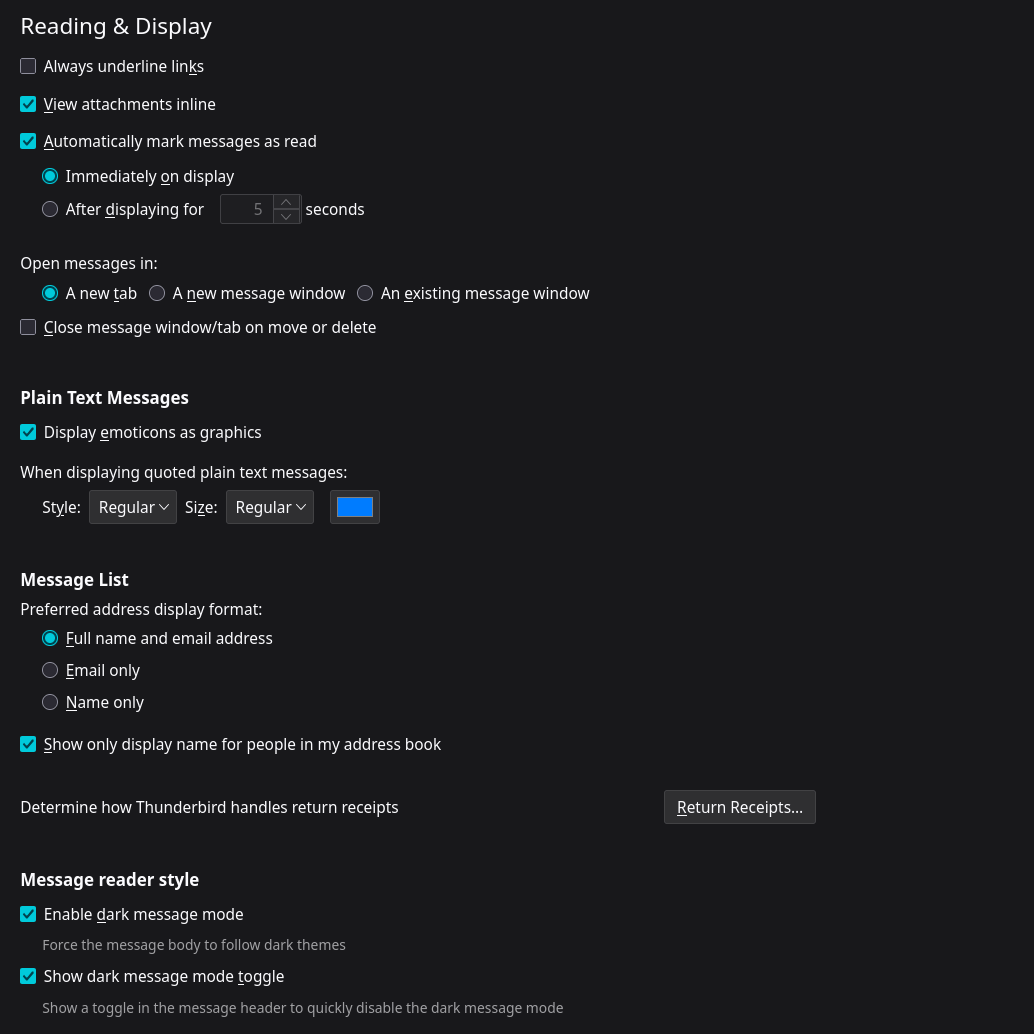

The sender's name and address are shown in Cards View, according to your settings, but the recipient's are not. This shouldn't be necessary since the recipient is known according to the currently selected folder (account). For a Unified Inbox, the only way I know to show the recipient in the message list is to switch to Table View and enable the Recipient column.