


Send tab to decide
Why do they keep moving or removing this functionality? I can’t figure out how to send a tab to another device. There’s no option anymore on the “…” menu and I don’t see where else it could be.
Does anyone know how to do this on the new version of the iOS app?
Vybrané riešenie
Try to click that icon on the left side of the address bar. It looks like a Share icon, it should be there.
Čítať túto odpoveď v kontexte 👍 1Všetky odpovede (5)
Sorry, I typed “device” in the subject but it got autocorrected.
I think it should be there. Are you logged in to the Firefox Account?
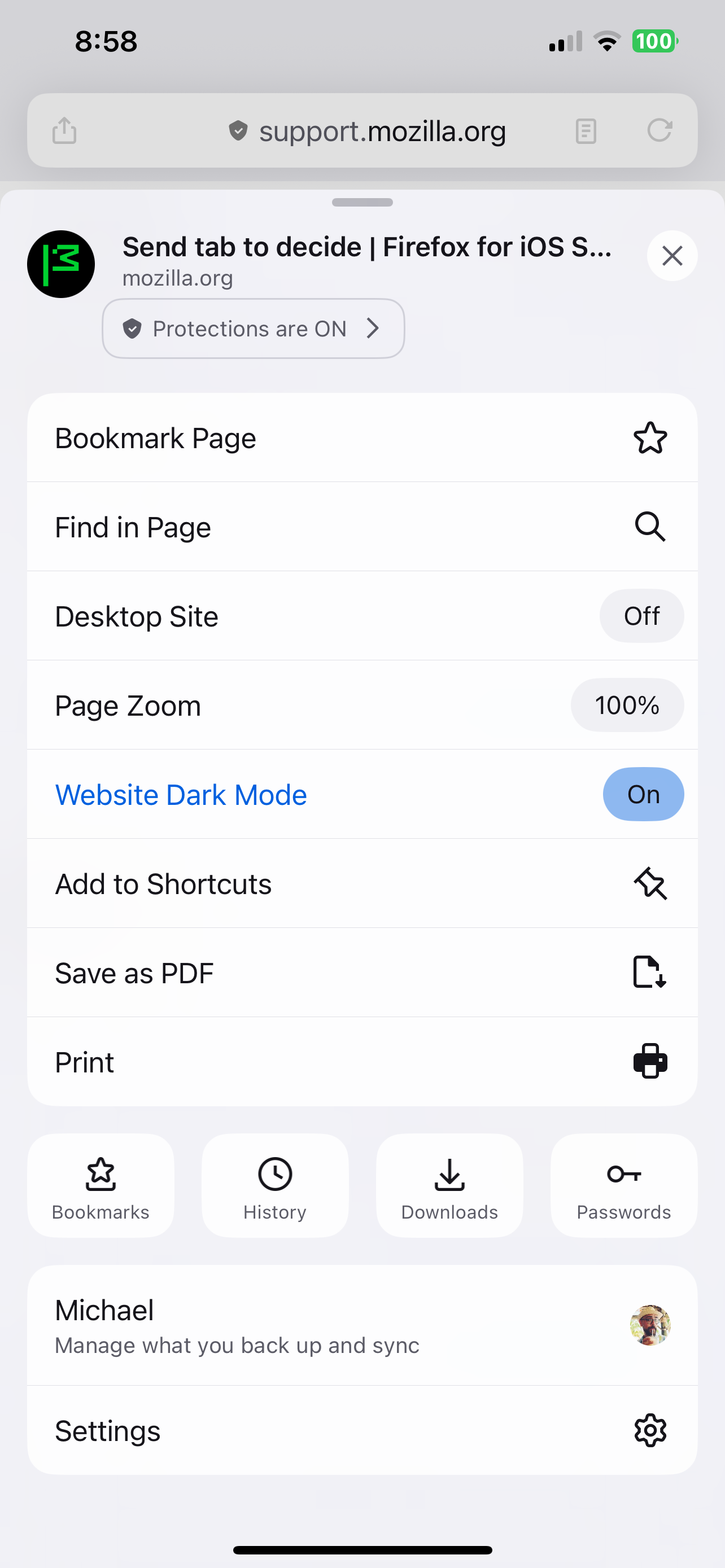
Yes. See attached screenshot. As you can see, I’m logged in but there’s no option to send the tab to a device.
Vybrané riešenie
Try to click that icon on the left side of the address bar. It looks like a Share icon, it should be there.
Ok, yeah, it’s there. It used to be on the lower right corner where it was easily accessible. I don’t know why they keep moving it. This is like the third time this year.