


Windows 10 will reach EOS (end of support) on October 14, 2025. For more information, see this article.

Vyhľadajte odpoveď

Vyhnite sa podvodom s podporou. Nikdy vás nebudeme žiadať, aby ste zavolali alebo poslali SMS na telefónne číslo alebo zdieľali osobné informácie. Nahláste prosím podozrivú aktivitu použitím voľby “Nahlásiť zneužitie”.

Ďalšie informácie

New tabs always crash

  • 2 odpovede
  • 2 majú tento problém
  • 34 zobrazení
  • Posledná odpoveď od Caitlynn Jordan

more options

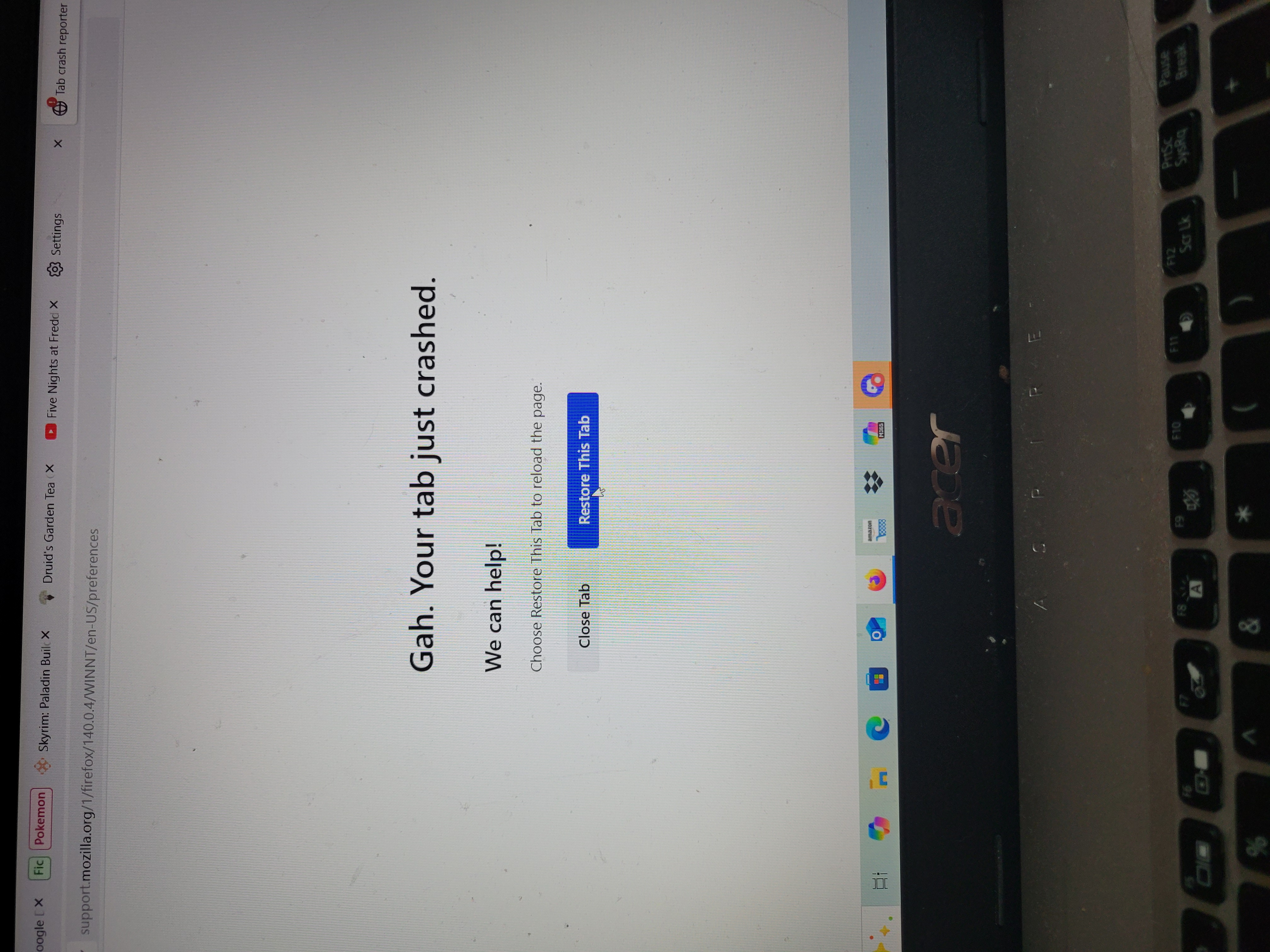
I keep having an issue on my desktop of every new tab I open crashing. I can access the homepage, but if I put anything into the search bar, the screen goes to "Gah. Your tab just crashed. We can help! Choose Restore This Tab to reload the page." And when I try to restore the page, it brings me back to that screen again. I couldn't even access Mozilla Support on my desktop to report this, I am on this site through my phone.
I keep having an issue on my desktop of every new tab I open crashing. I can access the homepage, but if I put anything into the search bar, the screen goes to "Gah. Your tab just crashed. We can help! Choose Restore This Tab to reload the page." And when I try to restore the page, it brings me back to that screen again. I couldn't even access Mozilla Support on my desktop to report this, I am on this site through my phone.
Priložené obrázky

Vybrané riešenie

We're sorry to hear that your Firefox seems to be crashing when you open it. Please perform the following steps to give us a crash report ID that helps us find out more about the cause of the crash.

  1. On the keyboard, press [Windows] Windows Key + [R]. This should bring up a Run box that contains a text field.
  2. In that text field, type %APPDATA% and press Enter. An explorer window should open.
  3. From that explorer window, double-click on the Mozilla folder, then double-click on Firefox and then on Crash reports. Double-click on submitted.
  4. Now, you should see a list of files that contain reports. Go to View > Arrange Icons by > Modified to get the most recent files at the top of the window.
  5. Open the most recent 5 files with a text editor and copy the IDs.
  6. Paste each ID with bp- into the reply window on the forums.

Thanks in advance!

You can find more information and troubleshooting steps in the Troubleshoot Firefox crashes (closing or quitting unexpectedly) article.

Čítať túto odpoveď v kontexte 👍 0

Všetky odpovede (2)

more options

Vybrané riešenie

We're sorry to hear that your Firefox seems to be crashing when you open it. Please perform the following steps to give us a crash report ID that helps us find out more about the cause of the crash.

  1. On the keyboard, press [Windows] Windows Key + [R]. This should bring up a Run box that contains a text field.
  2. In that text field, type %APPDATA% and press Enter. An explorer window should open.
  3. From that explorer window, double-click on the Mozilla folder, then double-click on Firefox and then on Crash reports. Double-click on submitted.
  4. Now, you should see a list of files that contain reports. Go to View > Arrange Icons by > Modified to get the most recent files at the top of the window.
  5. Open the most recent 5 files with a text editor and copy the IDs.
  6. Paste each ID with bp- into the reply window on the forums.

Thanks in advance!

You can find more information and troubleshooting steps in the Troubleshoot Firefox crashes (closing or quitting unexpectedly) article.

more options

I followed the steps up to Step 3, but there is no "submitted" folder. The folders present are "events" and "pending."

Položiť otázku

Ak chcete odpovedať na príspevky, musíte sa prihlásiť do svojho účtu. Ak ešte nemáte účet, položte novú otázku.