


Thunderbird

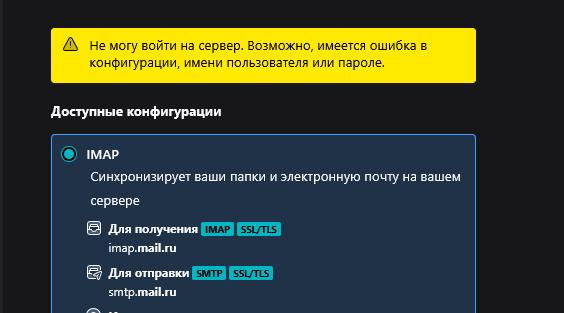
сегодня столкнулся с проблемой, что не могу создать учетную запись, используя домены от mail.ru. на скриншоте показал результат моих действий: я как обычно ввел почту, поставил пароль, заранее в самой mail почте разрешил использование imap, а когда нажал готово и разрешил доступ в самом thundebird, то окошко с входом просто закрывается и пишет "не могу войти на сервер", хотя я даже не ввел пароль. это происходит со всеми доменами типо inbox и т.д, с gmail все работает нормально. помогите пожалуйста
Všetky odpovede (8)
I do not know settings for mail.ru, but if you post a screenshot of the full setup screen, including port, security and email address, there may be some on the forum who can give specific suggestions. I did locate this info, but it may not be relevant for you. https://clean.email/blog/email-settings/mail-ru-email-settings
there it is
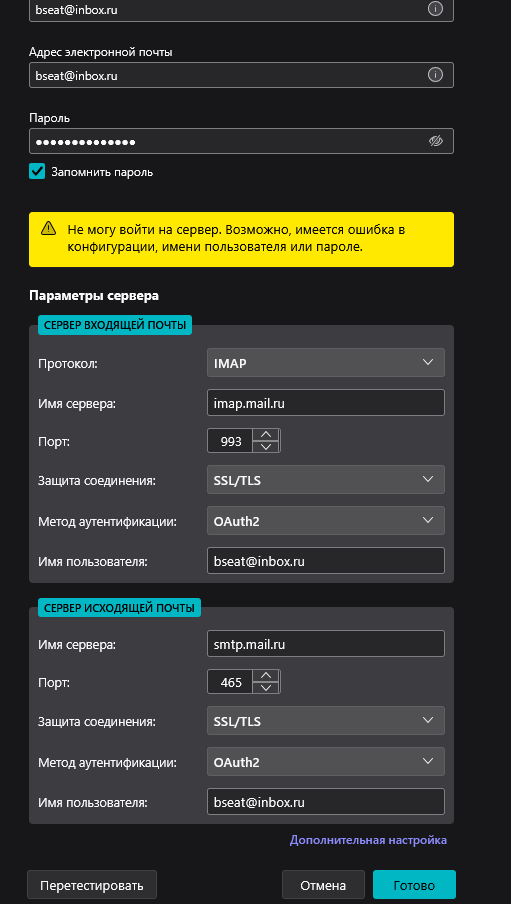
The automatic configuration done by Thunderbird uses SSL/TLS, not Oauth and I was successful in setting it up. Try that and let me know. Thank you
which of these auth methods i need to chose? when i tried with Mailbird it said i need application password for these emails, i dont know why it worked normally with first few emails without that password
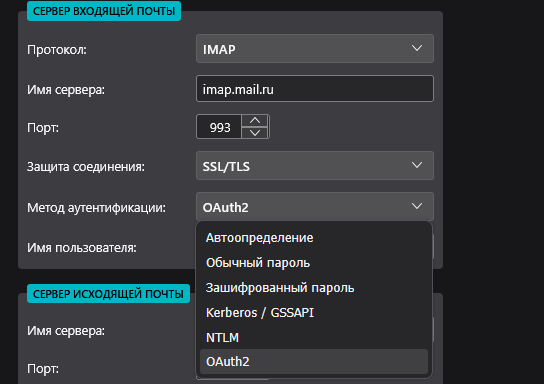
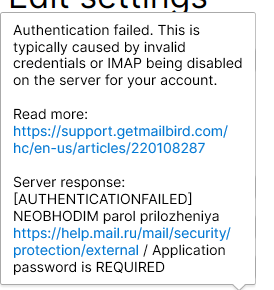
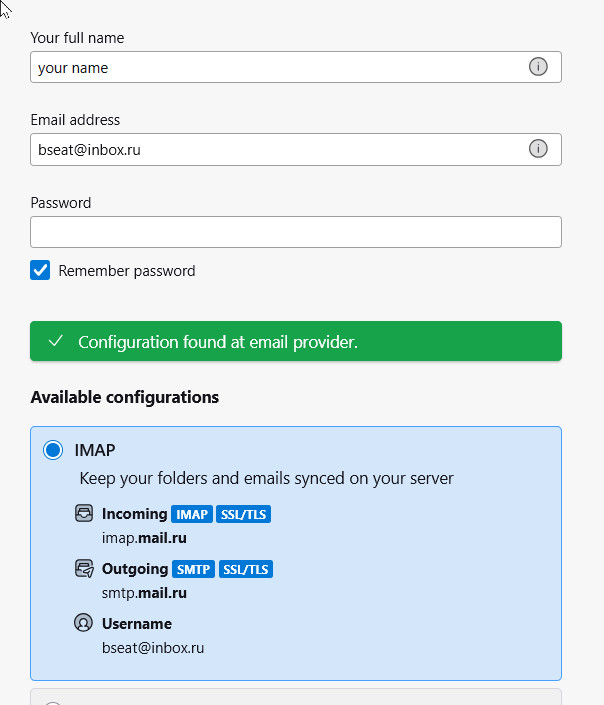
I think you're trying too hard. Here is what I did:'
- i clicked hamburger menu for new account>email
- on that screen, I entered name and bseat@inbox.ru and pressed Enter key
- thundebird responded with the setup as shown in attached screenshot
- I think pressed the DONE key and was immediately prompted to enter email password, at which time, I clicked 'cancel'
Is that what you're doing, or are you entering Oauth2 manually? I am puzzled here. You do need a password for any email account, so if you do not know the password, you will need to contact the support people at mail.ru. Let me know how it goes.
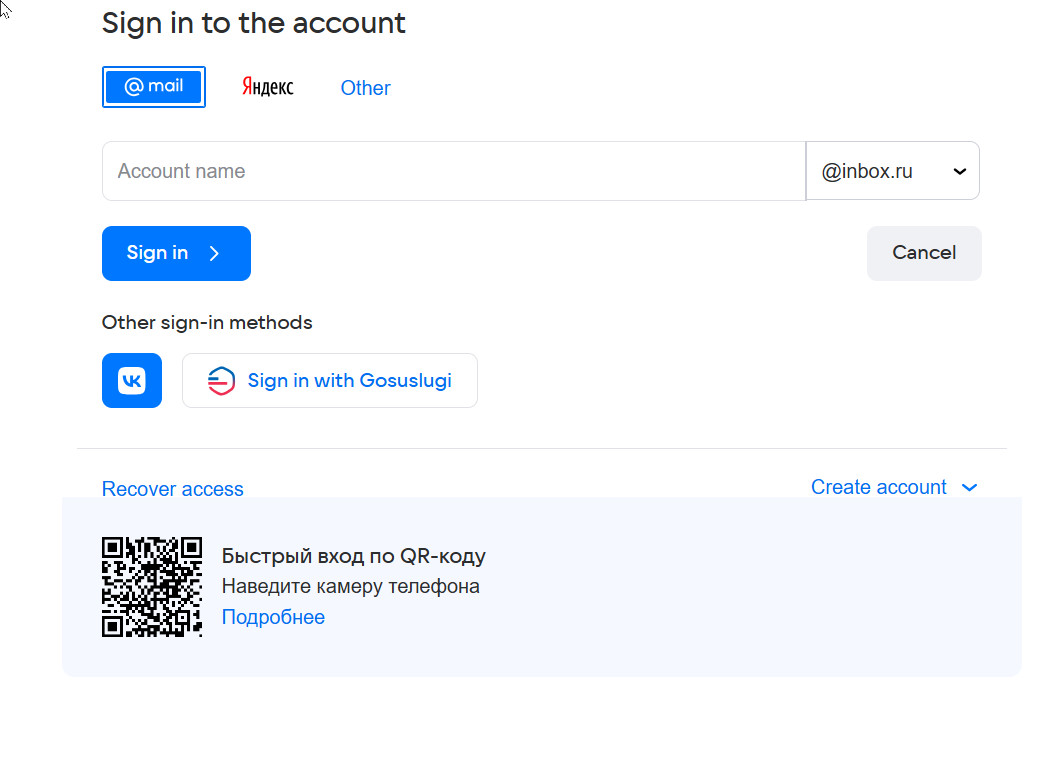
all the same, but if you write this email in signing in window, it will close before asking password and say " can't log into the server"