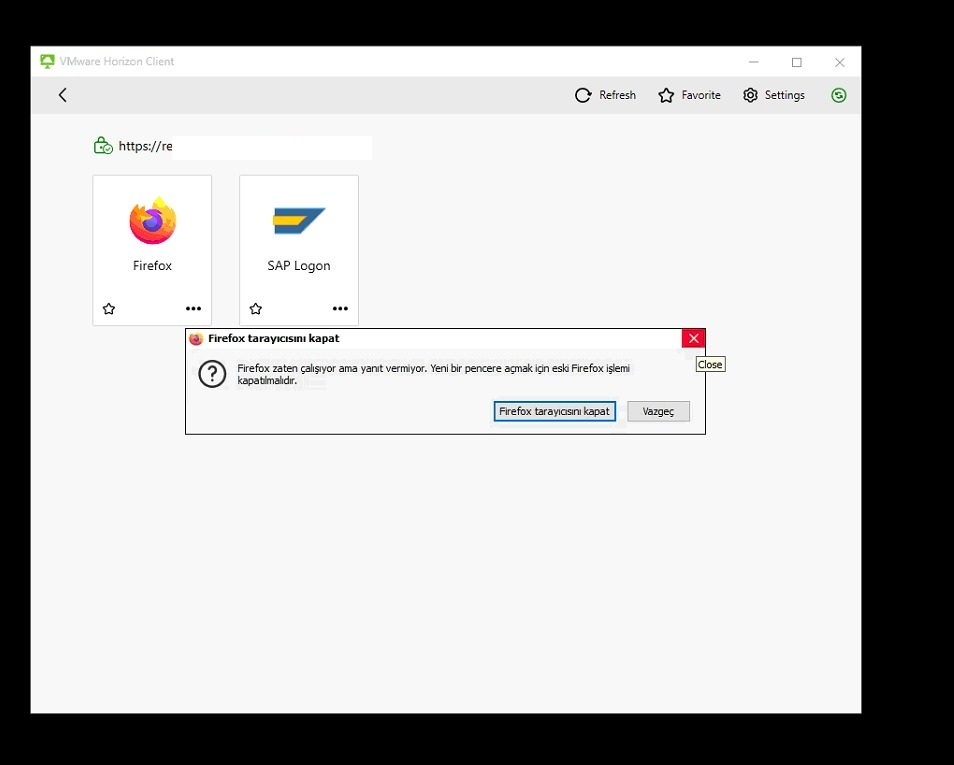
firefox is already running but is not responding

Hi, We are using Horizon VDI terminal server. Firefox is installed on these servers. Some users get Firefox is already running but is not responding error. Ending Firefox via task manager does not work. I log off the user and have them log in again, but it does not work.
When I check, I see that the user's profile file cannot be created on any terminal server.
Is there a solution to this problem?

Vybrané riešenie
Hi jonzn4SUSE, The problem is solved. I saw that Horizon VDI Firefox profile files are kept in a different location.
As suggested in the solution, I deleted AppData>Local>Mozilla>Firefox profile files. I recreated them.
Thank you for your suggestions.
Čítať túto odpoveď v kontexte 👍 1Všetky odpovede (5)
Upravil(a) jonzn4SUSE dňa
Hi jonzn4SUSE, Windows Server 2019 Version 1809 17763.5567 Firefox 133.0
I have restarted all the servers the user is logged in on. it doesn't work.
The only finding I see is AppData>Local>Mozilla>Firefox = There is no user specific "Profiles" file. it doesn't seem to be creating.
Yes, I have looked into these solutions. There is no result yet. https://support.mozilla.org/en-US/kb/firefox-already-running-not-responding
Upravil(a) ahmet ozdemir dňa
It will be difficult for someone to troubleshoot unless they have access to a similar environment. Sounds like a job for someone in a Horizon VDI terminal Server forum. Maybe someone at Mozilla has access to a similar setup and can chime in.
Upravil(a) jonzn4SUSE dňa
Vybrané riešenie
Hi jonzn4SUSE, The problem is solved. I saw that Horizon VDI Firefox profile files are kept in a different location.
As suggested in the solution, I deleted AppData>Local>Mozilla>Firefox profile files. I recreated them.
Thank you for your suggestions.
Upravil(a) ahmet ozdemir dňa
OUTSTANDING!!!