

Táto téma bola archivovaná.
Ak potrebujete pomôcť, založte prosím novú otázku.

Vyriešené
Archivované
Problems accessing Google products on FF

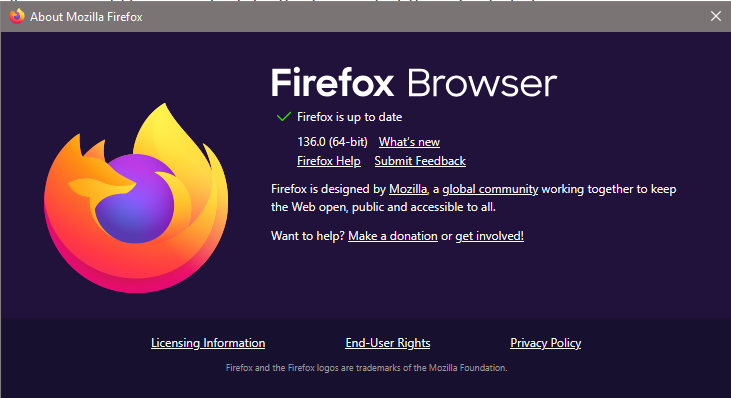
About a week ago, I started having these problems with FF 136.0 (64-bit) on Windows 10:
- Gmail (mail.google.com) became completely inaccessible
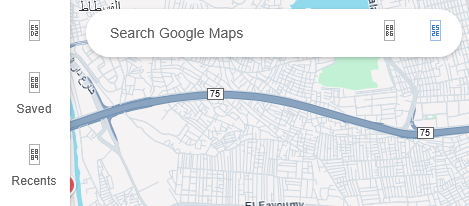
- Google Maps (maps.google.com) opens normally, but app icons stopped displaying correctly (as in attached screenshot)
Comments:
- Gmail and Google Maps are accessible normally on Chrome and Edge
- YouTube (which is another Google product) works fine on my FF
- Tried refreshing FF then tried clearing all cookies, caches, and browsing history, but made no improvement of any kind.
Any advice?
About a week ago, I started having these problems with FF 136.0 (64-bit) on Windows 10:
* Gmail (mail.google.com) became completely inaccessible
* Google Maps (maps.google.com) opens normally, but app icons stopped displaying correctly (as in attached screenshot)
Comments:
* Gmail and Google Maps are accessible normally on Chrome and Edge
* YouTube (which is another Google product) works fine on my FF
* Tried refreshing FF then tried clearing all cookies, caches, and browsing history, but made no improvement of any kind.
Any advice?
Upravil(a) Khalid dňa
Všetky odpovede (2)
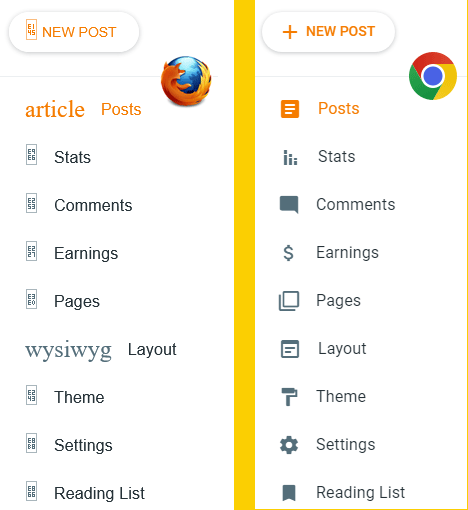
Update: Found out that another website (https://www.blogger.com) renders the same lost icons problem on FF. Again, Chrome (and Edge) do not produce the problem. Attached screenshot shows FF vs Chrome rendering of the same page.
Upravil(a) Khalid dňa
Vybrané riešenie
Update 2: Had to re-install FF. Both problems are now solved (missing icons and inaccessible websites).