


Menus disappear from top of screen sometimes

Using Firefox 135.0.1 with Mac OS 15.3.1. Sometimes the menus on the left side of the top menu bar (, Firefox, File, Edit, View, History, Bookmarks, Tools, Window, Help) vanish from the menu bar at the top of the screen. The items on the right side of the menu bar are unaffected and remain visible. If I click in the menu bar area, the items that had disappeared return.
This does not occur with Safari or Chrome, only with Firefox and only infrequently.
Curious to know if it's a bug or something else.
Všetky odpovede (3)
Updated information
Yesterday I updated to Firefox 136.0 but the issue remains.
The same issue recurred twice this morning and I took a screenshot. The only other appications running are Finder, Express VPN, Avast One and AdGuard. I've added a "normal" screenshot for reference.
It's not a fatal event but is a little annoying.
Any help woulc be greatly appreciated
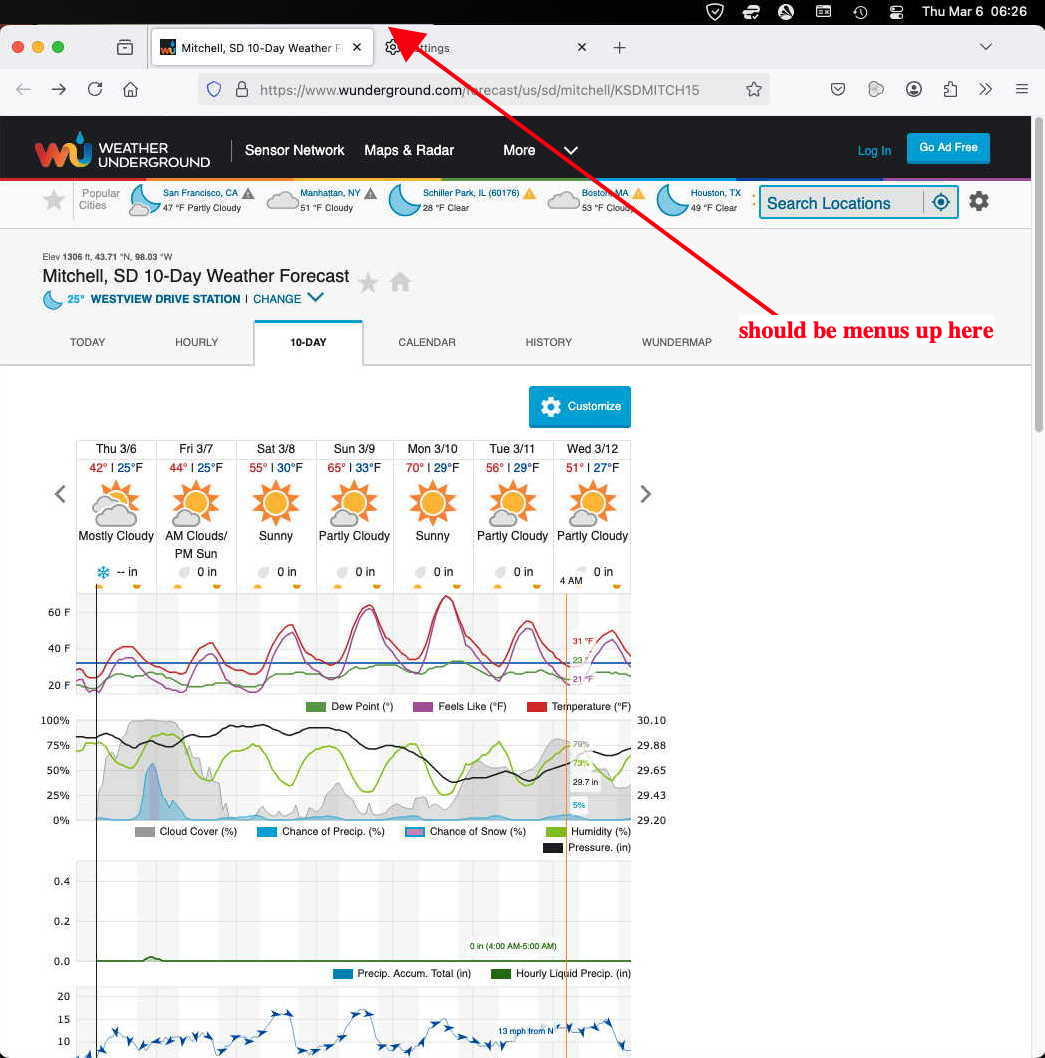
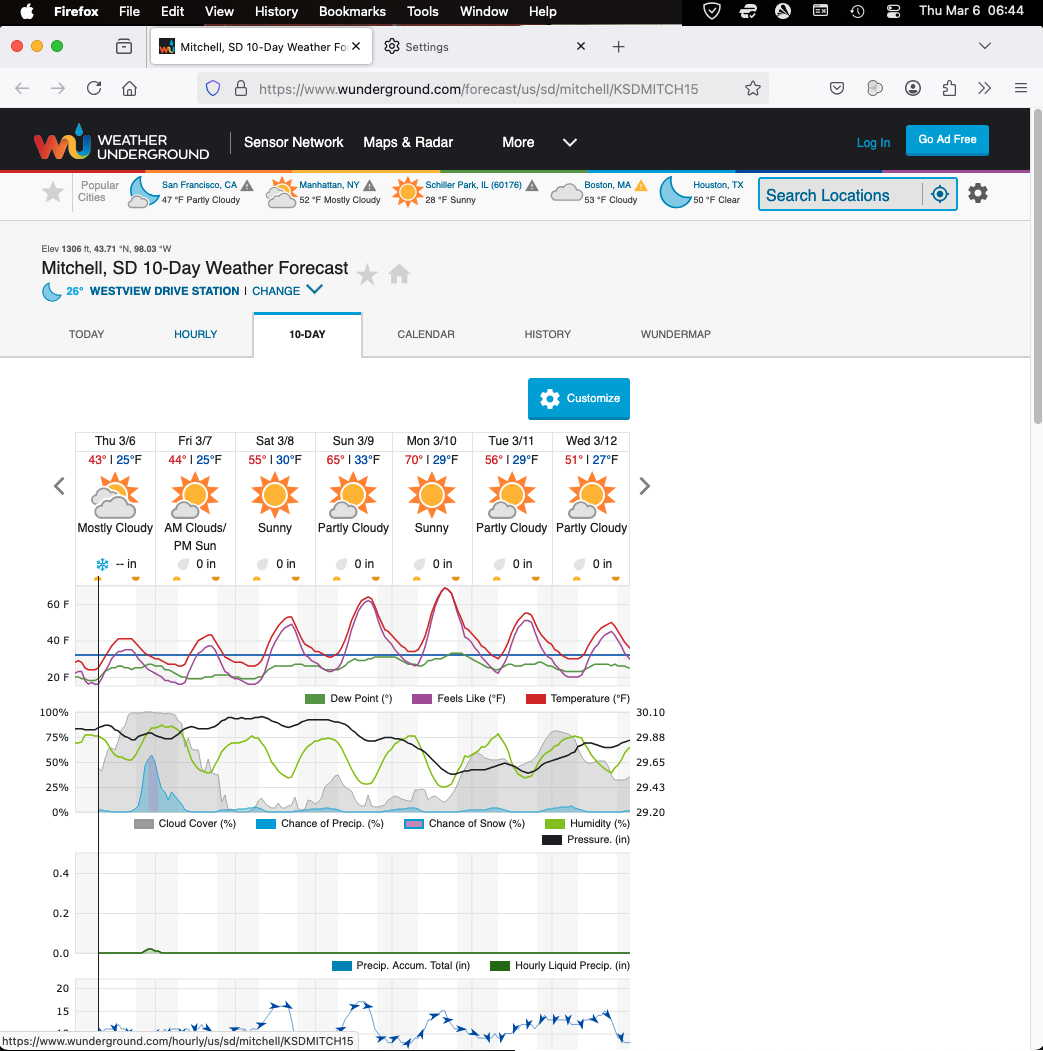
Upravil(a) rextherocket dňa

The same for 136.0.2
- JOOP!

I have this problem as well. It seems to happen after closing several tabs.
Also I STILL cannot make default zoom levels to stick in prefs.
Firefox 136.0.4. Mac OS Sequoia 15.3.2. Apple M2 Pro