


Weird Firefox behaviour

Trivial example of "weird" behaviour:
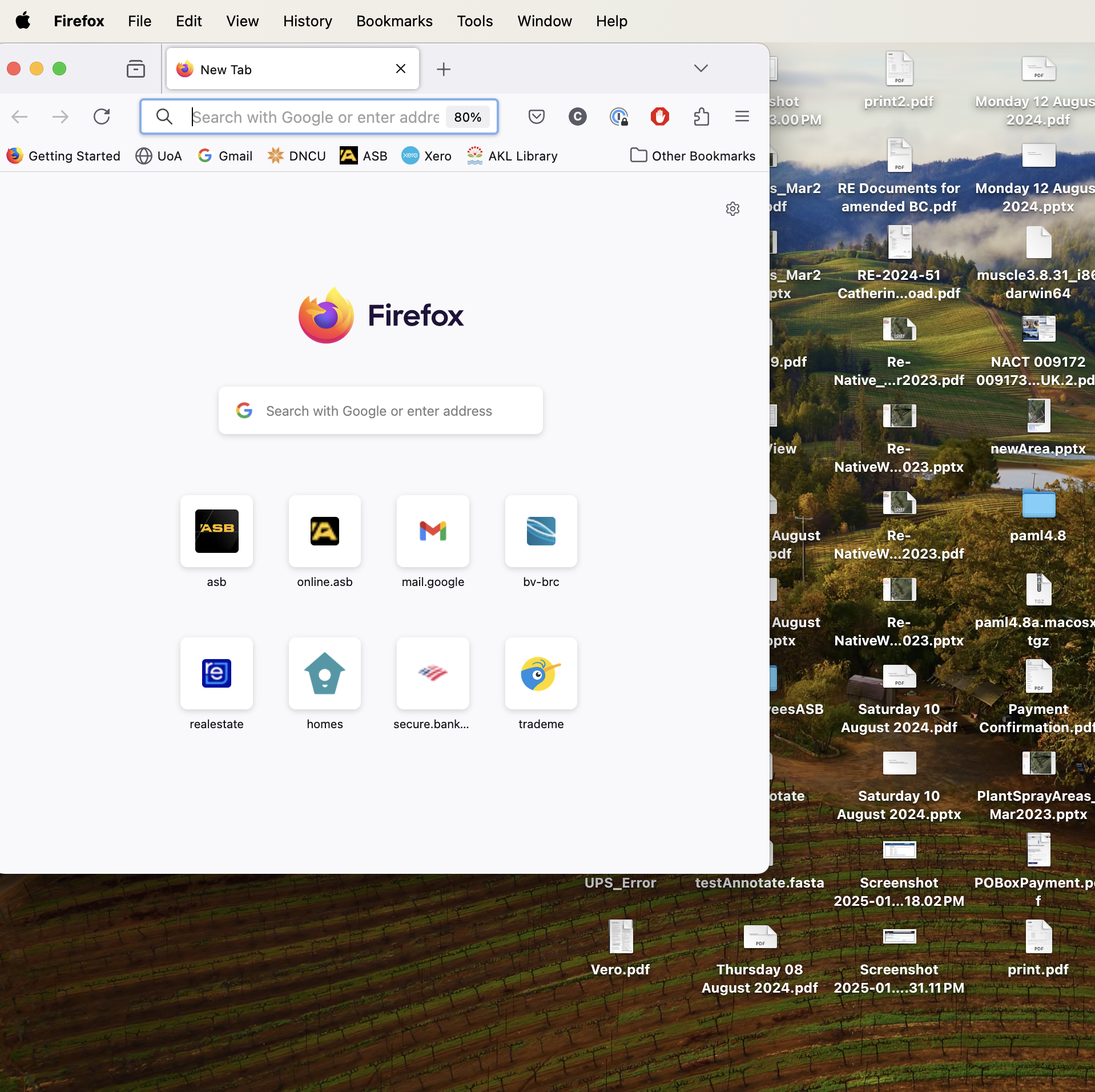
I have an Adobe Reader window open and a Google Chrome window open on my screen. I click on Firefox to open another window and both the Adobe and the Chrome windows are removed from my screen. No tiling. Just moved away. I can get the Adobe and/or Chrome window back, but then Firefox "disappears." This makes Firefox unusable for me. I have NOT changed any of my Firefox settings in probably years. Help please.
Vybrané riešenie
Your screenshot shows that the Firefox title bar is taking the full screen width, but the actual Firefox windows is taking a smaller part. I don't know if this is normal on Mac as I would expect that the title bar in having the same width as the browser window.
Try to rename/remove xulstore.json in the Firefox profile folder with Firefox closed.
You can use the button in "Help -> More Troubleshooting Information" (about:support) to go to the current Firefox profile folder or use the about:profiles page (Root directory).
- Help -> More Troubleshooting Information -> Profile Folder/Directory:
Windows: Open Folder; Linux: Open Directory; Mac: Show in Finder - https://support.mozilla.org/en-US/kb/profiles-where-firefox-stores-user-data
Všetky odpovede (5)

sounds like a OS issue task manager issue.
Do you possibly open Firefox maximized or in full screen mode?
Sadly, no, this is not the solution. I closed Firefox and opened a new window. As the screenshot shows, it is not full-screen.
markwarner22: thank you for your response. Your response might be correct, but I'm not sufficiently skilled to understand it. Are you able to give me a brief steer into the direction for following up on your suggestion?
Vybrané riešenie
Your screenshot shows that the Firefox title bar is taking the full screen width, but the actual Firefox windows is taking a smaller part. I don't know if this is normal on Mac as I would expect that the title bar in having the same width as the browser window.
Try to rename/remove xulstore.json in the Firefox profile folder with Firefox closed.
You can use the button in "Help -> More Troubleshooting Information" (about:support) to go to the current Firefox profile folder or use the about:profiles page (Root directory).
- Help -> More Troubleshooting Information -> Profile Folder/Directory:
Windows: Open Folder; Linux: Open Directory; Mac: Show in Finder - https://support.mozilla.org/en-US/kb/profiles-where-firefox-stores-user-data