


Tab bar shrinks after grabbing single tab since firefox 132/133 (custom userchrome.css)
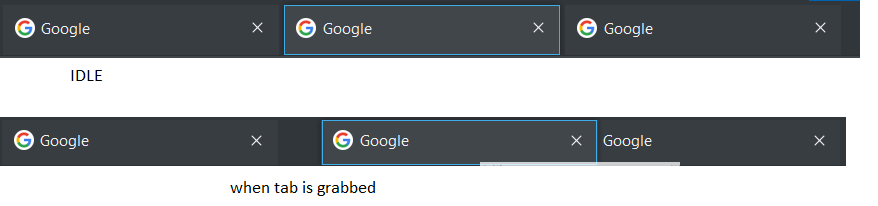
Hello Since few weeks (maybe on firefox 132 already, but surely on firefox 133) I observe issue with my firefox UI. While grabbing and holding tab (to change its position, move it on bar), whole tab bar gets thinner which realigns my whole UI. Issue is probably caused by my custom userchrome.css but I need it in current or similar form. Maybe there is some css specialist who can help me remove unnecessary parts of code?
My css is as follows:
.tab-background{ border-radius: 0px 0px !important; margin-bottom: 0px !important; } .tabbrowser-tab:not([selected=true]):not([multiselected=true]) .tab-background{ background-color: color-mix(in srgb, currentColor 4%, transparent); } menupopup > menu, menupopup > menuitem{ padding-block: 3px !important; min-height: 0px !important; }
- root{
--arrowpanel-menuitem-padding: 2px !important; }
Vybrané riešenie
Hi
Modification using userChrome.css is not officially supported, but you may get some help at:
https://www.reddit.com/r/FirefoxCSS/
Čítať túto odpoveď v kontexte 👍 1Všetky odpovede (5)

If that isn't part of Firefox browser created css edits then you should post that to a userChrome.css site for others there to see what's wrong or if that is a site created userChrome.css edit then you should contact that site for support using their userChrome.css edits.
Sorry but what do you mean by "userChrome.css site" - is there some support site for styling firefox? I got this code from mozilla support forums in the first place, so I was hoping I could find help here ;)
Vybrané riešenie
Hi
Modification using userChrome.css is not officially supported, but you may get some help at:
Issue was caused by this part: margin-bottom: 4px !important; Which was responsible for widening tab until it met button/address bar. You have to set it to 4px or remove it and have huge margins below tab.
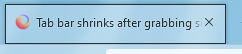
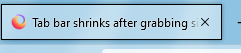
I was able to bypass issue by changing .tab-background{ to .tab-background[selected]{