


False virus detection blocks download
Running Firefox 133.0.3 on Windows 10 22H2
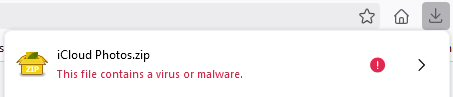
The last week or so, when I try to download my photos from iCloud, Firefox blocks the download, saying it contains a virus or malware. Of course it does not - it's a zip file of screenshots! Running a scan on the folder once unzipped confirms there is nothing malicious in it. Can you fix that please?
Vybrané riešenie
Yeah.
Čítať túto odpoveď v kontexte 👍 1Všetky odpovede (8)

Firefox browser doesn't have virus scanner that comes either the site or your AV doing that.
There is literally a setting for it.
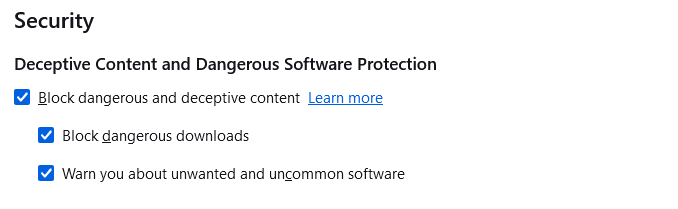
We're using Google Safebrowsing for scanning downloads/malware protection. They somehow marked your file as dangerous.
You can force a download by clicking > icon.
Yeah, I figured out how to get it to download, but it's extra steps that are unnecessary. So I have to complain to Google about this?
Vybrané riešenie
Yeah.
markwarner22 said
Firefox browser doesn't have virus scanner that comes either the site or your AV doing that.
markwarner22 please see https://support.mozilla.org/en-US/kb/how-does-phishing-and-malware-protection-work

FireFox is causing the problem. I can download the files with Microsoft Edge and there is no problem. This use to work.
A tad late here, but im getting this same issue on .zip files downloaded from Nexus Mods, a quick check on virustotal and any avenues through google itself pull only clean results. Checking my network and a full scan of my pc also show nothing that may cause an errant malware trigger. so im willing to back up the claim from bill that Firefox specifically is somehow causing issues, perhaps a bug in the program triggering a fake false positive? the system is not nearly robust enough (in terms of communicating really anything) for me to troubleshoot anything deep enough to provide any actually useful info.
In case i just missed it and was in the wrong places, is it known where exactly someone should be complaining to google?