


The number and space fonts render much bigger and wider than other letters?
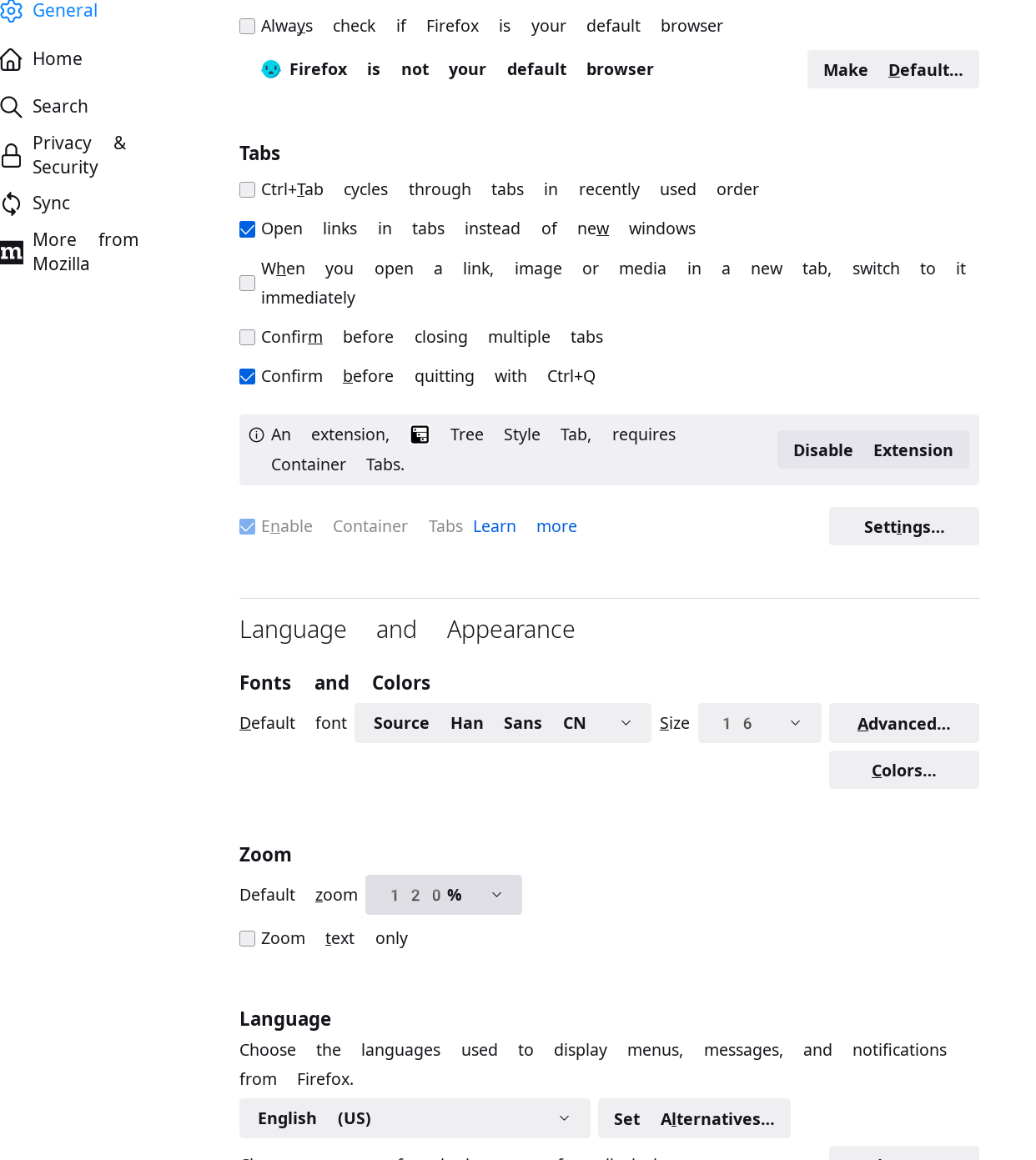
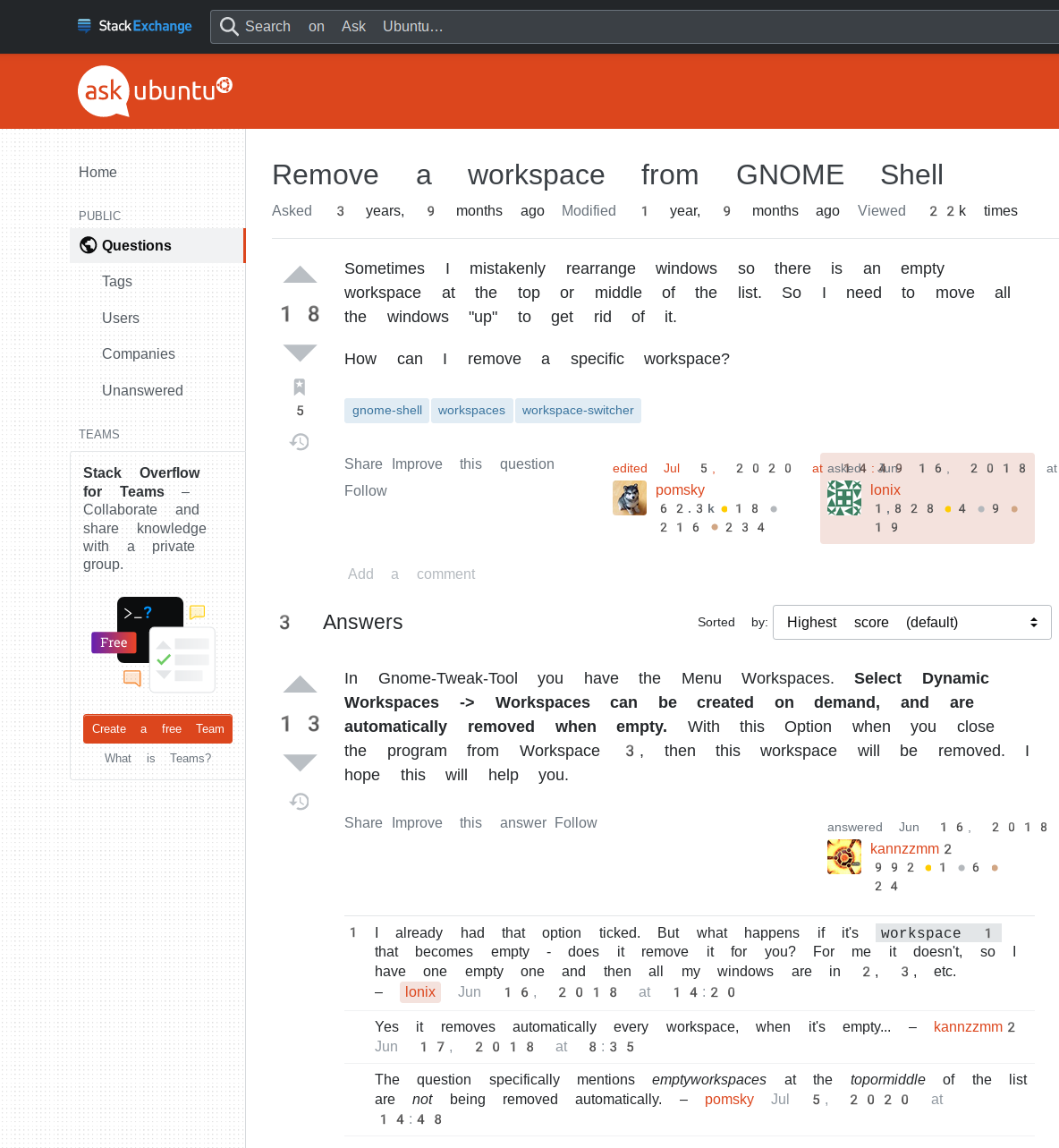
I'm use manjaro, and once after i reboot the system, the firefox font render totally mess up. All the number and the space letter is much wider than others, this happend both on the firefox ui and the webpage. No matter how i change the Font and Colors setting, nothing change.
And this only happen on firefox, other applications on the system is normal.
Vybrané riešenie
I just solve it. Days ago i've changed my system font file `/etc/fonts/local.conf` as below
``` <fontconfig> ... <match target="pattern"> <edit name="family" mode="prepend"> <string>Noto Color Emoji</string> </edit> </match> </fontconfig> ```
I just change it to ``` <fontconfig> ... <match target="pattern"> <edit name="family" mode="append_lat" binding="same"> <string>Noto Color Emoji</string> </edit> </match> </fontconfig> ```
and then reboot. Now everything is fine.
Všetky odpovede (4)
Here's the screenshots
Did you check this in the Inspector?
You can check in the Rules tab in the right panel in the Inspector what font-family is used for selected text. You can check in the Font tab in the right panel in the Inspector what font is used.
cor-el said
Did you check this in the Inspector? You can check in the Rules tab in the right panel in the Inspector what font-family is used for selected text. You can check in the Font tab in the right panel in the Inspector what font is used.
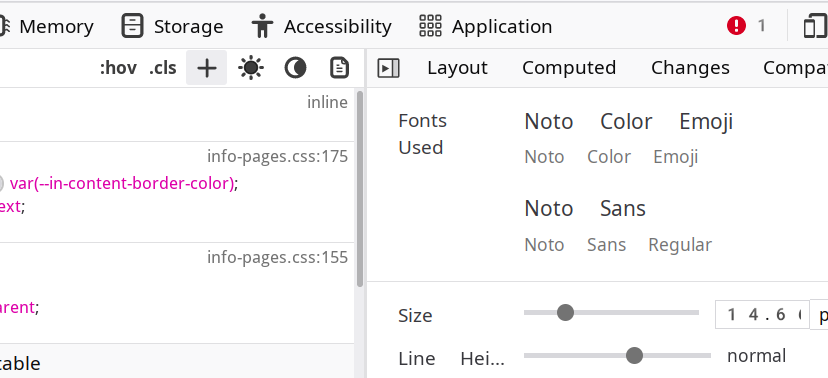
It's Noto Color Emoji, which was configured as the default desktop environment emoji rendering several days ago. I don't know how it affect the firefox, i never config it in firefox before.
Vybrané riešenie
I just solve it. Days ago i've changed my system font file `/etc/fonts/local.conf` as below
``` <fontconfig> ... <match target="pattern"> <edit name="family" mode="prepend"> <string>Noto Color Emoji</string> </edit> </match> </fontconfig> ```
I just change it to ``` <fontconfig> ... <match target="pattern"> <edit name="family" mode="append_lat" binding="same"> <string>Noto Color Emoji</string> </edit> </match> </fontconfig> ```
and then reboot. Now everything is fine.