


Revert to older Version of Firefox for Windows 7 home premium

Hello My PC keeps crashing when I use the latest Firefox version. I did it a few months ago but I forgot the steps how to revert the version back to a compatible version for Windows 7 home premium. I forgot to turn off auto-updates, so now I am having a problem with crashing again.
Please help! Thanks Yvonne
Všetky odpovede (4)

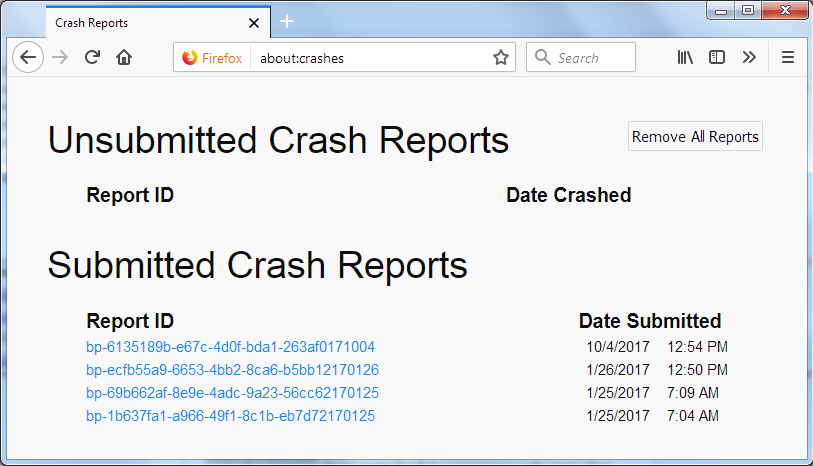
In the address bar, type about:crashes<enter>. Note: If any reports do not have BP- in front of the numbers/letters, click it to submit them.
The crash report is several pages of data. We need the report numbers to see the whole report.
Using your mouse, mark the most recent 7 - 10 Submitted crash reports, and copy them. Now go to the reply box and paste them in.
Please, Do not post a screenshot ! !
For more help on crash reports, see; https://support.mozilla.org/en-US/kb/firefox-crashes-asking-support
ybflorida said
. . . . the steps how to revert the version back
Note: With some versions of Firefox, the data files are not backward compatible. If there is an issue, create a new profile and we can tell you how to recover the data.
Step one: How do you completely turn off update checks in Firefox v64? You can use a policies.json file to disable updates for all users. https://github.com/mozilla/policy-templates/blob/master/README.md or https://winaero.com/blog/disable-updates-firefox-63-above/
You can use a policies.json file in the distribution folder in the Firefox installation folder instead as also listed in the article, so no need to use GPO keys in the Windows Registry. • https://support.mozilla.org/en-US/kb/customizing-firefox-using-policiesjson ++++++++++++++++++++++++++++++++++++++++++++++++++++++++++++ You can use the ManualAppUpdateOnly policy in Firefox 87+ to enable only manual updates e.g. via "Help -> About Firefox".
- https://github.com/mozilla/policy-templates#manualappupdateonly
- https://support.mozilla.org/en-US/kb/customizing-firefox-using-policiesjson
Note that it is important to stay up to date and install the latest security patches.
Step two: Note: With some versions of Firefox, the data files are not backward compatible. If there is an issue, create a new profile and we can tell you how to recover the data.
Install Older Version Of Firefox {web link} Be sure to read everything here.
If you still want to downgrade, look under; I still want to downgrade. Click the Directory of other versions and languages link. Look for the directory of the version that you want. But, remember that old versions may have security issues.
Note: If you know what version you want, press <Control> (Mac=<Command>) F to open the search bar. Then enter the version number to see the available files.
You should also check out
Firefox; Extended Support Release {web link}
ESR Notes
System Requirements
This question has been locked because the original author has deleted their account. While you can no longer post new replies, the existing content remains available for reference.