


Cursor defaults to address bar

I use New Tab Homepage because the cursor used to default to the search bar. Now it defaults to the address bar with no option to change it. Searching becomes a two step operation. I either have to erase the address in the address bar to get accurate searches. Or, I have to move the cursor to the search bar before I start the search. This is annoying enough that I have had to change my default browser. Sorry Firefox.
I use New Tab Homepage because the cursor used to default to the search bar. Now it defaults to the address bar with no option to change it. Searching becomes a two step operation. I either have to erase the address in the address bar to get accurate searches. Or, I have to move the cursor to the search bar before I start the search. This is annoying enough that I have had to change my default browser. Sorry Firefox.
Všetky odpovede (2)
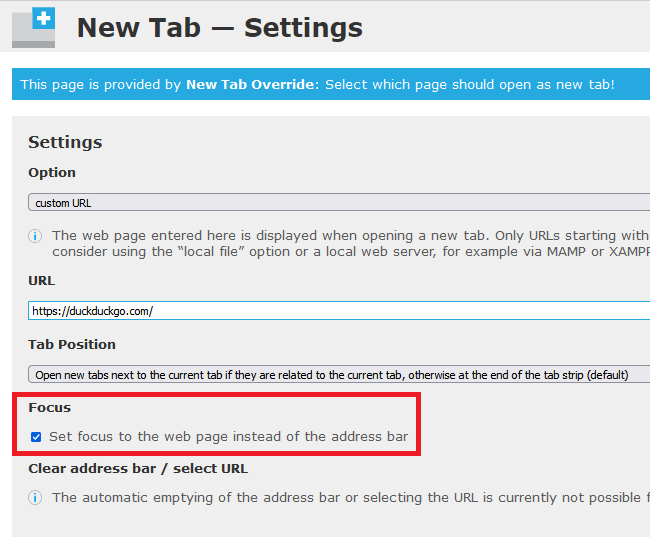
Some new tab extensions give you control of whether the cursor is placed in the page or in the address bar. For example: https://addons.mozilla.org/firefox/addon/new-tab-override/

If you really prefer New Tab Homepage instead, ask its author to add this feature.
my mistake
Upravil(a) Shashank Shekhar dňa