


How to change background color of the write dialog

bold text Hi, Is there a way to customize the background color of the Write dialog via CSS?
Všetky odpovede (8)
For HTML messages, Options/Composition/HTML Style, Background Color.
Thank you for your help. I was trying to change the color of the grey message header panel. Please see the attached image.

Try this userChrome.css (see picture):
#msgHeaderViewDeck {
  background-color: lightblue !important;
  border-bottom: 0 !important;
}

#compactHeadersBox {
  background-color: lightblue !important;
  border-bottom: 0 !important;
}
Help/Troubleshooting, Profile Folder, Open Folder, close TB, create a new folder named chrome, create a new document in chrome with a text editor, name it userChrome.css, Save as type: All files *.*, copy in the above code, change the color as desired. Double-click toolkit.legacyUserProfileCustomizations.stylesheets to true in Options/General/Config. editor, restart TB.
The second part is only needed if you use the Compact Headers add-on.
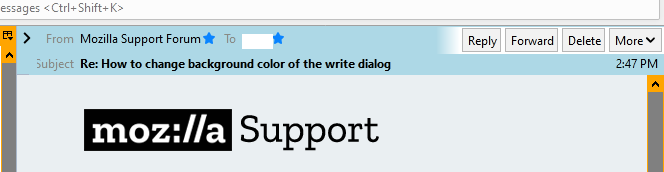
Upravil(a) sfhowes dňa
Thank you for the suggestion. I tried it. Including changing toolkit.legacyUserProfileCustomizations.stylesheets to true. Unfortunately, it has no effect. I am using TB v.91.0b6 (64-bit)'
For TB 91b6, just replace msgHeaderViewDeck with msgHeaderView. This also works in TB 78, as does the first set of code.
Thank you again for your help, but this changes the message area not the area in the write dialog that I have shown in the image.
Oops, was looking at received headers instead of the Write window. Try this (see picture):
#MsgHeadersToolbar
{ background-color: yellow !important;
  color: blue !important; }
http://forums.mozillazine.org/viewtopic.php?p=13720943#p13720943
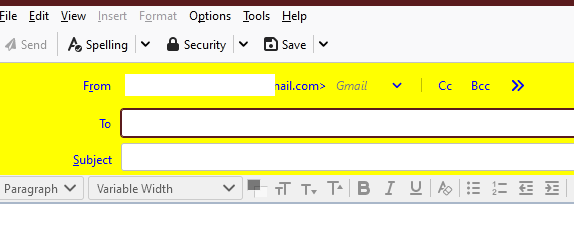
Thank you very much. It worked.