


How to enable "go to website" feature while taking screenshots?
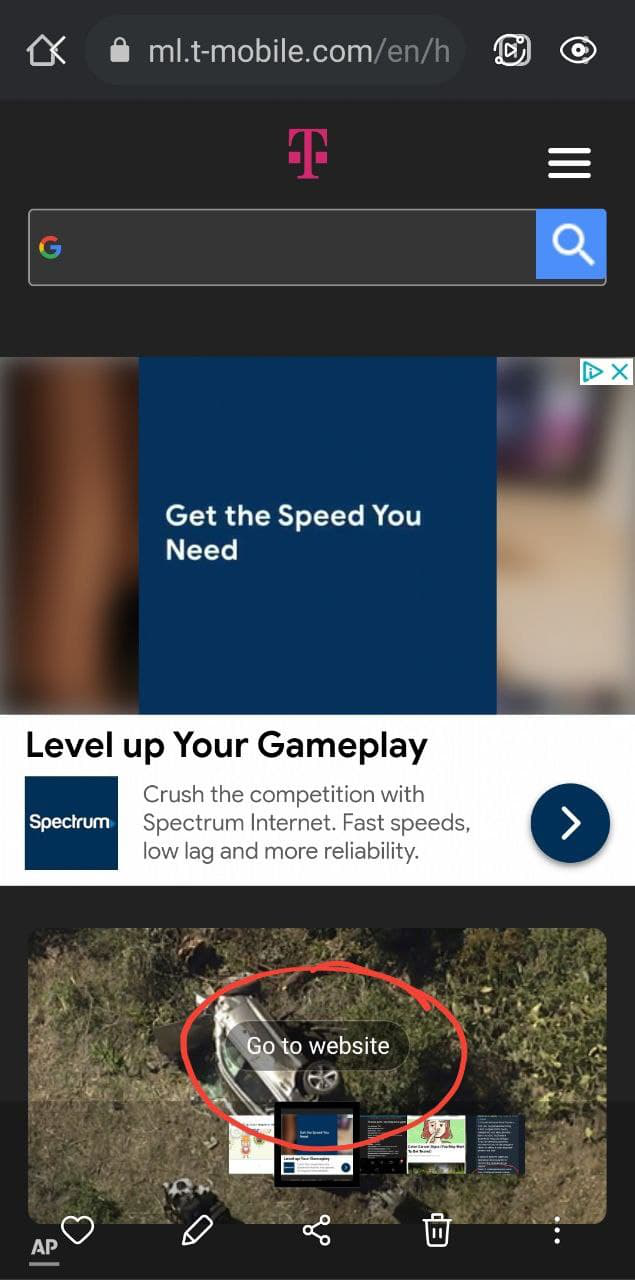
HI all. Was hoping to find/enable "go to website" feature while taking screenshots in firefox. For those who are not familiar when you take a screenshot while being on the web page you usually have little "go to website link" while viewing your screenshot and if you click on the link/ icon your screenshot will take you directly to the website this screen was taken at. Recently got s 21 / t-mobile. This feature is present on all other browsers like stock samy browser and chrome but for the reason my go to firefox browser has that feature not displayed on the screenshots. Attaching pics of the feature below.Please advise if you know what could cause that and how to enable "go to website" feature on screenshots?

Všetky odpovede (1)
Hello Kabuki222,
This problem that you are encountering seems to be resolved on the Samsung page for their "Go to website" feature. On the bottom of the website it states, "Note: Go to URL is supported only on the preinstalled browser, Samsung Internet and on Google Chrome." So I am assuming that there is unfortunately not much that can be done to go to websites straight from a screenshot for Firefox.
Here is the link for the Samsung feature page:
https://www.samsung.com/in/support/mobile-devices/how-to-use-go-to-url-in-gallery-application/