


Obtain sent messages in inbox folder

Hello, I want to see my sent messages threaded together with the received messages.
In order to do so I am trying to follow the guide here.
After activating the Unified view and grouping by thread, on the left bar I don't have a global "Inbox" header. I have just one "Inbox" entry (I had an "Inbox" header with multiple headers when I had multiple email accounts. Now I have only one email account and only one "Inbox" entry).
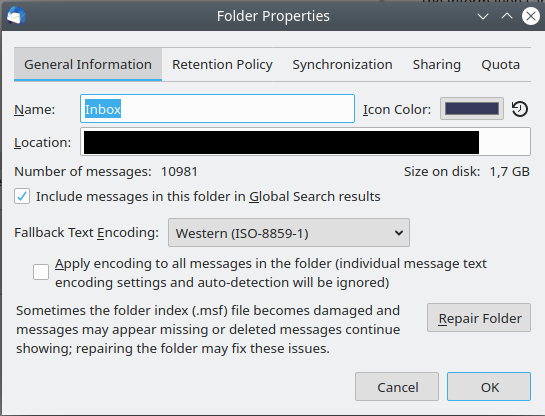
When I right click on it and select properties I see the attached image. There is no "'Select the folders to search'" button.
How can I obtain sent messages grouped with received messages in threaded view?
Upravil(a) user3322488 dňa
Všetky odpovede (2)
As you only have one mail account, Unified is not going to work as it is designed to unify all Inboxes into a type of Inbox search folder.
You could use this: Make sure thread is expanded. Right click on top email in expanded thread and choose 'Open message in Conversation' This will open in a new tab showing all emails both received and sent as a thread. Close when finished.
Alternative is to create a Saved Search folder. https://support.mozilla.org/en-US/kb/using-saved-searches
So basically you create a saved search folder which includes Inbox and Sent.